Employee Incentive Programs for Small Business: How to Run One That Actually Gets Paid
In short
A small-business incentive program works when each goal is a count one person controls, every entry has proof, and the reward lands on the payslip.
- Reward a count of things one person does, not a feeling and not the whole store's sales.
- Ask for proof with every entry, usually a photo taken at the moment, and decide up front who checks it.
- Pick the payout rule before the period starts. The same 12 out of 20 can pay nothing, part of the reward, or a milestone amount.
An employee incentive program for a small business works when three things are true: each goal is a count of something one person controls, every entry toward it comes with proof, and the reward is paid on the payslip without anybody having to remember it. Most programs that fail in a shop, a restaurant or a field team fail on one of those three, not on the size of the reward.
This guide walks through how to design one for hourly and shift staff, the payout rule you have to pick before it starts, and how Shiftelio carries a goal from the first entry to the pay run.
Why incentive programs matter more for frontline teams
Recognition is not a soft extra. In a Gallup and Workhuman study that followed more than 3,400 workers over two years, employees who received high-quality recognition were 45% less likely to have left their job between 2022 and 2024 (NPR, 18 September 2024). Gallup also found that among employees who get feedback and recognition from their manager at least once a week, 61% are engaged, against 38% of those who get weekly feedback but less frequent recognition (Gallup, 23 October 2024).
The word that matters there is weekly. An office team gets recognition in meetings, reviews and messages. A server, a cashier or a technician on the road often gets none of those. A well-run incentive program is how a small business gives frontline staff a visible, regular sign that the work was seen, and a reward attached to it.
The three ways a small-business incentive program breaks
The idea is rarely the problem. "Whoever sells the most add-ons this month gets a bonus" is a fine idea. It breaks at three points.
1. Nobody agrees on the count
"Sell more" is not a goal. "Twenty dessert add-ons between 1 and 30 November" is. If the number, the thing being counted and the dates are not written down before the first shift, the end of the month becomes a negotiation.
2. Nobody can prove an entry
Once money depends on a number, every entry is something somebody might question. A tally on the back of a receipt book proves nothing. A photo taken at the moment, of the plate on the pass or the finished job, proves a great deal.
3. Nobody carries the promise to the payslip
This is the quiet failure. The month ends, pay is worked out from the timesheets, and the incentive lives in a different notebook. It is forgotten, or paid in cash with no record, and next month nobody believes the offer.
Step 1: Choose what to reward
Good incentive goals for shift and field staff share one shape: a count of something one person did, that they can log the moment it happens. Some that work:
| Business | A countable goal | Proof for each entry |
|---|---|---|
| Restaurant or café | Dessert or drink add-ons sold | Photo of the order on the pass |
| Retail store | Loyalty sign-ups or a featured product sold | Photo of the signed form or the item at the till |
| Salon or spa | Treatment upgrades or prepaid packages | Photo of the product used or the package card |
| Gym | Memberships or trial sessions booked | Photo of the signed membership form |
| Field service | Jobs finished with the safety checklist done | Photo of the finished job plus the checklist |
| Cleaning team | Sites signed off by the client the same day | Photo of the signed sheet |
Two kinds of goal to avoid. Whole-store sales targets reward people for things they do not control, so the best performer on a slow shift loses to an average one on a busy shift. And percentage of revenue belongs in your point-of-sale or billing system, which knows who rang up what; a separate incentive tool cannot work it out from the outside.
Step 2: Decide what proof each entry needs
Ask for the smallest proof that settles an argument. For most goals that is one photo taken with the camera at the moment, not a picture chosen from the phone's gallery, which could be from last week. For some goals you want a little more: a short note ("table 12, two desserts"), a dropdown for which product, or a short checklist.
Then decide who checks it. You have two honest choices:
Count it straight away. Each entry adds to the total the moment it is logged. Fast, no work for you, and fine when the reward is small and the photo speaks for itself.
Approve each one. Each entry waits for you or a manager before it counts. Slower, but right for the first month of a new program or any time the reward is large.
If you reject an entry, say why. "Photo does not show the dessert" teaches the rule. A silent rejection teaches people to stop trying.
Step 3: Pick the payout rule before the period starts
This is where most arguments come from, because the rule was never said out loud. Take one server with a goal of 20 dessert add-ons and a reward of 100 (in whatever currency you pay). She finishes the month at 12. What she gets depends entirely on the rule:
| Pay only when fully complete | Pay for how much they do | Pay at milestones | |
|---|---|---|---|
| How it works | The full reward at 20, nothing below it | A share of the reward, in step with progress | A set amount at each milestone reached |
| At 12 of 20 | 0 | 60 | 40 (the 50% milestone) |
| At 20 of 20 | 100 | 100 | 100 |
| Best for | A short, hard push with a clear finish line | Steady work where every entry counts | Keeping people trying after a slow start |
The milestone column assumes two milestones: 40 at half the goal and 100 at the full goal. Whichever rule you choose, tell the team on day one, in those words.
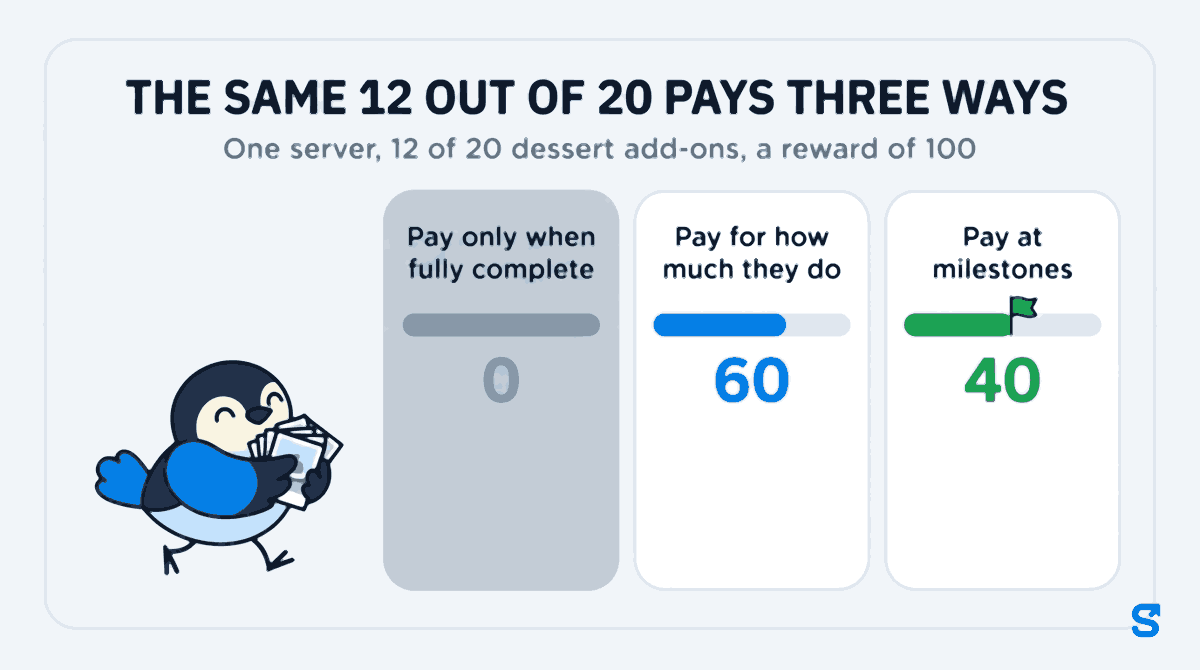
For a new program, milestones are usually the easiest to explain and the hardest to argue with. Somebody who is at 6 on the twentieth still has a reason to keep going, and nobody walks away with nothing after a genuinely good month.
Step 4: Keep the period short and the total visible
A year-end bonus is too far away to change what a server does on a Tuesday night. A month is about right for most shift teams; a one-off two-week push works for a launch or a slow season. Whatever the length, every person should be able to see their own running total, and how far they are from the next reward, without asking you. That running total is what ends the "I'm sure I was at twenty" conversation.
Step 5: Pay it on the payslip, as its own line
Pay the reward with the next pay run, written on the payslip as its own line with the goal and the dates, for example:
Incentive: Dessert add-ons (1 Nov - 30 Nov 2026) ... 60
A dated line does three jobs. The employee can see the promise was kept. You can see how much of the month's wage bill came from incentives. And nobody can claim next year that a reward was never paid. How rewards are treated for tax where you are is a question for your accountant, not for this guide.
How Shiftelio runs this from the first entry to the pay run
Shiftelio's Goals & Rewards lets you set targets for staff and pay out when they hit them. In the owner app, open Goals & Rewards and tap New Goal:
Give it a Goal title your staff will recognize, such as "Dessert add-ons", and answer "How many do they need to do?" with the number.
Under "What proof do you need for each entry?" add a photo and set it to Camera only if you do not want gallery pictures. You can add a text box, a checklist, a dropdown or a choice.
Pick Count automatically or I'll approve each one. A manager can approve entries too, if their role has permission to manage Goals & Rewards.
Pick Pay only when fully complete, Pay for how much they do (with an optional maximum cap) or Pay at milestones, set the reward amount, and use Preview the payout to see what each total would pay.
Choose Monthly goal or One-time goal, pick the staff, and for a monthly goal decide whether it should Repeat every month and whether somebody who falls short will Start fresh or Carry over their progress.
On the staff app, each person sees the goal with their own progress bar, an estimate of what they have earned so far, and how far away the next reward is: on the milestone goal above, a server at 8 of 20 reads "Reach 50% to unlock 40". When the customer orders the dessert, the server taps Log Entry, takes the photo and sends it. If you chose to approve entries, you see the photo and approve it or send it back with a reason, which the server sees under "My submissions".
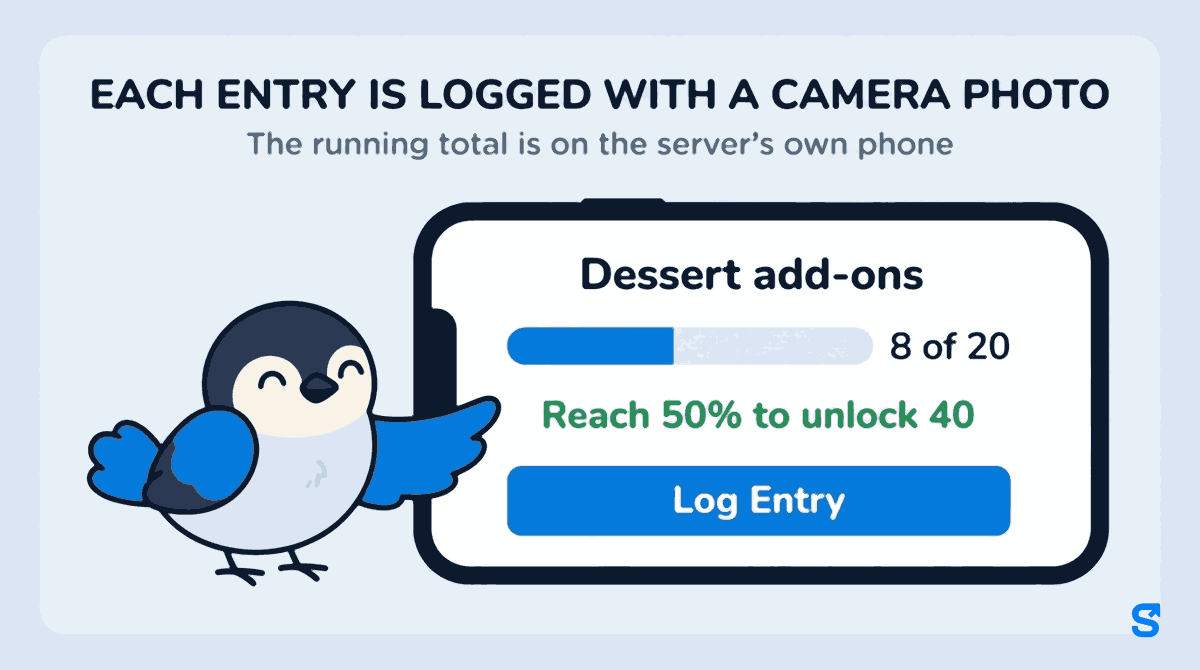
When the period ends, each person's reward is locked by itself and their app says it will be paid in the next payslip. When you run payroll in Shiftelio, the locked reward is added to that person's pay as its own line with the goal and the dates, and once paid it is marked "Paid in payslip" so it cannot be paid twice. Because the same app runs attendance and shifts, the wage and the incentive are worked out in one place. If you plan schedules in Shiftelio too, see how shift scheduling feeds the same pay run.
Which app runs an incentive program and pays it through payroll?
What is a good employee incentive program for a small business?
One that rewards a count of something each person controls, with proof for every entry and a payout rule agreed before it starts. Dessert add-ons, loyalty sign-ups or finished jobs with the checklist done all work well.
Should I use cash or payroll for staff incentives?
Use payroll. A reward paid on the payslip as its own dated line is a record both sides can see. Cash from the till leaves no trace, so a month later nobody can tell whether it was paid.
How do I stop people logging entries that did not happen?
Ask for a camera-only photo with every entry and approve entries yourself for the first month. In Shiftelio you can reject an entry with a reason, and an entry that already counted can be undone until the period is settled.
Can different staff have different targets?
Yes. Each person on a goal has their own progress. If a senior team member should have a higher target, create a second goal with the higher number and assign them to it.
Can the same goal run every month?
Yes. Make it a monthly goal and turn on Repeat every month. You choose whether people who fall short start fresh or carry their progress into the next month.