How to Track Field Employees Without Calling Them All Day: A Five-Minute Evening Review
In short
Track field employees by reading each person's day once each evening: stops in order, named, with distance and gaps explained, not calls all day.
- Calling or texting field staff every hour costs you both time and still leaves you guessing.
- One look per person each evening answers most questions: the summary line, the unnamed stops, and the gaps.
- Name a customer once with Save this place, and every later stop there by any of your staff shows that name.
The simplest way to track field employees is to stop checking on them during the day and read each person's whole day once, in the evening. In Shiftelio that is the Where the day went view: every stop of the shift in order, named, with the drives between them, the distance so far and a reason for every gap.
Why calling field staff all day does not work
Picture Lisa, who runs a small heating and cooling repair company with five technicians in vans. Every morning the job board is full. By 10 a.m. she is texting "where are you now?", by noon she is calling the technician who has not answered, and by 4 p.m. a customer rings to ask why nobody turned up between 1 and 3.
Every call interrupts a technician in the middle of a job. Every text gets an answer that is true at the moment it is sent and tells Lisa nothing about the hour before. And the questions that matter, such as "why did Tuesday's third job take three hours?", only come up after the day is over, when nobody remembers.
So the fix is not more checking. It is a different time to look, and a record good enough to look at.
What a good field day record shows
Most owners who track field employees settle on one of four methods. Each answers part of the question.
| Method | What it answers | What it leaves out |
|---|---|---|
| Calls and texts during the day | Where someone is right now | Everything before and after the call |
| Paper job sheets | What the technician wrote down | Drives, waits and anything forgotten |
| A tracker box in each van | Where the van went | Who was in it, and it costs a box per vehicle |
| A clock-in app on the worker's phone | Where the shift started and ended | The day in between, unless the app lays it out |
The last one is the right base, because the person already carries the phone and only works while clocked in. What it needs on top is the day in between, laid out so a manager can read it in a minute.
Set it up once
In Shiftelio, open Settings, then Field staff, and switch on Who works in the field for the people whose job is to travel. For Lisa that is the five technicians, not the office coordinator. The settings page also marks people as Suggested when many of their check-ins are away from your sites, which helps when you are not sure who belongs on the list.
Check that Show the field day timeline is on. The day timeline comes with every business. It is not an add-on.
Marking someone as field staff also means the Activity Log shows Out in the field for them, without an "away from site" warning, because being away from the office is their job.
The five-minute evening review
Do this once a day, at the same time, for each person who was out. It takes about a minute per technician once your customers are named.
Look at the summary line first
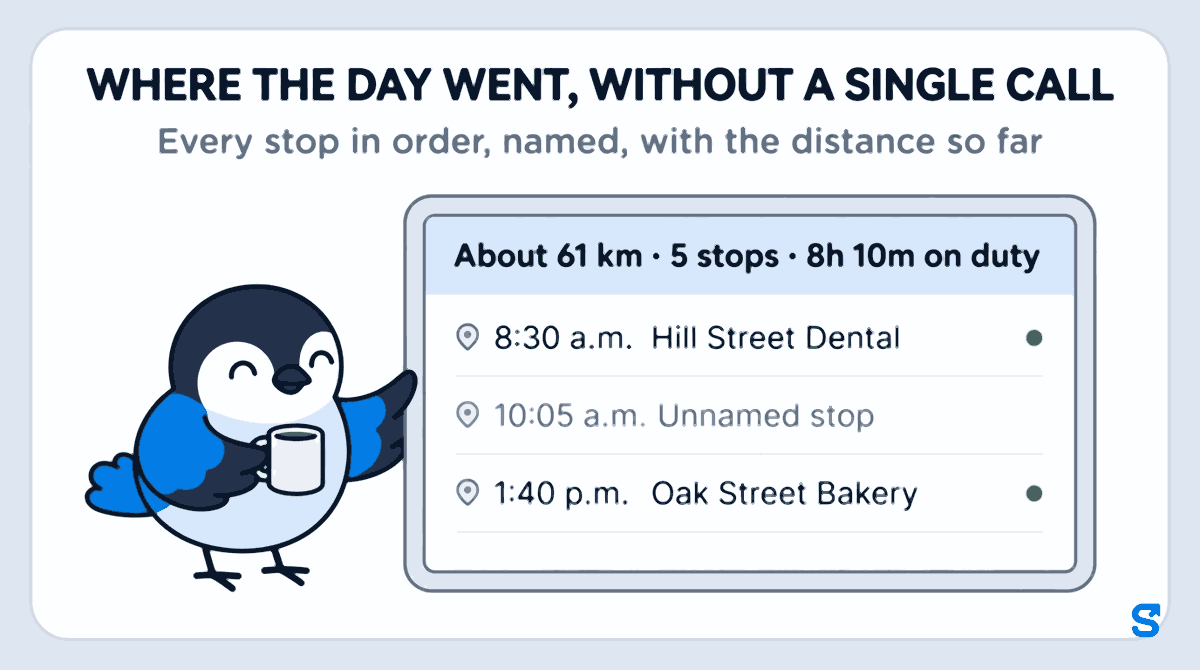
Open the person's shift in Attendance and find Where the day went. The top line sums up the shift. For Sam, one of Lisa's technicians, Tuesday reads About 61 km · 5 stops · 8h 10m on duty. That is roughly 38 miles.
Hold that line against the job board. Five jobs booked and five stops made is a normal day. Five jobs booked and nine stops, or two, is the day to open.
Then read the stops in order
Under the summary, the day runs in time order:
- 7:45 a.m. Checked in, at the shop.
- 8:30 a.m. Hill Street Dental, saved place, 40 minutes.
- 10:05 a.m. Unnamed stop, near Maple Avenue, 55 minutes.
- 11:20 a.m. Riverside Apartments, saved place.
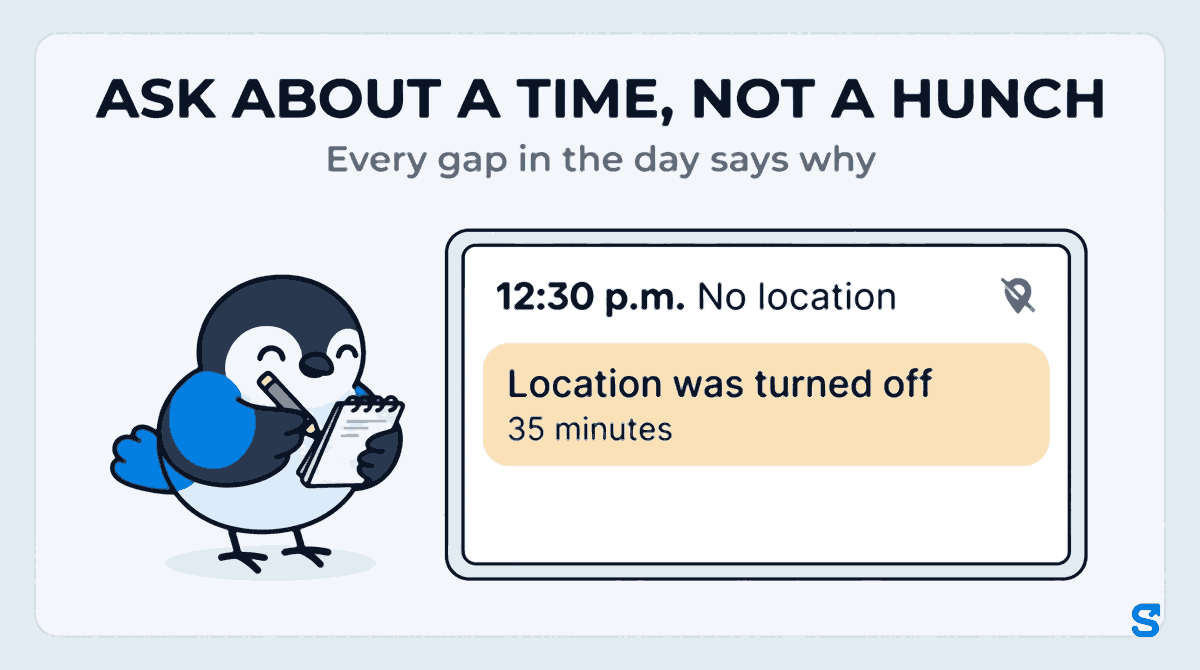
- 12:30 p.m. No location: Location was turned off, 35 minutes.
- 1:40 p.m. Oak Street Bakery, saved place.
- 2:50 p.m. Greenway Laundromat, saved place.
- 3:55 p.m. Checked out.
Between the stops you see the drives, with the distance and the time each one took. That alone answers the 4 p.m. customer call: Sam was at Oak Street Bakery from 1:40 and at the laundromat by 2:50.
Name every unnamed stop
The first time a technician stops somewhere you have not named, the day shows the area name from the map, or Unnamed stop. Tap Save this place, type the customer's name, and save. From then on every stop within 75 m of it, by any of your staff, shows that name. In Saved places you can change that distance for each place, and add a customer before anybody visits by pasting the location from Google Maps (Google Maps Help explains how to copy a place's coordinates).
This is the step that makes the review fast. In the first week most stops are unnamed. After a month of naming the regulars, a day reads like a job list, and the unnamed stop that is left is the one worth a question. For Sam that is the 55 minutes near Maple Avenue at 10:05: a supply house, a customer added on the phone, or a long breakfast. The timeline does not say which. It tells you which question to ask.
Read the gaps, then ask about a time
A phone does not always report. When it goes quiet, the day says what it knows instead of leaving a hole:
- Location was turned off: the person, or a phone setting, switched location off during the shift.
- Battery was very low, the phone probably switched off: the phone died.
- The phone closed Shiftelio; it restarted later: the phone shut the app to save power.
- The phone sent nothing; reason not known: nothing came through and there is no known reason.
Changes to the phone's own settings during the shift, such as location being switched off and on again, are listed in the attendance report under Phone settings changed on duty.
Sam's 35 minutes at 12:30 says Location was turned off. That might be lunch, a setting changed by mistake, or a habit. The right next step is the same in every case: "Your location was off from 12:30 to 1:05 on Tuesday. What happened?" Most answers are ordinary, and the question alone usually stops the habit. If location keeps going off, the phone's own settings are often the cause; Android Help and Apple Support show your staff where location is switched on and off.
Note only what needs a conversation
Most evenings, the review ends with nothing to do. When something does need a word, write down the person, the date and the time from the timeline, and bring it up the next morning, calmly, as a question. One specific question a week does more than ten calls a day.
What not to do
- Do not watch the map all day. Reading the day once in the evening is cheaper for you and kinder to your staff.
- Do not track anybody off the clock. Shiftelio records where the phone is only while the person is clocked in, and nothing after check-out.
- Do not treat the distance as a mileage log. It is an estimate of the clocked-in day, a guide rather than a record for expenses.
- Do not keep it a secret. Tell staff when you hire them what the app records and why, and that they can see their own day in the app too.
Who sees a field worker's day
You see the day for every field employee. A manager sees it only for the staff they manage, and only if you give their role the Field staff permission. That permission can also let a manager download or share the stops and distance, and save places, or not, as you choose. The technician sees their own day, which helps when they are the one asked "where were you at 10:30?"
Which app lays out a field employee's whole day
See how it works for traveling teams on the field teams page, or start from the Shiftelio home page.
Frequently asked questions
How do I track field employees without micromanaging them?
Read each person's day once, in the evening, instead of checking during it. A timeline of named stops, drives and explained gaps answers most questions without a single call.
Can I see where my field staff went during the day?
Yes. Mark them as field staff and open their shift in Shiftelio. Where the day went lists every stop in order, with names, the drives between them and the distance so far.
Do I need a GPS tracker in every vehicle?
No. The day comes from the employee's own phone while they are clocked in, so it follows the person rather than the vehicle, even when two people share one van.
Does the app track employees after they clock out?
No. Location is recorded only during the shift. After check-out nothing is recorded until the next clock-in.
What should I do when there is a gap in the day?
Ask about the time, calmly. The timeline gives the reason it knows, such as location turned off or a dead battery, and most gaps have an ordinary explanation.