Employee Says Their PTO Balance Is Wrong? How to Check It, Correct It and Tell Them Why
In short
To fix a wrong PTO balance, trace it line by line, correct it with a dated adjustment and a reason, and tell the employee what changed and why.
- A PTO balance is a sum of lines: days given, carried over, earned, taken. A wrong balance means one line is wrong, so find the line before you change anything.
- Never overwrite the total. Add a dated adjustment with the number of days, a reason and a short note, so the history still adds up.
- Check the result before you save: what the balance was, what it will be, and whether it drops below zero.
When an employee says their PTO balance is wrong, do not just type a new number over the old one. Trace the balance line by line to find the entry that does not match, correct it with a dated adjustment that carries a reason, and tell the employee what changed and why.
This guide is for owners and managers of hourly teams in restaurants, retail, cleaning, care and field service, where leave is tracked for a dozen or a hundred people and a wrong balance turns into an argument at the worst moment. It covers why balances drift, how to check one before you touch it, how to correct it so the fix can be read later, what to say to the employee, and how Shiftelio does all of it from one screen.
Why PTO balances go wrong in a shift team
Leave balances rarely go wrong because of one big error. They drift through small ones, each of which made sense at the time:
- A day recorded twice. The request was approved in the app and the manager also marked the day off on the schedule.
- A request that changed after approval. The employee came in after all, or took a half day instead of a full day, and the record still says full day off.
- A day worked on a day off. Somebody covered a shift on their scheduled day off, and the manager promised them a day back that never reached the balance.
- A mid-year joiner given a full year. A new hire in September got the same number of days as somebody who started in January.
- Carried-over days missed. The days left from last year were agreed but never added to this year.
Every one of these is a record problem, not a people problem. That is good news: a record problem can be found and fixed, as long as the record is kept as a list of lines rather than one number somebody keeps rewriting.
How to check a PTO balance before you change it
Before you change anything, rebuild the balance the way the employee would if they sat down with a pen. It is usually a five-minute job, and it tells you which line is wrong rather than only that the total is.
Write down how many days of this leave type the person was given for the year, plus any days carried over from last year. If your days are earned month by month, use the days earned so far, not the full year.
List each approved request with its dates and whether it was a full day or a half day. This is where double entries and changed requests show up.
Add any days given back or adjusted earlier in the year, with the reason for each. If an earlier change has no reason, that is often the line in question.
Given, plus carried over, plus or minus changes, minus taken, should equal the balance you show. If it does not, or if it does but the employee is right about a day, name the exact line that is wrong: "July 14 is recorded as a full day, you worked the afternoon."
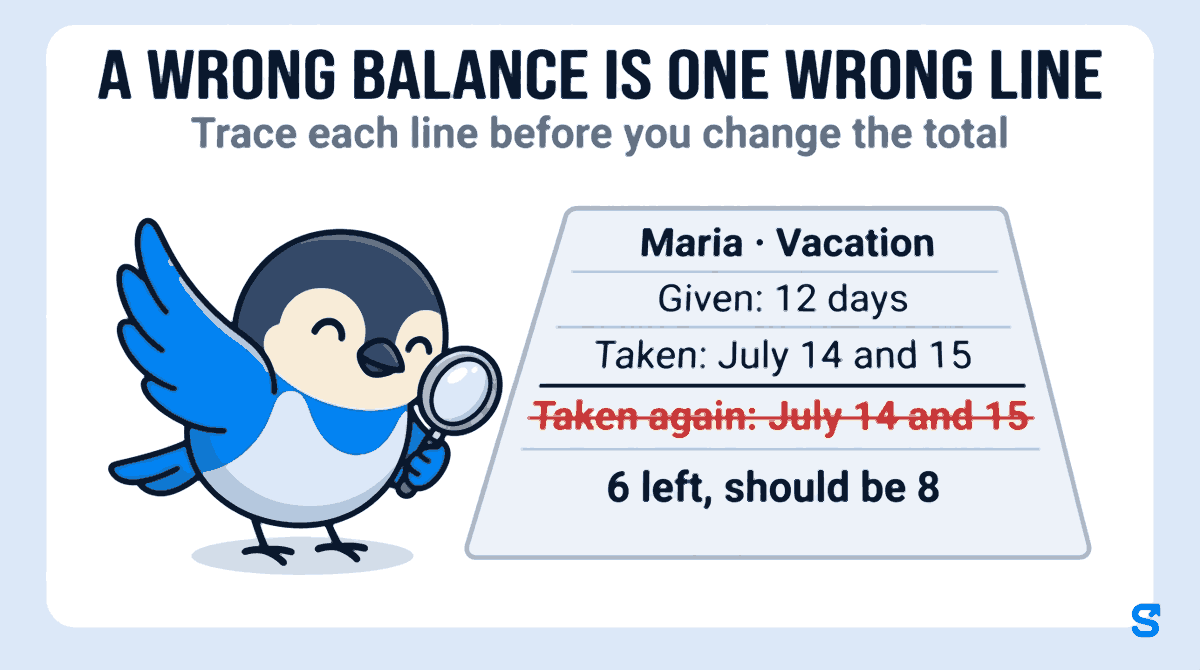
A real example: Maria was given 12 vacation days and her balance shows 6 left of 12. She says she has only taken 4. Her list shows her two days off, July 14 and 15, recorded twice: once from her approved request and once again by hand on the schedule. Her balance should be 8 left of 12, and the fix is +2 days.
If the employee turns out to be wrong, you now have the lines to show them, which ends the conversation far better than "the system says so". If they are right, you know exactly how many days to put back, and why.
How to correct a leave balance so it can be read later
There are two ways to fix a balance, and only one of them survives the next question.
| Overwrite the number | Add a dated adjustment | |
|---|---|---|
| What you do | Type 8 over the 6 that was there | Add +2 days, with a reason and a note |
| What the history shows | Nothing: the 6 is gone | 6, then +2 "Correction: July 14 and 15 recorded twice", then 8 |
| When somebody asks in March | Nobody can say why it is 8 | Anybody can read why |
| What the employee sees | A number that changed by itself | The change, the reason and the date |
A good correction has four parts:
- The days, either added or removed, or the balance set to the right number.
- A reason from a short fixed list, such as correction, day off owed for working a day off, joining part way through the year, or other. A fixed list makes the history easy to scan and the patterns easy to spot.
- A note in plain words: "2 days were marked twice in July". Write it for the employee, because they will read it.
- A look at the result before you save: the balance before, the balance after, and a warning if it would drop below zero. A correction that takes somebody below zero means the days they already took beyond it become unpaid, and that deserves a conversation first, not a surprise on the paycheck.
Correct only the current leave year. If last year's balance was wrong, the fix belongs in this year's carry-over, with a note saying so, not in a record everybody has already closed.
What to tell the employee, and when
Tell them the same day, in writing, and keep it short: what changed, by how many days, why, and what they have now. Research on how people accept decisions they did not choose points the same way. In their Harvard Business Review article on fair process, W. Chan Kim and Renée Mauborgne found that people commit to a decision, even one they disagree with, when they believe the process behind it was fair, and that explaining the decision is one of the three things that makes it feel fair.
That matters most when the correction goes against the employee. "Your vacation balance went from 6 to 5 days left. The half day on March 3 had not been recorded. Ask me if anything looks off" is a message people accept. A balance that quietly drops by one is the one that starts a rumor in the break room.
Two habits keep corrections rare:
- Let every employee see their own balance and history at any time, not only when they ask. Most errors are caught early by the person they affect.
- Decide your leave rules before the requests arrive, as SHRM's advice to managers puts it, so how many people can be out at one time and how requests are granted are settled before the busy season, not argued afterwards.
How Shiftelio corrects a leave balance and tells the person
In Shiftelio the owner's screen is Leaves, and its first tab is Balances: one row per person, one column per paid leave type, and every cell reads N left of M, for example 6 left of 12. A person with no days set for a type shows Not set with a Give button.
Tap a person on Balances and their Leave for panel opens beside the table, or full screen on a phone. It shows each leave type's days left and a History of the year: days given, carried forward, earned, taken, given back and adjusted, each with its date. That history is the line-by-line check from earlier, already written out. On a computer, Previous person and Next person let you go down the team without closing it.
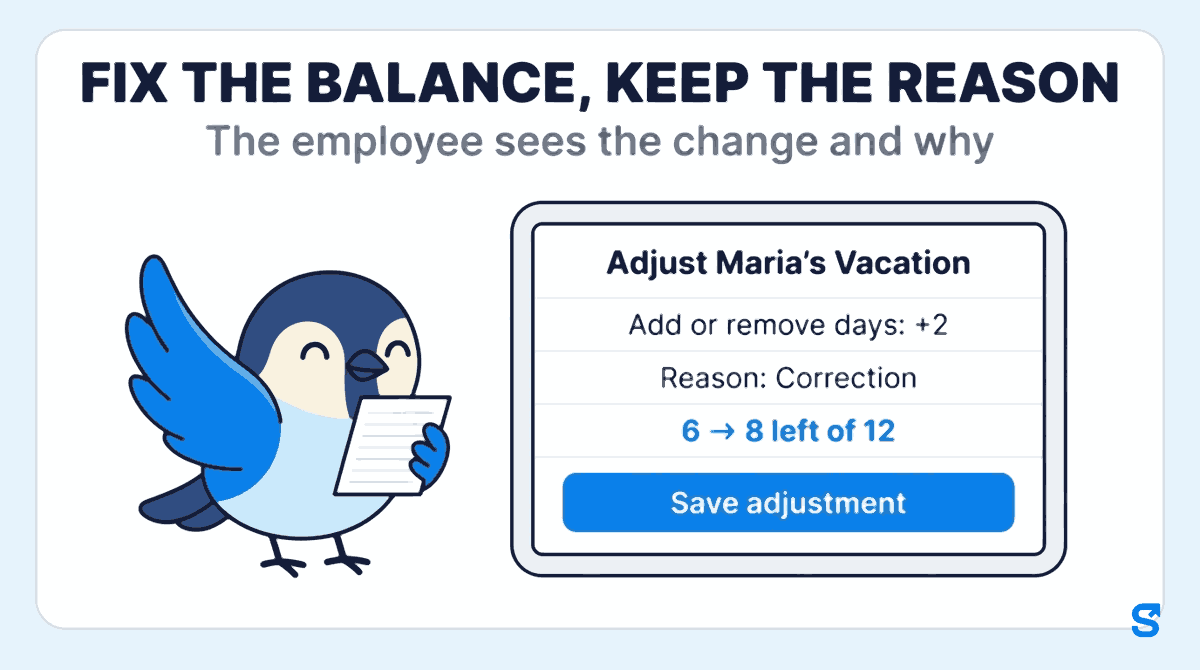
Tap Adjust on the leave type. The window is titled with the person and the leave type, for example Adjust Maria's Vacation. You can Set days left to a number, or Add or remove days: for Maria, add 2. The panel shows the days left now, with how many were given and how many taken, so you start from the same numbers the employee sees.
Pick a reason: Correction, Comp-off (a day owed for working a day off), Joining or Other, and write a note, for example "July 14 and 15 were recorded twice". You cannot save without both, and the screen says plainly that the person will see the reason.
Before you save, Shiftelio shows the change as before and after, for example 6 → 8 left of 12. If the change would take the balance below zero, it warns that leave beyond zero becomes unpaid. It also reminds you that the change applies to this leave year only. Then tap Save adjustment.
The employee gets a notification on their phone, "Your leave was adjusted", with the change and the days they now have left. In the app, their own leave history shows the line, for example "Vacation: adjusted +2 · Correction" followed by your note. The adjustment stays in the history, so the balance always adds up from its lines.
The owner can always adjust a balance. A manager can only if you give them permission to edit leave, so a shift lead who can see the team's balances cannot quietly change them. An approved day off still shows on the shift schedule as leave. See everything else Shiftelio does for hourly teams on the features page.
What it does not do: it does not decide for you whether the employee is right; the history shows you the lines, and you make the call. It changes only the current leave year, so a past year's mistake is fixed through this year's days. And it does not work out any country's legal leave entitlement; you set the days for each leave type yourself.
Which app lets you correct a PTO balance and show the employee why?
Questions owners ask
What should I do if an employee says their PTO balance is wrong?
Rebuild the balance line by line before changing anything. Start from days given and carried over, subtract every day taken, and find the single entry that does not match.
Should I just change the number to what the employee says?
No. Add a dated adjustment with a reason and a note instead. Overwriting the total erases the history, so nobody can explain the number later.
How do I tell an employee their leave balance was corrected?
In writing, the same day: what changed, by how many days, why, and how many days they now have. Short and specific is better than long.
What if the correction takes the balance below zero?
Talk to the employee before you save it. Days already taken beyond zero usually become unpaid, and that should never be a surprise on a paycheck.
Can a correction change last year's balance?
It is cleaner not to. Fix a past year's mistake through this year's carried-over days, with a note saying which year it came from.
How can I stop PTO balances going wrong in the first place?
Take every request in one place, record half days as half days, and let staff see their own balance and history at any time. Most errors are then caught early.