Time Off Requests for Shift Teams: A Fair Policy You Can Run From the Phone
In short
Handle time off requests fairly: one way to ask, a notice window, a first-come rule, cover checked before approval, and every answer on record.
- Take every time off request in one place, with the dates and the type of leave, never by text or in passing.
- Set a notice window and a few blackout dates, and publish them before anyone asks.
- When two people want the same day, the first complete request wins, and you say so in the policy.
To handle time off requests fairly in a shift team, give staff one place to ask, set a notice window, decide clashes by who asked first, check cover before you say yes, and answer every request in writing. A request that lives in a group chat or a sticky note is the one that ends in a no-show or an argument.
This guide is for owners and managers of hourly teams in restaurants, retail, cleaning and field service. It covers the policy itself, the rules that keep it fair when two people want the same Saturday, a short policy you can copy, and how Shiftelio carries a request from the employee's phone to your answer.
Why time off requests go wrong in a shift team
In an office, one person away for a day is an inconvenience. On a shift floor it is a hole in the schedule: a till with no cashier, a kitchen one cook short, a cleaning job with nobody booked. That is why the way you take requests matters more than how generous your policy is.
Most trouble comes from four habits:
- Requests arrive everywhere. A text on Tuesday, a word at the end of a shift on Wednesday, a message in the team chat on Thursday. By the weekend nobody is sure who asked for what.
- Answers are verbal. "Should be fine" is heard as yes and meant as maybe. The employee books a trip; the manager builds the schedule without them in mind.
- Clashes are settled by mood. Two people want the same Saturday and the one who asked most recently, or most loudly, gets it.
- Nobody checks cover first. The request is approved on the spot, and the gap is found when the schedule is built a week later.
None of these is about bad staff or bad managers. They are about having no single place and no written rules.
And the cost is real. Researchers at Harvard's Shift Project followed 1,827 hourly retail and food service workers and found that, for the third of them with the least stable schedules, schedule instability was "a strong, robust predictor of turnover". A day off that was promised and then taken back is exactly that kind of instability.
How to handle time off requests, step by step
Every request goes through the same channel, with the same details: the dates, full day or half day, the type of leave, and a short reason if the person wants to give one. A text or a word on the floor is not a request until it is in that one place. This alone ends most "but I told you" arguments.
Decide how far ahead a request must come in. Many shift businesses ask for two weeks for a single day and four weeks for a week or more, because that is how far ahead they build the schedule. Pick the number that matches your own schedule, write it down, and make the exception (illness, a family emergency) a conversation, not a loophole.
If your busiest weeks cannot spare anybody, say which ones at the start of the year: the holiday rush in retail, the summer peak at a pool or a beach café, inventory week. A blackout announced in advance is a rule. One announced after somebody asks feels personal.
Before you approve, look at who else is already off that day and who could cover the shifts. Approving first and finding the gap later means pulling someone in on their day off, which is the fastest way to lose a good worker.
Approve or reject within a set time, for example three working days, so nobody is left guessing. A no should always carry a reason the person can understand: "Two of the four servers are already off that Saturday." A reason protects you when staff compare notes.
Every request, answer and date stays on file, along with how many days each person has left of each leave type. When somebody asks "how much vacation do I have left?", the answer should take seconds, not a search through old messages.
When two people ask for the same day off
This is the moment that tests a policy. SHRM's advice to managers is to decide in advance how many people can be out at one time, and whether requests are granted by seniority or first come, first served, before the requests arrive. Pick one rule, write it into the policy, and apply it every time:
| Rule | How it works | Good for | Watch out for |
|---|---|---|---|
| First come, first served | The first complete request wins | Most small teams; easy to explain | Staff racing to book every holiday a year ahead |
| Rotation | Peak days rotate person to person year by year | Holidays everybody wants | Needs a record of who had it last year |
| Seniority | Longer service wins | Teams where that is already the culture | New staff feel they never get a turn |
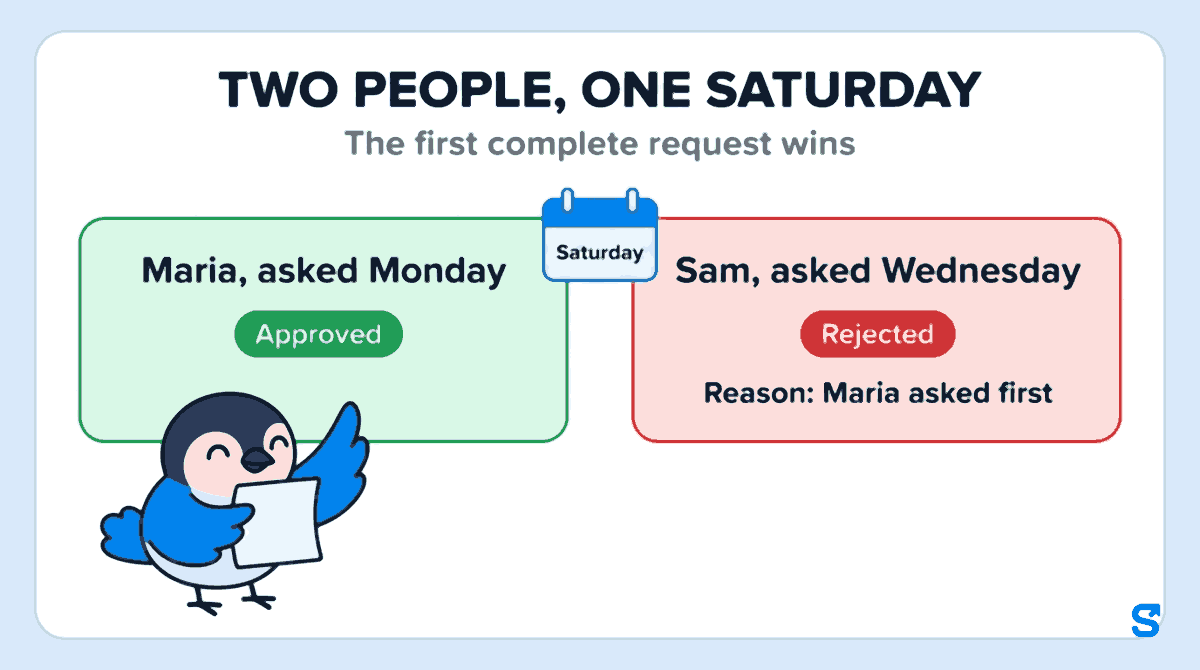
For most small teams, first come, first served works best, with one limit: a cap on how many people can be off on the same day. When the cap is reached, later requests for that day are refused with that reason, and the person can ask for another day. "First complete request" matters: a request counts from the moment it has the dates and the leave type, not from a hallway mention.
A real example: only one more server can be off on Saturday. Maria asks for it on Monday, Sam asks for the same Saturday on Wednesday. Maria is approved. Sam is rejected with the reason "Maria asked first", and offered another day.
A time off request policy you can copy
- All time off requests are made in the app, with dates, full or half day, and the leave type.
- A single day needs two weeks' notice; a week or more needs four weeks.
- Blackout dates for the year are published in January and do not change after a request is made.
- No more than two people from the same team are off on the same day.
- When two requests clash, the first complete request is approved.
- Every request is answered within three working days, and every no comes with a reason.
- An approved request can only be cancelled by talking to the manager first.
- Leave balances are visible to each employee at any time.
Change the numbers to fit your business. What matters is that the rules are written, shared before anyone asks, and applied the same way to everybody. Leave entitlements and notice rules set by law differ between countries, states and provinces, so check the rules where you operate before you publish your policy.
How Shiftelio handles a time off request, from the phone to the schedule
Shiftelio puts the policy above into the same app your staff already use to clock in. The owner screen is called Leave Management, and the employee's is My Leaves.
In Leave Settings the owner creates each leave type: a name such as Vacation or Sick, whether it is Paid leave or Unpaid leave, and the Standard days per year. Days can be given All at once, at the start of the cycle or One twelfth each month, and at year end unused days are lost, carried over up to a limit, or all carried over. Payroll uses the paid or unpaid setting, so an approved unpaid day comes off pay without anybody remembering it.
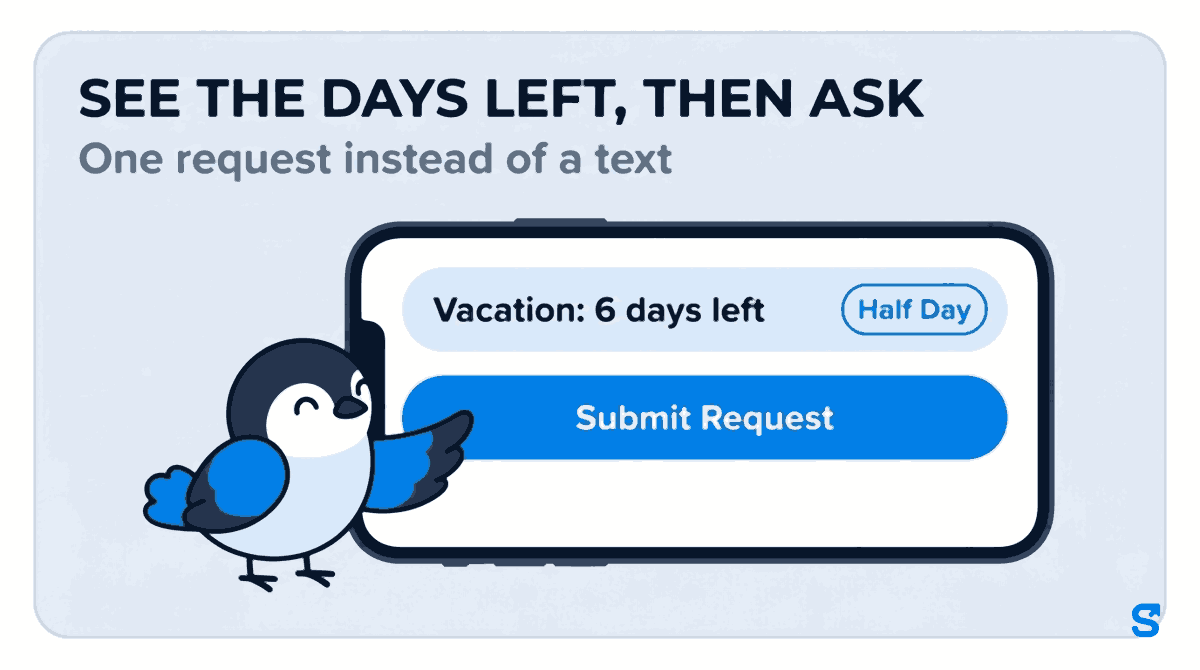
In My Leaves the employee sees how many days they have left of each type. They tap Request Leave, pick the Leave Category (the list shows the days left beside each one, for example Vacation: 6 days left), the dates, and Full Day, Half Day or Specific Shift Only, add an optional reason, and tap Submit Request. If they ask for more paid days than they have, the extra days are counted as unpaid rather than quietly approved as paid.
The owner gets an alert on their phone, and so does any manager you have given the Leaves permission. You can let a manager approve only their own team, so a shift lead never answers for somebody else's staff. If you use the WhatsApp or Telegram alerts, the request can be approved or rejected from the message.
Each waiting request on the Requests tab says how many other people are already off on those days, with their names. That is the cover check from the policy, done for you before you tap Approve or Reject.
The employee is told the decision on their phone, and their History shows who decided it. An approved day shows on the shift schedule as leave, in the manager's view and in the employee's own week, so nobody builds a shift around a person who will not be there. The Employee Balances tab keeps every person's days up to date.
What it does not do: an employee cannot cancel a request from the app once it is sent, so a change of plan still goes to a manager, who can edit or delete it. And the app does not enforce your blackout dates or a cap on how many people are off; you apply those rules when you approve, with the "others are off those days" line in front of you.
Which app lets shift staff request time off from their phone?
Questions owners ask
How do I handle time off requests fairly?
Use one written rule for everybody: one place to ask, a notice window, a first-come rule for clashes, and a reason for every no. Fairness is mostly about being predictable.
How much notice should employees give for time off?
Match it to how far ahead you build the schedule. Many shift businesses ask for two weeks for a single day and four weeks for a longer break.
Can I deny a time off request?
Usually yes, for a business reason such as cover, but check the leave rules where you operate first. Always give the reason in writing and suggest another date.
What if two employees want the same day off?
Approve the first complete request, unless your policy uses rotation or seniority. Tell the second person why and offer to look at another day.
Should time off requests be made in writing?
Yes. A request in one written place, with dates and the leave type, removes most disputes. A word on the shift floor is easily misheard or forgotten.
How fast should a manager answer a time off request?
Set a deadline in the policy, such as three working days. A quick answer lets the employee plan and lets you build the schedule with the gap in mind.