Employee Keeps Forgetting to Clock Out? A Clocking Out Policy for UK Cafés and Shops
In short
Decide what happens when staff forget to clock out, tell them once, and check the odd shifts before the timesheet goes to payroll, not after payday.
- Set one rule for a forgotten clock-out (end of their hours, or where the app last saw them) and tell the whole team, not just the person who forgets.
- Most shifts closed without a clock-out are fine. Only a handful have hours nobody worked, or hours missing.
- Check that handful before you run payroll, fix the time with the person, and mark the rest as checked.
When an employee keeps forgetting to clock out, decide in advance what the record should show when it happens, tell every member of staff that rule in writing, and check the few shifts that look wrong before the timesheet goes to payroll. Do those three things and a forgotten clock-out stops being a pay dispute and becomes a two-minute fix.
Why staff forget to clock out at the end of a shift
Picture a small café in Leeds on a Saturday. Tom closes up: he cashes up the till, mops the floor, takes the bins out, sets the alarm and walks to the bus. Clocking out was the one job with nothing physical attached to it, so it slipped. Nobody notices until the timesheet arrives and Tom's Saturday says either six minutes or fourteen hours.
Forgetting is rarely dishonest. In cafés, shops and cleaning crews it tends to come from the same few places:
- The last job is somewhere else. Bins, the back door or the car park, away from the till where people clock in.
- The shift ends in a rush. A late customer, a missed bus, a child to collect.
- Part-time staff work two or three shifts a week, so the habit never sets.
- Nobody owns the check. If the closing lead does not ask "has everyone clocked out?", nobody does.
A reminder helps, but it treats each forgotten clock-out as a one-off. A clocking out policy treats it as something that will happen, and decides in advance what the record should say.
Write a clocking out policy in four lines
You do not need a handbook chapter. Four plain lines on the staff noticeboard, or in the message you send with the rota, cover it:
- Clock out before your last job, not after it, or ask the closing lead to remind you.
- If you forget, your shift is closed at the end of your rota hours (or at the place the app last saw you at work).
- If you stayed late or left early, tell the manager the real time the same day so it can be fixed before payday.
- Forgetting is not a disciplinary matter. Repeated forgetting gets a quiet chat, not a deduction.
The last line matters more than it looks. If a forgotten clock-out costs somebody money, staff start guessing their own times or clocking out early "to be safe", and your records get worse, not better. Keep the record honest first, and deal with a habit as a conversation.
Choose what happens when somebody forgets
In Shiftelio this rule is a setting, under Attendance, then Settings, then the auto clock-out section. You pick how long after the end of a shift a forgotten clock-out is closed (straight away, or after a short wait), and you pick the Auto Action:
| Auto Action | What the record shows | Good fit for |
|---|---|---|
| Clock out at Last Location | The last place and time the app saw them at your site | Cafés and shops where people often stay late to close |
| Clock out at Cutoff Time | The end of their rota hours, plus any wait you set | Fixed shifts that rarely run over |
| Mark as Absent (Penalty) | The shift as an absence with a full-day penalty | We would leave this off for hourly UK staff: it records a worked shift as not worked |
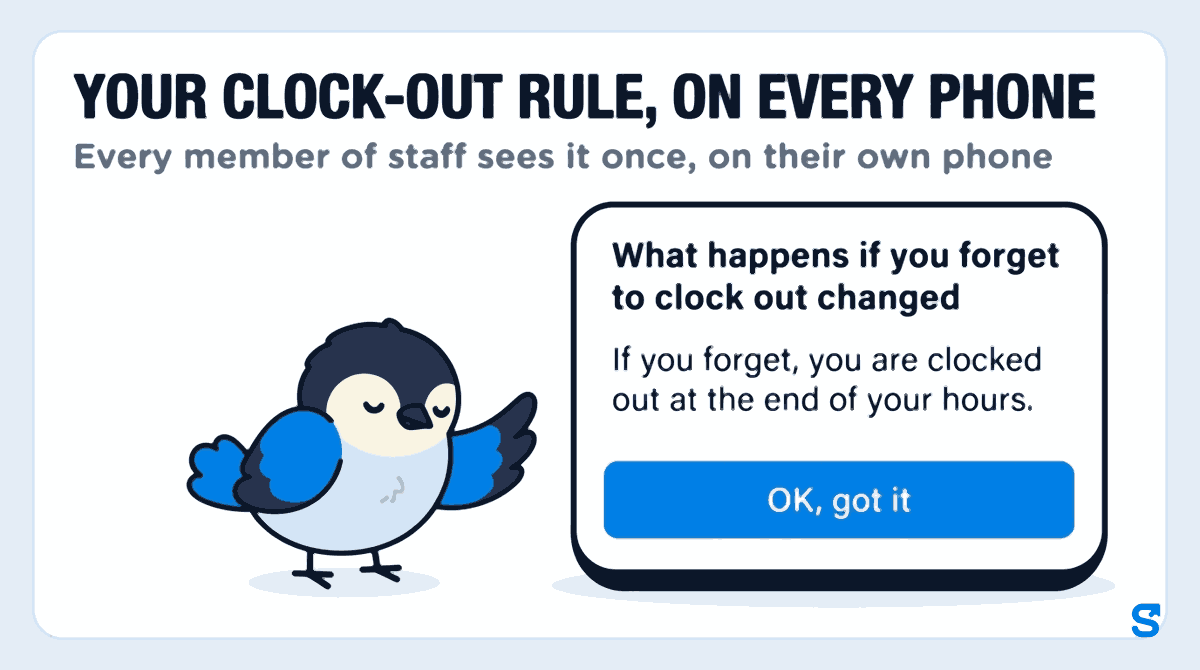
Whichever you choose, your staff are told. When you change the rule, every member of staff sees one card in the app the next time they open it, headed What happens if you forget to clock out changed, with the rule in one sentence, such as "If you forget, you are clocked out at the end of your hours." They tap OK, got it and it does not show again. That is your policy delivered to every phone, without a group chat that half the team has muted.
The weekly check: look at the odd shifts before payroll
A closed shift is not a finished one. The setting stops a shift from running on for ever, but it cannot know when Tom actually left. So once a week, or before every pay run, open Attendance, then the Auto clock-out tab. It lists every shift Shiftelio closed because nobody clocked out, newest first, grouped by day, and splits them in two:
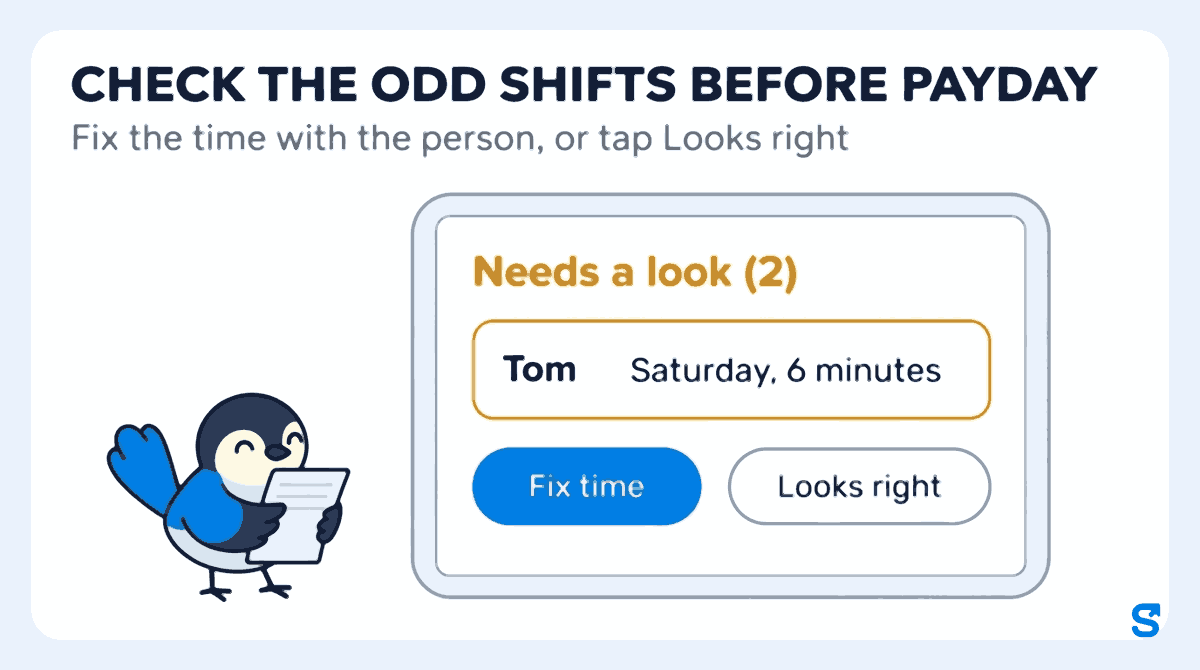
These are the shifts with hours nobody worked: a shift closed a few minutes after it started, or one that ran far longer than anybody works. The top card tells you how many there are, so on a quiet week it simply says Nothing needs a look.
Ask the person, or the closing lead, when they really left. Tap Fix time, type the right clock-out time, and save. The card then shows who corrected it and when, so the change is on record.
Some odd shifts are real: a double shift on bank holiday Monday, say. Tap Looks right and the card shows who checked it. If you tap it by mistake, Undo puts it back.
Everything else sits under All other shifts, each with a short reason such as Closed at the shift end time or Last seen at a work site. Those are usually right as they are. On a busy month, Show all and the name search find a particular person's day.
Two things the screen will not let happen, both on purpose. A manager cannot fix or approve their own forgotten clock-out, so nobody signs off their own hours. And nothing is changed in bulk: every correction is one shift, one person, one record of who changed it.
What the UK minimum wage rules mean for a missing clock-out
This is where a forgotten clock-out turns into money. If Tom worked an eight-hour Saturday and the record says six minutes, the timesheet is short by almost a full day's pay.
The gov.uk National Minimum Wage and National Living Wage rates page lists the rate for workers aged 21 and over as £12.71 an hour from April 2026, £10.85 for 18 to 20 year olds, and £8 for under-18s and apprentices, and says the rates change on 1 April every year. Checked on 11 October 2026. The rates are set under the National Minimum Wage Act 1998.
The practical point is simple: hours that are missing from the record are hours that are missing from the pay, and on a low hourly rate even one lost shift can matter. That is why the weekly check runs before payroll, not after somebody complains.
This is general information, not legal advice: check with the agency or an employment lawyer for your case.
What to do when the same person keeps forgetting
The Auto clock-out tab makes a pattern easy to see, because the same name keeps appearing. When it does:
- Talk to them privately, early. Ask what gets in the way. Often it is a closing routine that ends away from the till.
- Move the habit, not the person. Ask them to clock out before the bins, or have the closing lead check every name before setting the alarm.
- Keep fixing the record honestly each time, with the real time they left.
- Check their hours are set. "The end of their hours" only helps if their shift times in the app match the rota you gave them. If you plan the week in Shiftelio, the shift roster is where those times live.
Which clocking in system catches forgotten clock-outs before payroll?
Frequently asked questions
What should I do if an employee forgot to clock out?
Ask them when they really left, then correct the clock-out time before you run payroll. In Shiftelio, open the Auto clock-out tab, tap Fix time on their shift and save the real time.
What happens if you forget to clock out at work?
It depends on your employer's rule. In Shiftelio the owner chooses: the shift is closed at the end of your hours, or at the last place and time the app saw you at work, and you are told which.
Can I take money off an employee for forgetting to clock out?
We would not: the hours were still worked, and a forgotten clock-out is a record to correct, not misconduct. Whether any deduction is allowed is a legal question, so check gov.uk or ask an employment lawyer.
What should a clocking in and out policy say?
Four things: when to clock out, what happens if you forget, how to report the real time, and that forgetting is not a disciplinary matter. Send it with the rota so every new starter sees it.
Can a manager fix their own forgotten clock-out?
No. In Shiftelio a manager cannot fix or approve their own shift on the Auto clock-out tab, so somebody else always signs off their hours.