Employee Reimbursement: See What You Owe Your Crew Back Before Payday
In short
To know what you owe your crew back, keep every bill in one list that splits company-paid from staff-paid and shows what is still waiting and to pay back.
- Split every bill by whose money paid it: the company's card, or an employee's own money. Only the second is a reimbursement.
- Watch two numbers before each payday: bills waiting for your decision, and approved bills you still have to pay back.
- Under the federal FLSA, deductions for items such as tools of the trade are not legal to the extent they take pay below the minimum wage, per dol.gov, checked on 8 October 2026. Some states, such as California, go further.
To know what you owe your crew back, keep every work bill in one list that separates what the company paid from what staff paid out of their own pocket, and shows which staff bills are still waiting for a decision and which are approved but not yet paid back. If you can read those two numbers, waiting and to pay back, on the day before payday, nobody gets missed and nobody gets paid twice.
Most small US teams cannot read them. The receipts are in a glove box, a group text and the owner's email, and the first time anyone adds them up is when a cleaner asks, politely, about the $48 of supplies she bought three weeks ago. This guide is for owners and managers of cleaning companies, field crews, restaurants and retail stores with hourly staff. It covers what the federal and one state's rules say, the four numbers to look at every pay period, and how the new Money section in Shiftelio shows them on one screen.
Why reimbursements slip in a small team
A reimbursement is the one payment a small business owes that nobody planned. Payroll has a date. Rent has a date. The $23 of glass cleaner a crew lead picked up on the way to a move-out clean has no date at all, until it does.
Three things go wrong, almost always together:
- Company and staff spending sit in one pile. The owner's card paid for the vacuum repair; a cleaner's own debit card paid for the trash bags. When both receipts land in the same envelope, nobody can say what is owed to whom.
- Approved is not the same as paid. A manager says "yes, that's fine" in a text on Tuesday, and then nobody pays it, because "approved" was never written anywhere a payroll person would see.
- Nobody looks at the total until month end. By then the receipts are faded, the job they belonged to is forgotten and the employee has stopped expecting the money, which is worse for trust than any amount.
None of this is dishonesty. It is a list that does not exist.
The four numbers to check before every payday
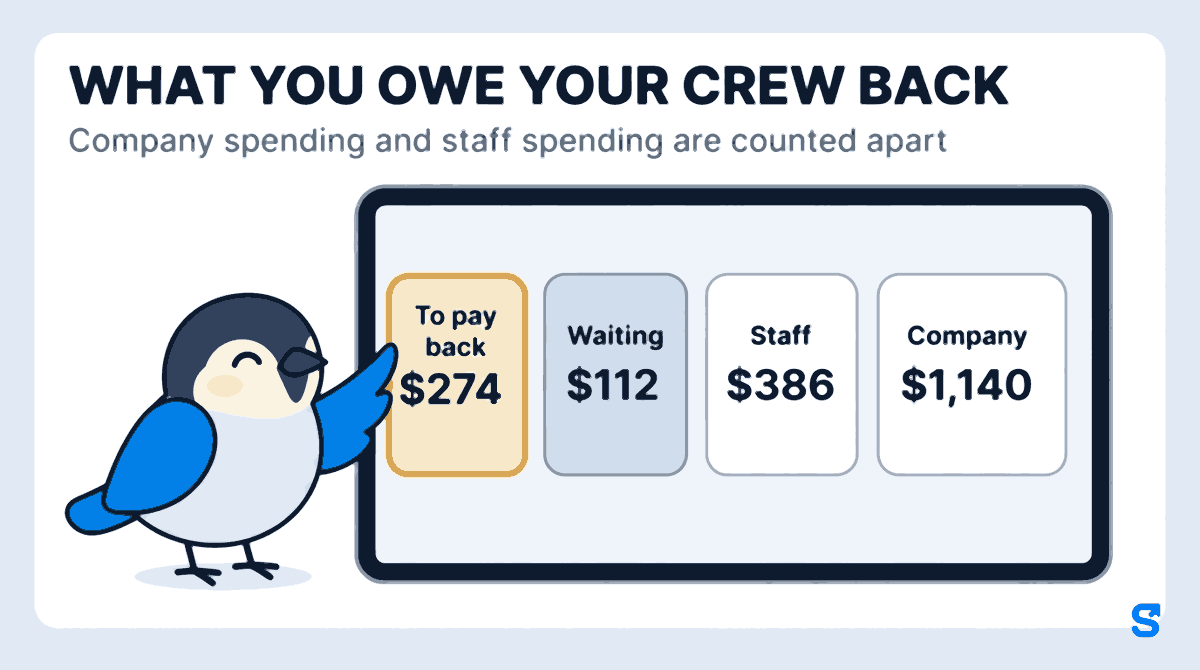
Picture Maria, who runs an 11-person home cleaning company in San Diego. Her crews buy supplies on the road, pay for parking at condo buildings, and sometimes cover a replacement mop head when one breaks mid-job. In October her list of work bills looks like this.
- $1,140: Company, bills paid on the company card
- $386: Staff, bills paid with employees' own money
- $112: Waiting, four staff bills nobody has decided yet
- $274: To pay back, approved staff bills not yet repaid
Each number answers a different question:
- Company is your own spending. It matters to your bookkeeper, but nobody is waiting on it.
- Staff is everything employees paid themselves. It should equal waiting plus to pay back plus what you have already repaid. For Maria, $112 waiting plus $274 to pay back is the full $386, so nothing has been repaid yet this month.
- Waiting is your job today. Four bills, $112, each one needs a yes, a no, or a question.
- To pay back is your job before payday. Maria owes Ana $148, Luis $86 and Jordan $40. If those three names are not on the next paycheck or paid some other way, they will have bought October's supplies for her.
What the federal rule and California's rule say
This guide is about running the list, not about law. Here is the short version of what two government agencies say, so you know why the list matters.
- Federal. The US Department of Labor's Handy Reference Guide to the FLSA says that "Deductions made from wages for such items as cash or merchandise shortages, employer-required uniforms, and tools of the trade, are not legal to the extent that they reduce the wages of employees below the minimum rate required by the FLSA or reduce the amount of overtime pay due under the FLSA." The same page gives the federal minimum wage as $7.25 an hour, effective July 24, 2009; many states set a higher rate. Checked on 8 October 2026.
- California. The California Labor Commissioner's deductions from wages FAQ says that "An employee is entitled to be reimbursed by his or her employer for all expenses or losses incurred in the direct consequence of the discharge of the employee's work duties." The same page says that if an employer requires a uniform, the employer must pay for it. Checked on 8 October 2026.
Other states have their own rules, and some say nothing beyond the federal one. Your state labor department's website is the place to check.
This is general information, not legal advice: check with the agency or an employment lawyer for your case.
How one bill travels from the receipt to the paycheck
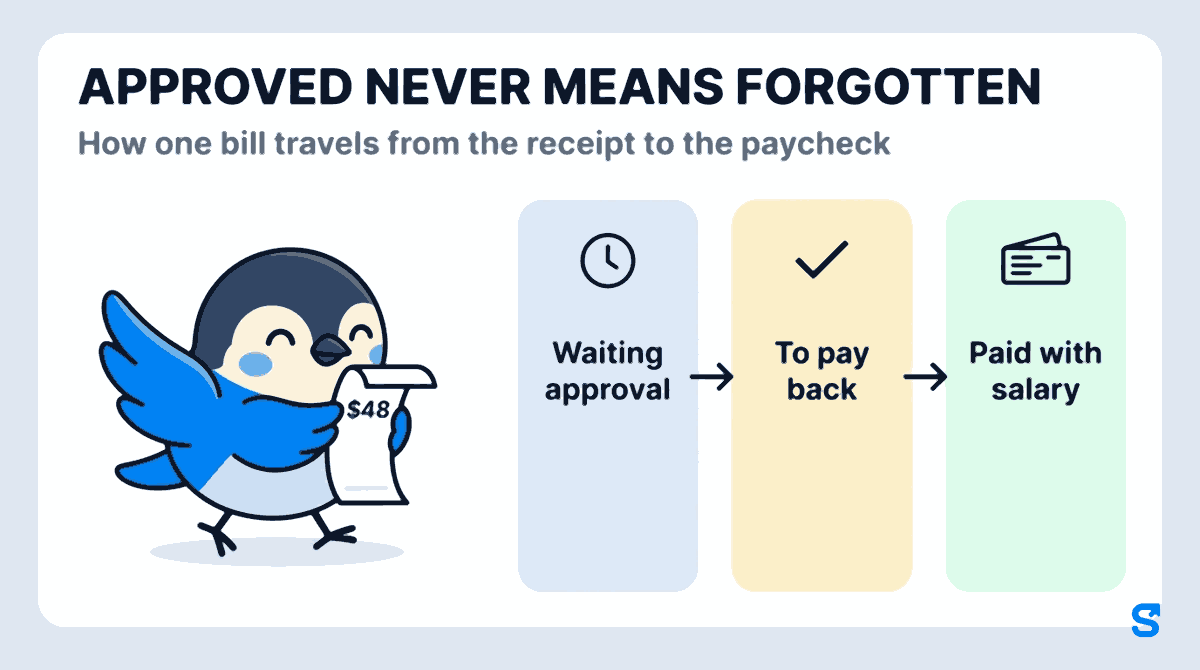
Whatever the rules where you are, a staff bill should move through the same four states, and you should be able to see which state every bill is in.
- Waiting approval: the employee adds the bill in the app, with a photo of the receipt, the store and the amount.
- To pay back: you approve it and say whose money paid it. You can approve a smaller amount if part of the bill was personal.
- Paid with salary: the approved amount goes out with the next payroll run, as its own line.
- Done: or you pay it outside payroll, by cash or bank transfer, and mark it paid with the date.
There is also a fifth answer, Said no, with a reason the employee can read, and a softer one, Ask to fix, when the receipt photo is blurry or the category is wrong. A clear no is kinder than a bill that sits in a glove box for a month.
How Shiftelio's Money section shows it
Shiftelio is a scheduling, time clock and pay app for small teams with hourly staff. The Money section, released this October, puts every bill your business has on one screen, so you are not adding up texts on the night before payday.
Waiting lists the things that need a decision: staff bills and money asks, with how long the oldest has been sitting. You can tick several bills and approve them together.
Open a bill to see the receipt photo, the store, the category and the note. Approve it, approve a smaller amount, send it back with Ask to fix, or Say no with a reason. Before you approve, you pick whose money paid it, so a company-card bill never turns into a reimbursement by mistake. A bill over the limit you set for its category, or with no receipt, is flagged in the panel.
The Expenses tab shows every bill for the dates you pick, with the totals strip at the top: Company, Staff, Waiting and To pay back. Filter by category, by person, by status, by how it was paid or by whether it has a photo, and the totals change with the filter. On a laptop it is a table; on a phone, cards.
An approved staff bill can ride on the next payroll run, where it shows as Paid with salary. If you would rather pay it now, select the bills and mark them paid, with the date and an optional reference.
Download Excel gives you the bills for a period, by person or by category, with a link back to each bill. Your bookkeeper gets one file instead of a shoebox.
You set the categories yourself in Manage categories: supplies, parking, gas, small repairs, whatever your business actually buys. A manager can be given the screens they need, such as viewing and approving bills, without seeing company bills or downloading the file. Each of those is a separate checkbox you turn on for their role.
Maria's Friday, before and after
Before, Maria spent Thursday night scrolling three group texts for photos of receipts, and still missed Jordan's $40 because he had sent it to the crew lead instead of to her.
Now, on Friday morning, she opens Waiting and sees four bills, the oldest two days old. She approves three, sends one back because the photo is of the wrong receipt, and filters Expenses to Staff only. To pay back reads $274 across Ana, Luis and Jordan, and all three ride on Friday's payroll run. Jordan does not have to ask.
Which app shows what I owe my staff back?
You can see how it fits a US business on the Shiftelio US page, and how schedules and shift rates feed the pay run on the shift scheduling page.
Questions owners ask
What is an employee reimbursement?
It is money you pay an employee back for a work cost they covered with their own money, such as supplies or parking. It is not wages; it repays a bill they paid for you.
Do I have to reimburse employees for expenses?
It depends on where your staff work. Federally, the FLSA bars deductions for items such as tools of the trade that take pay below the minimum wage. Some states, such as California, require reimbursement of work expenses. Check your state labor department.
How fast should I reimburse an employee?
Pick a fixed rule and keep it, for example with the next payroll run. A set day stops people chasing you, and it stops approved bills from being forgotten.
Can I pay a reimbursement through payroll?
Yes, many small businesses do. In Shiftelio an approved staff bill can go out with the next payroll run as its own line and then shows as Paid with salary.
What if an employee loses the receipt?
Decide your rule in advance and apply it to everybody. In Shiftelio a bill with no receipt is flagged, so you can still approve it, ask for more detail or say no with a reason.
Should company card spending go in the same list?
Yes, but kept apart. Seeing company and staff spending side by side is useful for your bookkeeper; mixing them is how a company-card bill gets repaid to somebody by mistake.