Fake GPS Clock-Ins: What You See When a Staff Phone Fakes Its Location
In short
When a staff phone shows a fake GPS location during a shift, Shiftelio puts a Simulated location row on your dashboard with a Call button, and alerts you.
- A fake GPS app makes a phone report a place it is not, so a clock-in can look like it happened at the work site.
- In Shiftelio, a simulated location during a shift shows up on the owner's dashboard as a Simulated location row with a Call button.
- The case page shows how long the location was simulated out of the shift, the last real location, and whether it happened before.
When a staff member's phone shows a fake GPS location during a shift, Shiftelio tells you: a Simulated location row appears on your dashboard with a Call button, and owners get an alert in the app, as a phone notification and on Telegram if it is connected. You then see how long the location was simulated, ask the person to explain, and record what you decided.
Why fake GPS is the new buddy punching
Buddy punching used to need a friend: somebody else's thumb on the time clock, or a PIN typed in by a coworker. A GPS time clock app on each person's own phone ended most of that, because the clock-in has to happen at the site.
Fake GPS is how that rule gets bent. A free app from the store, sold as a game helper or a privacy tool, makes the phone report any location you like. Search interest is real: Google's Keyword Planner shows around 320 searches a month in Canada for "fake gps" and another 320 for "gps spoofing", next to 720 for "buddy punching" and 590 for "time theft".
Picture a commercial cleaning company in Mississauga with 18 cleaners working nights across six office buildings. Dana has the 22:00 to 06:00 shift at an office tower. Her phone clocks her in at the tower at 22:02, which is correct. At 23:40 her phone starts showing a simulated location, still at the tower, while nobody can say where she actually is. On paper she worked eight hours on site.
None of this needs bad intent to happen. People install location apps for games, for privacy, or for a GPS receiver they use in another job. That is exactly why the owner needs to see it, ask, and decide, rather than have software decide for them.
What the owner sees when a phone fakes its location
The dashboard row and the alert
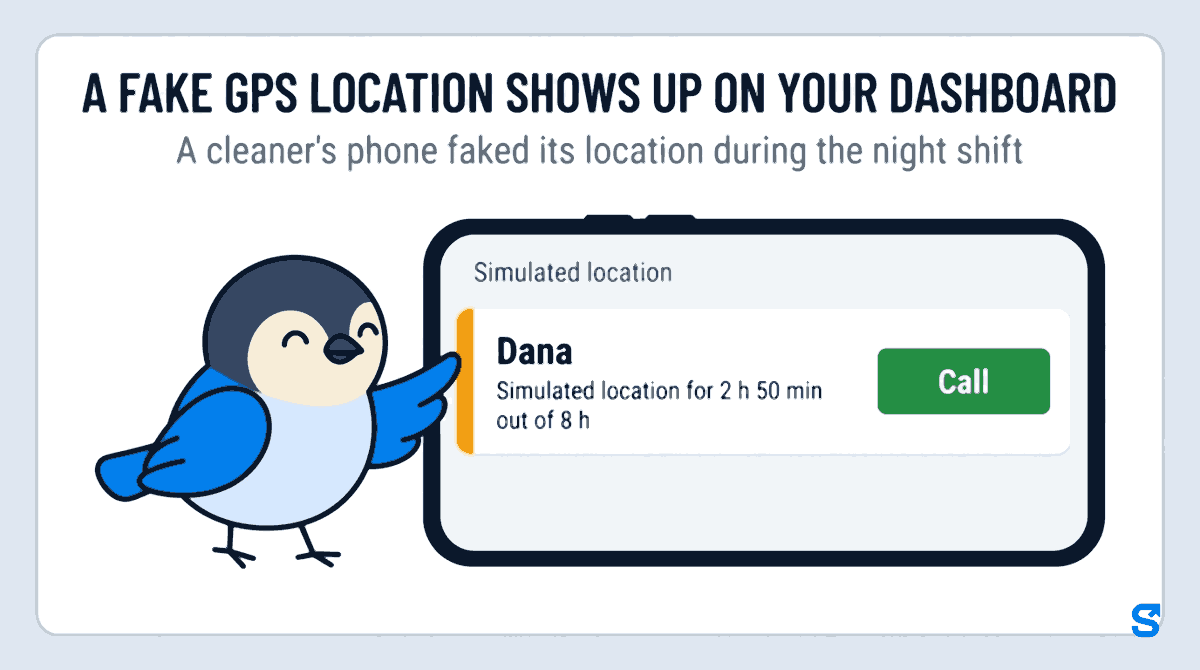
When a staff phone shows a simulated location during a shift, a Simulated location row appears on the owner's dashboard with the person's name and a Call button. Owners also get an alert titled Simulated location: Dana that says the phone is showing a simulated location and to tap to see the shift and call. It arrives in the app, as a phone notification, and on Telegram if you have connected it.
The case page
Tap the row and the case page lays out the shift:
- Simulated location started, with the time, and Still simulated now or Real location back.
- Simulated time: how long out of the shift, for Dana 2 h 50 min out of 8 h.
- Last real location, and whether it was inside one of your sites or how far away it was.
- App used: the phone names the app when it reports it, and otherwise the page says App not named by the phone.
- Past 30 days: whether this happened before, and what was decided last time.
- See on map, if you use the live map.
One line on the page matters more than the rest: While the location is simulated, the phone does not share where it really is. The app tells you that the location was faked and for how long. It does not, and cannot, tell you where Dana really was during those 2 h 50 min. That is a conversation, not a screen.
Ask before you decide
A simulated location is a reason to talk, not proof of time theft. Some genuine reasons look the same at first: a surveyor's external GPS receiver connected to the phone, a game the person forgot to close, a privacy app turned on months ago.
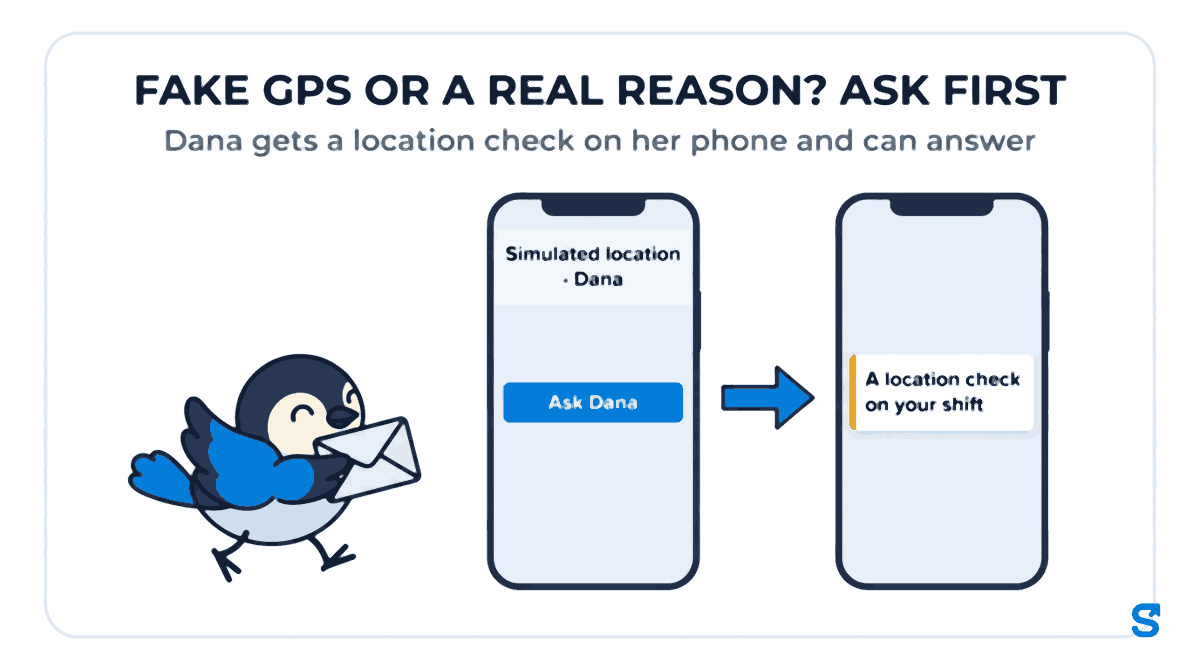
Tap Call to ring the person straight from the row, or tap Ask Dana so she gets A location check on your shift on her phone and can reply in her own words. You can give her until a time you choose to answer. Her reply appears on the case page as Dana replied, with the time.
Close the case as Nothing wrong, Uses an external GPS receiver, or A real problem, and add a note that only managers see. The page says it plainly: This records your decision. It does not change pay. Any change to Dana's hours is your call, made the normal way.
If somebody really works with an external GPS receiver, the owner can also mark them as using one, so they are not asked about it again.
If it happens again after you reviewed it, the page shows that too, for example Reviewed by your name with your decision, simulated again after that. A pattern is easier to discuss than a single night.
Letting a supervisor handle it
In a cleaning or home care company the owner is often asleep when the night shift runs. A supervisor can see these cases if you give their role access. To close them, the role needs Review flags under Live Map in its permissions; without it, the supervisor sees the case and is told to ask the owner. That keeps the decision with the people you chose.
What Ontario's rules say about monitoring staff electronically
Employment rules in Canada are provincial. This section quotes Ontario only; other provinces publish their own rules, and federally regulated employers follow federal rules.
In Ontario, the province's guide to the Employment Standards Act on written policies for electronic monitoring (Checked on 9 October 2026) says the requirement applies to employers with 25 or more employees, counted on January 1 of each year. The guide says the policy has to state whether the employer electronically monitors employees, and if so, how and in what circumstances, and the purposes the information may be used for, along with the date it was prepared and the dates of any changes. Existing employees get a copy within 30 calendar days. The guide gives GPS as an example of electronic monitoring: an employer that uses GPS to track the movement of an employee's delivery vehicle.
The same Ontario page also says these requirements do not establish a right for employees not to be electronically monitored, and do not create any new privacy rights. The rest of the Act is in the province's Employment Standards Act guide.
For an owner, the practical point is simple: if your staff clock in with a GPS time clock app, the location check is part of how you monitor them, and in Ontario a business of 25 or more is expected to say so in writing.
This is general information, not legal advice: check with the agency or an employment lawyer for your case.
How to talk to your team about it
Most of the value is in staff knowing the check exists. Tell them at hiring and again in a team message:
- Clock-ins use the phone's location, and a fake or simulated location is noticed.
- If you use a GPS receiver, a game or a privacy app that changes your location, tell your manager first.
- If you get a location check on your phone, answer it: a reason given early is easy to accept.
- Nobody's pay changes because of a check alone; a person decides, after asking you.
Which GPS time clock app catches a fake location
See how attendance with location checks works on the employee tracking page, and how Shiftelio fits teams in Canada on the Canada page.
Frequently asked questions
Can an employer tell if an employee uses fake GPS?
Yes, with an app that checks for it. In Shiftelio, a simulated location during a shift appears on the owner's dashboard, with how long it lasted and the last real location.
Does a fake GPS alert mean the employee stole time?
No. It means the phone's location was simulated. There are genuine reasons, such as an external GPS receiver, so ask the person first. Recording your decision in Shiftelio does not change pay.
Can I see where the employee really was?
No. While the location is simulated, the phone does not share where it really is. The case page shows the last real location before it started and when the real location came back.
Do Ontario employers need a policy for GPS tracking?
Ontario's guide says employers with 25 or more employees on January 1 need a written electronic monitoring policy, and it gives GPS tracking as an example. Check your own province's rules.