Fake GPS Clocking In: What a UK Owner Sees When a Staff Phone Fakes Its Location
In short
When a staff phone shows a fake GPS location on shift, Shiftelio puts a Simulated location row on your dashboard with a Call button and alerts you.
- A fake GPS app makes a phone report a place it is not, so a clock-in can look as if it happened on site.
- In Shiftelio, a simulated location on shift lands on the owner's dashboard as its own row, with a Call button.
- The case page shows how long the location was simulated out of the shift, the last real location and whether it has happened before.
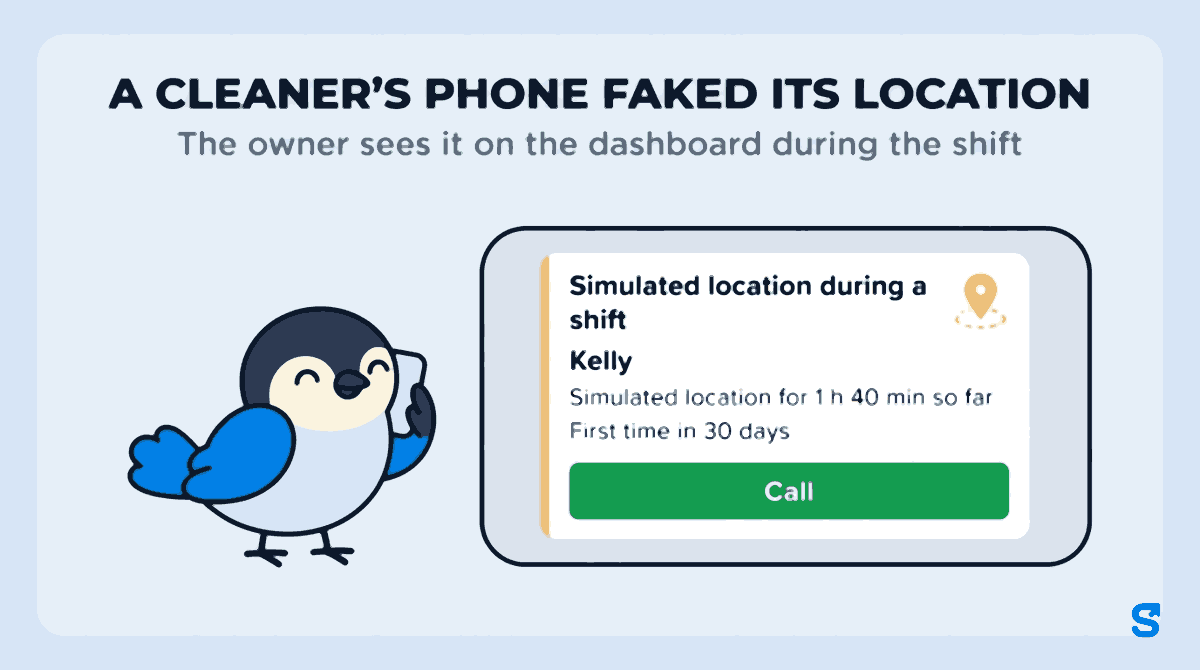
When a member of staff's phone shows a fake GPS location during a shift, Shiftelio tells you straight away: a Simulated location during a shift row appears on your dashboard with a Call button, and owners get an alert in the app, as a phone notification and on Telegram if it is connected. From there you see how long the location was faked, ask the person to explain, and record what you decided.
Why a clocking in app needs to notice fake GPS
Most small UK businesses with shift staff moved from a paper signing-in sheet or a clocking-in machine on the wall to a clocking in app on each person's own phone. That fixed the old problem of one cleaner signing in for three, because the phone has to be at the site when the person clocks in.
Fake GPS is how that rule gets bent. A free app from the store, sold as a game helper or a privacy tool, lets the phone report any place you like. Google's Keyword Planner shows around 590 searches a month in the UK for "fake gps", next to 260 for "clocking in app" and 210 for "time theft". Plenty of those searchers are gamers, but some are staff, and some are owners wondering whether it is happening on their rota.
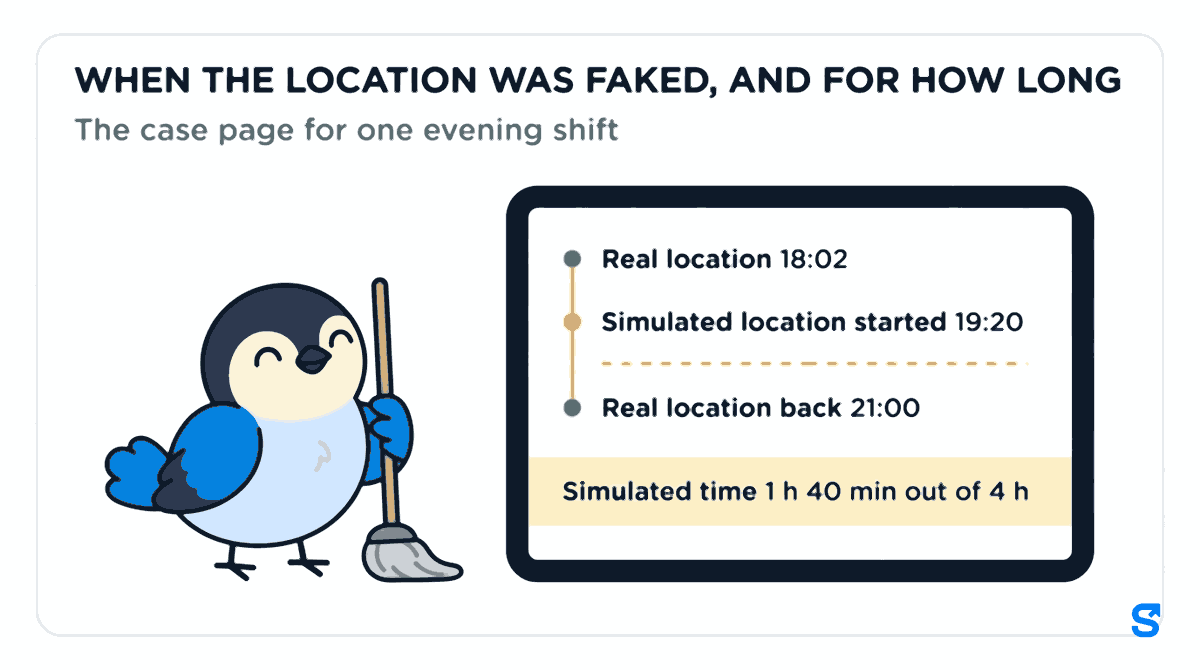
Picture an office cleaning company in Leeds with 14 cleaners on evening shifts across five office blocks. Kelly is on the rota for 18:00 to 22:00 at an office block in the city centre. Her phone clocks her in at 18:02, inside the site, which is right. At 19:20 her phone starts showing a simulated location, still at the office block. Her real location comes back at 21:00. On the timesheet she worked four hours on site, and for 1 h 40 min of it nobody can say where she was.
None of this needs bad intent. People install location apps for games, for privacy, or for a GPS receiver they use in another job. That is exactly why the owner should see it, ask and decide, rather than have software decide for them.
What lands on your dashboard
The row and the alert
When a staff phone shows a simulated location on shift, a Simulated location during a shift row appears on the owner's dashboard with the person's name, how long it has lasted so far, and a Call button. It also says whether this is the First time in 30 days or how many times it has happened in that period.
Owners get an alert at the same time, titled Simulated location: Kelly, saying her phone is showing a simulated location since 19:20, and to tap to see the shift and call. It arrives in the app, as a phone notification, and on Telegram if you have connected it. Managers get the same alert only between 07:00 and 22:00, so nobody's supervisor is woken at 3am.
The case page
Tap See what happened and the shift is laid out in order:
- Real location at clock-in, and whether it was inside one of your sites.
- Simulated location started, with the time, then Real location back, Shift ended or Still simulated now.
- Simulated time: for Kelly, 1 h 40 min out of 4 h.
- Last real location before it started, inside your site or how far away it was.
- Past 30 days: whether this has happened before and what was decided last time.
- See on map, if you use the live map.
One line on that page matters more than the rest: While the location is simulated, the phone does not share where it really is. The app tells you the location was faked and for how long. It does not, and cannot, tell you where Kelly really was between 19:20 and 21:00. That is a conversation, not a screen.
Ask before you decide
A simulated location is a reason to talk, not proof of time theft. Some genuine reasons look the same at first: a surveyor's external GPS receiver plugged into the phone, a developer-options test, a game the person forgot to close.
Tap Call to ring Kelly from the row, or tap Ask Kelly so she gets A location check on your shift on her phone and can reply in her own words. She is also told, in plain words, to turn off the location app so her real location is shared during the shift. Her reply appears on the case page as Kelly replied, with the time.
Close the case as Nothing wrong, Uses an external GPS receiver or A real problem, and add a note that only managers see. The page says it plainly: This records your decision. It does not change pay. If Kelly's hours on the timesheet need changing, that is your call, made the normal way.
If somebody really does work with an external GPS receiver, mark them as using one, so the same thing is not raised about them again.
If it happens again after you reviewed it, the page says so too: Reviewed with the date, your name and your decision, then simulated again after that. A pattern over several weeks is easier to discuss than one evening.
Letting a supervisor deal with it
In a cleaning company or a home care agency the owner is often not watching the evening or night shift. A supervisor can see these cases if you give their role access to the Live Map. To close a case, the role also needs Review flags; without it, the supervisor sees the case and is told to ask the owner. The decision stays with the people you chose, and the app's own hint says it: a flag is a question, never a penalty.
What gov.uk says about monitoring staff at work
The UK government's page on monitoring staff at work (Checked on 9 October 2026) says an employer has to be able to justify monitoring staff at work, and that staff should be made aware they are being monitored, and why, for example by email. The page gives CCTV, call records, email or internet logs and searches as examples; it does not single out location checks, but a clocking in app that records where a phone is at clock-in is information about your staff all the same.
The wider gov.uk guide to data protection for your business (Checked on 9 October 2026) says that when you collect someone's personal data, you tell them who you are and how you will use their information.
In practice, that points the same way as good management: tell staff at hiring that clock-ins use the phone's location and that a faked location is noticed.
This is general information, not legal advice: check with the agency or an employment lawyer for your case.
What to tell your team
Most of the value is in staff knowing the check exists. Put it in the starter pack and say it again in a team message:
- Clocking in uses your phone's location, and a fake or simulated location is noticed.
- If you use a GPS receiver, a game or a privacy app that changes your location, tell your manager first.
- If you get a location check on your phone, answer it: a reason given early is easy to accept.
- Nobody's pay changes because of a check alone. A person decides, after asking you.
Which clocking in app tells you when GPS is faked
See how clocking in with location checks works on the employee tracking page, and how Shiftelio fits UK teams on the UK page.
Frequently asked questions
Can an employer tell if an employee uses fake GPS to clock in?
Yes, with an app that checks for it. In Shiftelio a simulated location during a shift shows on the owner's dashboard, with how long it lasted and the last real location.
Does a fake GPS alert prove time theft?
No. It shows the phone's location was simulated. There are genuine reasons, such as an external GPS receiver, so ask the person first. Recording your decision does not change pay.
Can I see where the cleaner really was?
No. While the location is simulated, the phone does not share where it really is. The case page shows the last real location before it started and when the real location came back.
Do I have to tell staff that clock-ins check their location?
The gov.uk page on monitoring staff at work says staff should be made aware they are being monitored, and why. Telling them at hiring is the simple way to do it.