Where Did the Day Go? A Field Technician's Shift, Stop by Stop, for UK Trades
In short
To see where a field technician's day went, open the shift in Shiftelio: every stop in order, named, with the drives between them and the distance so far.
- Mark the people who travel for work as field staff, and each shift they work becomes a day of stops.
- The day reads as one line, for example "About 58 km · 6 stops · 7h 20m on duty", then the stops in order.
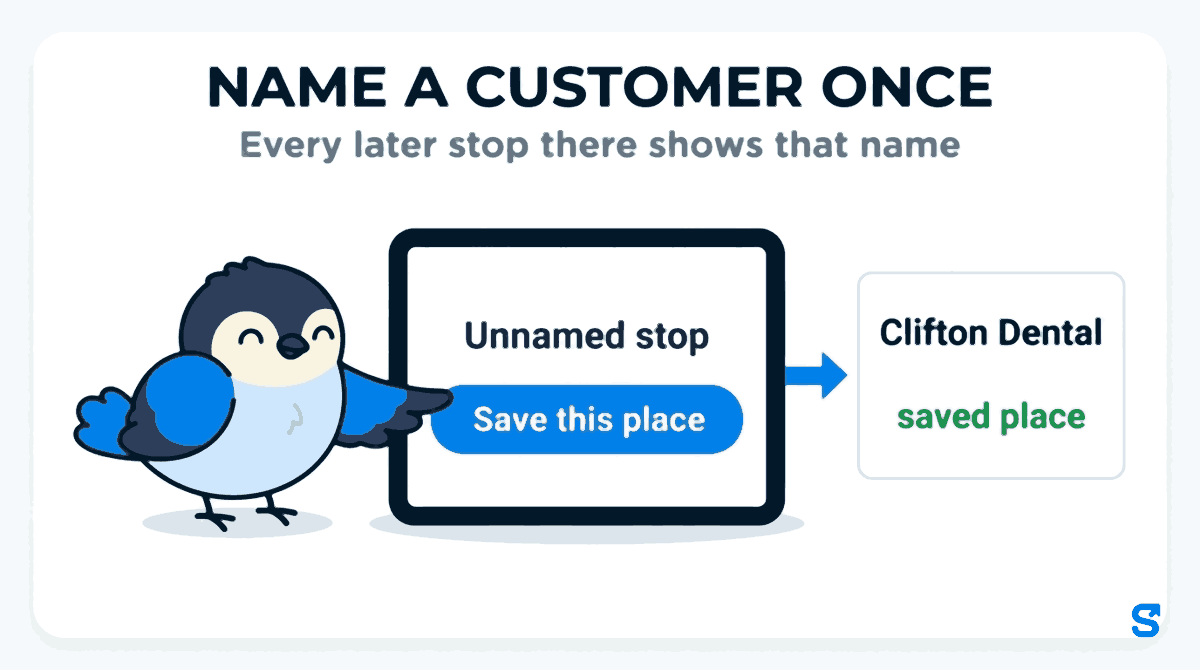
- Name a customer once with Save this place, and every later stop there by any of your staff shows that name.
To see where a field technician's day went, open their shift in Shiftelio and read Where the day went: every stop of the shift in order, named, with the drives between them, the time on duty and the distance so far. You name a customer's address once as a saved place, and every later visit there shows that name instead of a street.
The phone call every small trades firm gets
Picture a small pest control company in Bristol with four technicians in vans. Dan works 08:00 to 15:20 on a Tuesday, six jobs across the city: a café on the harbourside, a dental practice in Clifton, two houses off Gloucester Road, a block of flats and a takeaway. At 16:00 the dental practice rings: "Your technician never came, and we are not paying for the visit."
Dan's job sheet says he was there at 10:15. The practice manager says nobody signed in at reception. You were in the office all day. Without a record of the van's day, it is your technician's word against your customer's, and the cheapest thing to do is give the money back.
The same question comes up in other forms. A cleaning supervisor who visits five office blocks an evening. A heating engineer whose afternoon seems to have three jobs and four hours. A mobile dog groomer whose mileage claim looks high. Each time the owner wants one answer: where did the day go?
Why the usual answers fall short
| Method | What it tells you | What it misses |
|---|---|---|
| Paper job sheets | What the technician wrote down | Anything they forgot or got wrong, and the times between jobs |
| A text at each job | That a message was sent | Where it was sent from |
| A vehicle tracker | Where the van went | Who was driving, and it costs a box per van |
| Calling them | What they remember | Your time and theirs, every day |
A clocking in app on the person's own phone already knows where the shift started and ended. The gap is everything in between, laid out so an owner can read it in a minute.
How Shiftelio lays out a field technician's day
Pick the people who work on the road
In Settings, open Field staff and switch on Who works in the field for the people whose job is to travel. For Dan's company that is the four technicians, not the office manager. Check that Show the field day timeline is on. The day timeline comes with every business; it is not an add-on.
Marking someone as field staff also means the Activity Log shows where they are without an "away from site" warning, because being away from the office is their job.
Read the day as stops and drives
Open Dan's Tuesday shift in Attendance and you get Where the day went. The top line sums up the shift: About 58 km · 6 stops · 7h 20m on duty. Under it, the day runs in time order:
- 08:00 Checked in, at the yard.
- 08:40 Harbourside Café, saved place.
- 10:15 Clifton Dental, saved place, 25 minutes there.
- 11:30 Unnamed stop, near Gloucester Road.
- 12:10 No location: Location was turned off, back at 12:35.
- 15:20 Checked out.
That answers the practice manager's call. Dan's phone stopped at Clifton Dental at 10:15 and stayed 25 minutes. It does not prove he spoke to reception, but it turns "nobody came" into a conversation with a time and a place in it.
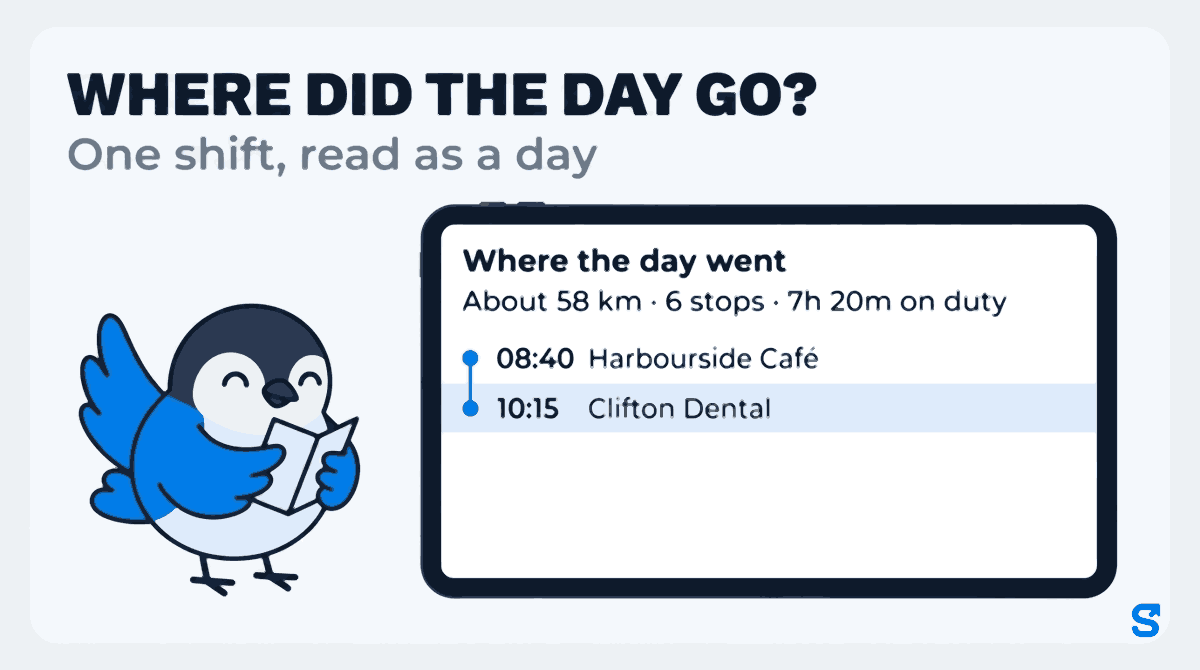
The distance is shown in kilometres. 58 km is about 36 miles. Treat it as a guide to the day, not a mileage log: it is an estimate from the phone, and it only covers the time Dan was clocked in.
Name a customer once, and every visit shows it
The first time Dan stops somewhere you have not named, the timeline shows the area name from the map, or Unnamed stop. Tap Save this place, type the customer's name, and save. From then on every stop within 75 m, by any of your staff, shows that name. You can change that distance for each place in Saved places, and you can add a customer before anyone visits by pasting the location from Google Maps.
For a pest control firm with regular contracts, that is the difference between a day of street names and a day you can read like a job list: Harbourside Café, Clifton Dental, Westbury Court flats.
Gaps say why, instead of hiding
A phone does not always report. When it goes quiet, the timeline says what it knows: Location was turned off, Battery was very low, the phone probably switched off, or The phone sent nothing; reason not known. Dan's 25 minutes at 12:10 was his location being switched off. That might be a lunch break in a lay-by or a setting he changed by mistake. Either way you can ask him about a time, rather than guess.
Who sees it
You see the day for every field technician. A manager sees it only for the staff they manage, and only if you give their role the Field staff permission. Dan can see his own day too, which helps when he is the one asked "where were you at half ten?"
Travel between jobs and the minimum wage
The day timeline also shows something UK owners of travelling staff need to count: the time between jobs.
The gov.uk page on travel time and the minimum wage (Checked on 11 October 2026) lists "travelling in connection with work, including travelling from one work assignment to another" as time that counts when working out whether someone has been paid the National Minimum Wage. The same page lists "travelling between home and work" as time that does not count.
For a technician paid per job rather than per hour, the drives between Harbourside Café and Clifton Dental are part of the hours the rule looks at. The timeline lays them out; working out pay from them is still your decision, made the usual way.
On telling staff, Acas guidance says employers should tell employees about any monitoring arrangement and the reason for it (Acas: monitoring performance). The simplest way is to say it at hiring: the app records where the phone is while you are clocked in, and only then.
This is general information, not legal advice: check with the agency or an employment lawyer for your case.
What to tell your technicians
- Your location is recorded only while you are clocked in, never on your day off or after you clock out.
- The day shows your stops so we can answer customers who say nobody came.
- If you switch location off during a shift, the day says so. Tell us why, and that is the end of it.
- You can see your own day in the app, the same as we do.
Which app shows a field technician's day, stop by stop
See how it works for travelling teams on the field teams page, and how Shiftelio fits UK businesses on the UK page.
Frequently asked questions
How can I see where my field staff went during the day?
Mark them as field staff and open their shift in Shiftelio. Where the day went lists every stop in order, with names, the drives between them and the distance so far.
Do I need a tracker in every van?
No. The day comes from the technician's own phone while they are clocked in. That also means it follows the person, not the van, when two people share one.
Does it track staff after they clock out?
No. Location is recorded only during the shift. After check-out nothing is recorded until the next clock-in.
Can I use the distance for mileage claims?
Use it as a guide, not as the record. It is an estimate in kilometres and covers only clocked-in time, so a mileage log for expenses should still be kept the usual way.
Does travel between jobs count for the minimum wage?
The gov.uk page on travel time lists travelling from one work assignment to another as time that counts, and travelling between home and work as time that does not.