When a Home Care Visit Runs Past the Shift: Paying the Attendant for the Extra Time
In short
The shift ended at 4 and the visit ended at 4:40. How a home care agency decides, once and on the record, whether the attendant is paid those 40 minutes.
Rekha's shift runs from 8 in the morning to 4 in the afternoon. Her last visit of the day is Mr Das, and at 3:50 his daughter rings to say the train is late and she will be home in half an hour. Rekha does what every good attendant does. She stays, she gives him his tea, and she taps Finish visit at 4:40, forty minutes after her shift ended.
Those forty minutes are the most honest work Rekha did all day, and in most agencies they vanish. The shift closed on its own at 4. The register says 8 to 4. The coordinator heard about it on the phone and meant to add something to Rekha's month, and by the 30th nobody remembers which day it was, let alone how long.
This piece is about that gap: why the extra time after a shift is so easy to lose, what it costs when it is lost, and how the home care side of Shiftelio now asks the office one question, Pay the extra time?, the morning after it happens.
Why the extra time after a shift gets lost
Home care is the one trade where the shift and the work are not the same thing. A shift is a clock: it starts at a planned time and it ends at a planned time. A visit is a person: it ends when the patient is safe to leave. On most days the two agree. On the days they do not, the visit wins, because nobody walks out on an 84-year-old man because the clock said 4.
That leaves the agency with two records that disagree:
| Record | What it says | Why |
|---|---|---|
| The shift | 8:00 AM to 4:00 PM | It closes at its planned end by its own rule |
| The visit | Finished at 4:40 PM | It ends when the attendant taps Finish visit |
| The difference | 40 minutes | Worked, recorded on the visit, paid by nothing |
Payroll reads the shift, because that is what attendance is. So unless somebody goes back and edits the shift, the forty minutes are recorded and never paid. And editing it by hand has its own problem: a coordinator changing check-out times on a whim is exactly the kind of edit an owner should be suspicious of, with no reason written anywhere.
What it costs to leave it to memory
There are two ways to get this wrong, and they cost different things.
Never pay it and you save forty minutes of wages and teach your best attendant that staying is a mistake. The next time the daughter is late, Rekha leaves at 4 and Mr Das sits alone, or she stays and resents it. Attendants compare notes with each other, and "they never pay the extra" travels faster than any recruitment advert.
Pay it when somebody remembers and the money is fair on some days and missing on others, for the same work. Worse, a paid extra hour and an unpaid one look identical in the records, so when an attendant disputes her month there is nothing to show her.
The law points one way as well. The four Labour Codes took effect on 21 November 2025, and the government's own summary of them repeats, sector after sector, that work beyond the prescribed hours is paid at least double the normal wage. The rule itself sits in section 14 of the Code on Wages, 2019, listed with the other codes on the Ministry of Labour's Labour Codes page. Whether it binds you depends on how your attendants are engaged, which is a question for your own adviser. What does not depend on anybody's reading of the law is this: the decision should be made once, on the record, and not left to memory.
Decide your rule before the next late daughter.Write down, once, whether time an attendant stays past the shift for a patient is paid, and at what rate. Put it in the appointment letter. Then the only question left on the day is whether this particular stay was one of those, and that is a question the office can answer in one tap.
How Shiftelio catches the extra time
In Shiftelio's home care add-on, Home Care Patients keeps a record of each patient visited at home, who goes to them, and what each visit is worth. Every visit sits inside the attendant's shift: she starts the shift, then checks in at each patient's door and taps Finish visit when she leaves. On Rekha's phone that last button reads Finish visit · Mr Das.
When Rekha's shift reaches its planned end, it closes by its own rule, whatever she is doing. Her visit to Mr Das is still open, so it carries on. When she taps Finish visit at 4:40, the visit records the minutes between the shift's planned end and that Done: forty.
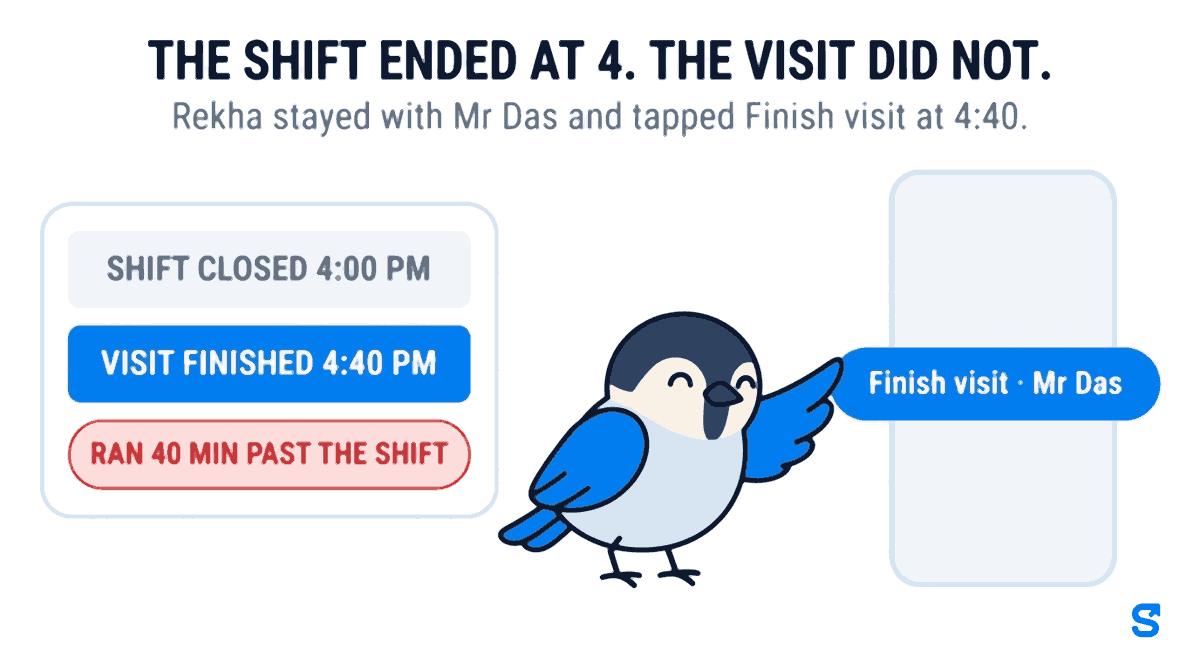
Two details make that number trustworthy rather than generous:
- It counts from the later of the shift's end and the visit's start. A visit that began at 4:10 after the shift had already ended counts from 4:10, not from 4.
- It is capped at one day. A Finish visit that somebody forgot to tap until the next morning can never read as a week of overtime.
A shift with no fixed clock (flexible hours) has no planned end, so there is nothing to run past, and no card appears for it.
Pay the extra time? The office answers once
The next time the owner or the coordinator opens the Day tab, the visit is waiting under Needs attention:
Rekha · Mr Das Ran 40 min past the shift Pay the extra time? Pay it · Don't pay
There are only two answers, and each one does exactly one thing.
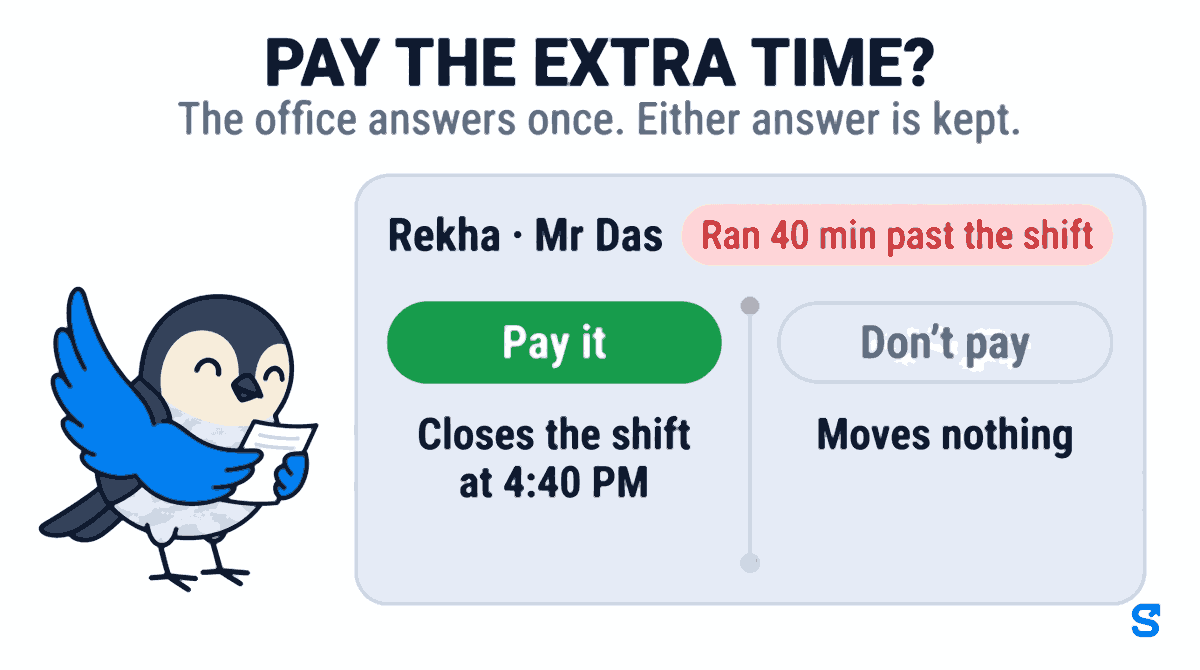
Pay it closes Rekha's shift at the visit's Done, 4:40, instead of at 4. It does that through the ordinary attendance edit, not a second pay path, so three things follow on their own:
- Her hours are recomputed for that day, and payroll pays the day with the rest of her month.
- The Attendance Edit Log records it with the reason written for you: Paid the extra time: the last home care visit ran past the shift. Anybody auditing the month later sees who changed the shift and why, instead of a check-out time that silently moved.
- Your own overtime rules price the forty minutes. Shiftelio does not invent a rate. The shift's Extra hours setting decides whether time past the shift's length is paid at all (Pay overtime or Don't pay overtime), and the Overtime rate in Settings, or the Overtime rate for this person on Rekha's own page, decides what an hour of it is worth. An agency that never chose a rate pays overtime at the normal hourly rate, 1x.
Don't pay moves nothing. The shift stays 8 to 4. The answer is kept on the visit so the card goes and nobody is asked again.
Either way, the answer, who gave it and when are stored on the visit. Only the owner, or a manager whose role holds Manage on Home Care Patients, sees the card at all.
One thing to check before you rely on it.If Rekha is paid a flat rate per shift rather than by the hour, a longer shift is worth the same as a shorter one, so Pay it records the true hours but adds no money. The same is true if her shift's Extra hours is set to Don't pay overtime. That is your pay rule doing what you told it to. If you want stays like this one paid, change the rule, not the card.
For the whole picture of patients, cover and charge against pay in one place, see Shiftelio for home care agencies.
Home care software that pays the attendant for staying late
A short policy you can adopt this week
- Decide whether time an attendant stays past the shift for a patient is paid.
- Write that rule, and the overtime rate, into the appointment letter.
- Set the Overtime rate in Settings to match what the letter says.
- Check each home care shift's Extra hours setting agrees with the rule.
- Answer every Pay the extra time? card the same day, while the reason is fresh.
- Once a month, look at which patients most often run past the shift, and ask why.
Questions home care agency owners ask
Should I pay a home care attendant who stays past her shift?
Most agencies that keep their attendants do, because she stayed for the patient, not for herself. Under the Labour Codes, work beyond the normal working day is paid at least double for many workers. Whatever your rule, write it down, so the answer does not depend on who happens to pick up the phone.
Does Shiftelio pay the extra time automatically?
No. The minutes are kept on the visit, and nothing is paid until somebody taps Pay it. Leaving the card unanswered pays nothing, and Don't pay pays nothing and removes the card.
What rate is the extra time paid at?
The one you already set. Pay it only moves the shift's end to the visit's real end. The Overtime rate in Settings, or the one set for that person, prices the extra hours, and if you never chose a rate it is the normal hourly rate.
Can I see later who decided to pay it?
Yes. The shift change appears in the Attendance Edit Log with the reason written in, and the answer, who gave it and when are stored on the visit itself.
What if the attendant forgot to tap Finish visit?
The minutes are capped at one day, so a forgotten tap cannot turn into a week of overtime. If the Done time looks wrong, choose Don't pay and correct the shift through the ordinary attendance edit instead, with your own reason.
The short version
- A home care visit ends when the patient is safe to leave, not when the shift clock says so.
- The shift closes on time; the visit keeps the minutes past it, and until now nothing paid them.
- Decide your rule once, in the appointment letter, and set your overtime rate to match.
- In Shiftelio, answer Pay the extra time? under Needs attention: Pay it closes the shift at the visit's real end with the reason in the edit log, Don't pay moves nothing.
Sources, and how these were checked
- The Labour Codes' effective date and the double-overtime provisions: the Press Information Bureau release on the Labour Codes, and the Ministry of Labour and Employment's Labour Codes page, both read in September 2026. The overtime rule is section 14 of the Code on Wages, 2019.
- The product behaviour was read from the Shiftelio code as shipped on 25 September 2026: the Needs attention card and its two answers, how the extra minutes are counted and capped, and the overtime settings that price them.
Nothing here is legal advice.
Keep reading
Free to use, no signup: HR letter formats.