Home Care Visits on Picked Dates, Not a Weekly Pattern
In short
When the family books home care visits for set dates only, pick those exact dates in the care plan, so only those visits are due, billed and paid.
A home care agency that gets a booking for set dates, say four dressing changes after a surgery, should put those exact dates in the patient's care plan rather than a weekly pattern. Then only those four visits are due, only those four are billed to the family and paid to the attendant, and nobody has to remember to stop the plan.
That sounds obvious. In most agencies it is not how the booking is written down, and the gap shows up at the end of the month as a visit nobody made, a bill the family queries, or an attendant who went to a house that was not expecting her.
The booking that does not fit a weekly pattern
Mr Rao comes home from hospital on 11 October after a knee replacement. The surgeon wants the wound dressed on the third, sixth, tenth and thirteenth day: 14, 17, 21 and 24 October. His daughter calls the agency and books a nurse for exactly those four mornings. After the 24th the stitches are out and the family needs nobody.
Other bookings look the same:
- Dressing changes on the days the surgeon set, which drift further apart as the wound heals.
- A course of injections on dates the doctor wrote on the prescription.
- Physiotherapy after discharge, booked around the physio's own calendar.
- Cover while the family is away: the son travels on the 5th, 6th and 19th, and his mother cannot be alone on those days.
None of these is "Monday, Wednesday and Friday". A weekly pattern either misses a date or adds a visit the family never asked for.
Why a weekly pattern goes wrong for these bookings
When a care plan only knows weekdays, the coordinator has two bad options.
Set it to a pattern that roughly fits and fix it by hand. Wednesday and Saturday covers the 14th, 17th, 21st and 24th, and the pattern also creates visits on the 28th and the 31st that nobody booked. Each of those extra rows has to be cancelled by somebody, every time, or the family's bill carries visits that never happened.
Keep the booking off the plan and run it from WhatsApp. The nurse is sent a message the night before. Now the visit has no place on the attendant's month and no line on the family's bill, so somebody adds it by hand later, or forgets.
Either way the record and the booking disagree, and the cost lands on the two people an agency least wants to annoy: the family, who reads every line of the bill, and the attendant, who is paid from that same record.
| Weekly pattern | Picked dates | |
|---|---|---|
| Visits due | Every Wednesday and Saturday until somebody stops it | Only 14, 17, 21 and 24 October |
| Extra visits nobody booked | 28 and 31 October, unless cancelled by hand | None |
| When does the plan end? | When somebody remembers to end it | After the last date |
| Family's bill | Has to be checked line by line | Four visits, the total shown up front |
How to book picked dates in Shiftelio
In Shiftelio's home care add-on, Home Care Patients keeps each patient visited at home, who goes to them, and what each visit is worth. The visit schedule is set in the question How often?, and its answers are Every day, Mon–Sat, Pick weekdays and Pick dates.
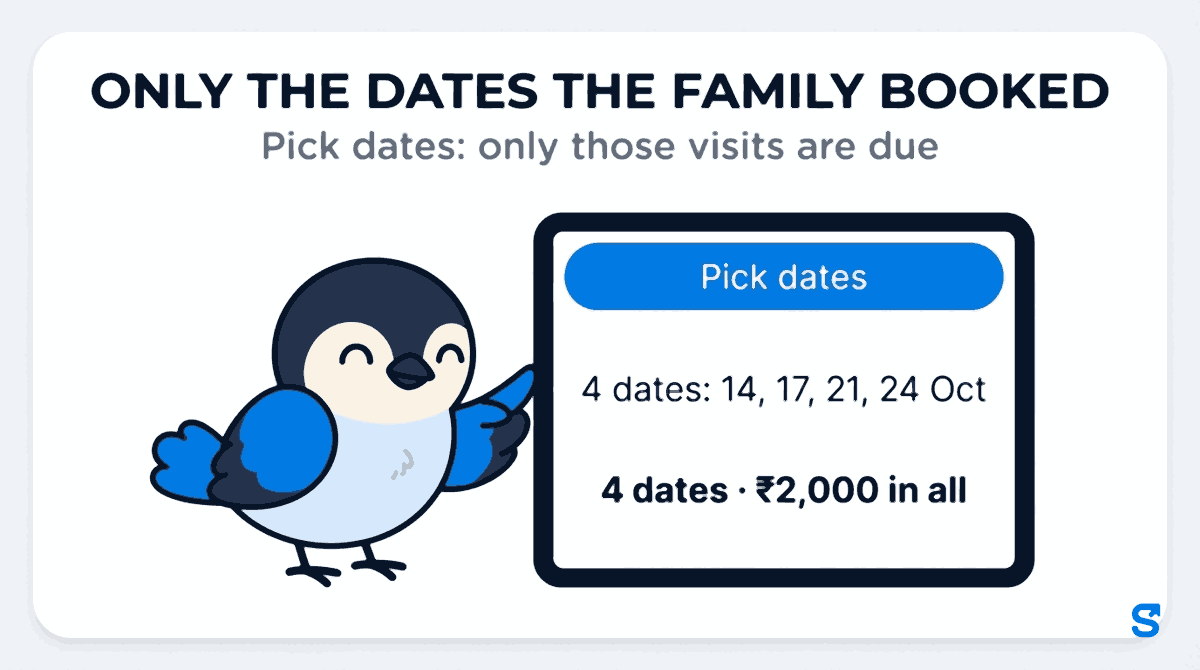
For a new patient it is the "When?" step of Start care. Choose Pick dates and a calendar opens where you tap each date the family booked. For Mr Rao that is four taps, and the line under it reads "4 dates: 14, 17, 21, 24 Oct". You cannot pick a date that has already gone, and with no date picked the step asks you to "Pick at least one date to continue."
Three things change once the plan runs on dates:
- There is no First day or Last day to fill in. The dates are the span. The plan starts on the first date and ends after the last one, so it never runs on by mistake.
- The charge is the exact total, not a guess at a month. A dates plan is charged per visit or per day. With a charge of Rs 500 a visit, the step shows "4 dates · ₹2,000 in all" and "1 visit a day × 4 days". You can read that number to the daughter on the phone before the first visit. The Rs 500 is an example, not anybody's rate card.
- Who goes? looks at those exact dates. When you choose the nurse, her availability is checked on the 14th, 17th, 21st and 24th, not on every Wednesday and Saturday.
For a patient already on your books, open the plan from the patient's page. How often has the same Pick dates choice, with the hint "Pick the exact dates they go." If a family that booked dates later asks for a regular weekly visit, switch the plan back to a weekday pattern there.
Live-in care is the one place you will not see it. A Lives in placement runs every day, day and night, so there is no pattern to choose.
What the patient page shows during the booking
On the patient's page the visit says its dates instead of "Every day": "4 dates: 14, 17, 21, 24 Oct". Tap it and the Picked dates sheet opens, one row per date, each with what happened:
- Done when the visit was made.
- Missed when the date passed and nobody went, so the office sees it the same day.
- Today and Upcoming for the rest.
Two changes come up in almost every booking of this kind, and both are on that sheet.
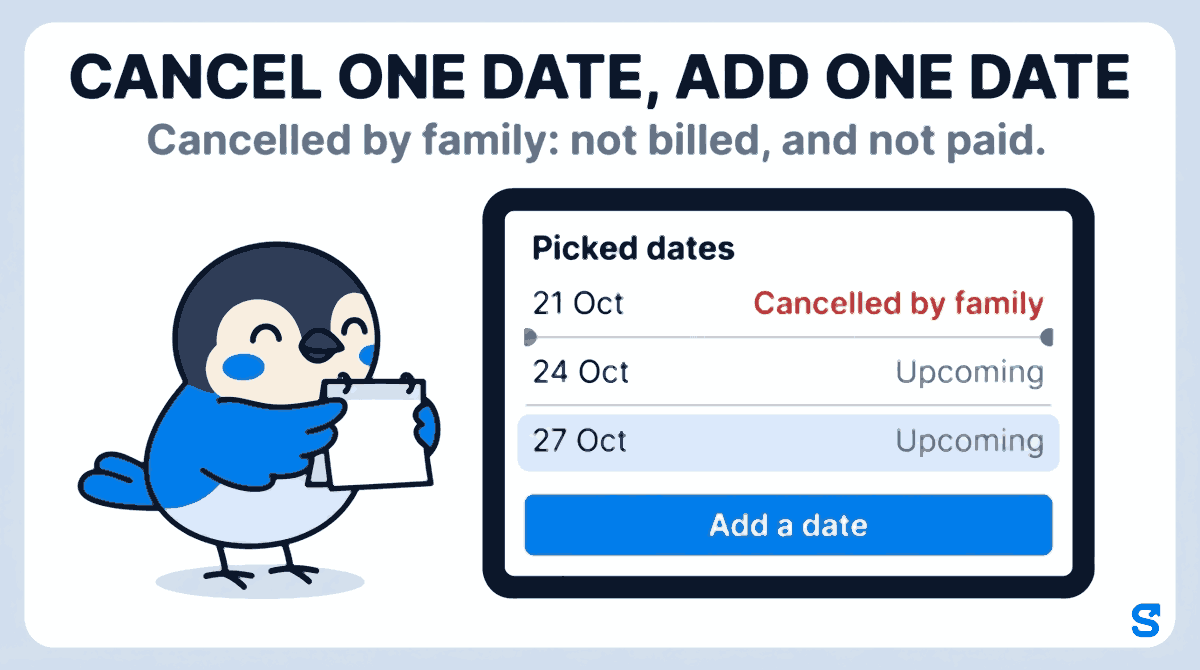
The family cancels one date. The surgeon decided the 21st was not needed. Tap Cancel on that row, add a reason if you like ("Doctor said skip"), and tap Cancel this date. The date is recorded as Cancelled by family: not billed, and not paid. It stays on the plan as a cancelled date rather than vanishing, so the family's bill and the nurse's month both show why there are three visits and not four.
The family adds a date. The wound needs one more dressing on the 27th. Tap Add a date, pick the 27th and tap Add. The plan now runs to the 27th, and that visit is due, billed and paid like the others.
When the last date has passed the sheet says "Completed - last date 27 Oct", and there is nothing left to stop.
Only the owner, or a manager whose role holds Manage on Home Care Patients, can cancel or add a date. A manager who can only view patients sees the dates and what happened on each, not the buttons.
For the whole picture of patients, cover and charge against pay on one screen, see Shiftelio for home care agencies.
Home care software that books visits on the family's dates
A short routine for date bookings
- Ask the family for the dates in writing, from the discharge summary or the prescription if there is one.
- Book them as picked dates, not the nearest weekly pattern.
- Read the total to the family before the first visit.
- Choose the nurse once you can see she is free on every date.
- When a date is cancelled or added, change it on the Picked dates sheet the same day, not at month end.
- Look at the Picked dates sheet each evening for any date marked Missed.
Questions home care agency owners ask
Can a home care plan have visits on random dates?
Yes. In Shiftelio choose Pick dates under How often and tap each date the family booked. Only those dates have a visit, and the plan ends after the last one.
How do I charge the family for a few dates only?
Charge per visit or per day. The Start care step multiplies it by the dates you picked and shows the total, such as "4 dates · ₹2,000 in all", before anything is booked.
What if the family cancels one of the dates?
Cancel that date on the Picked dates sheet. It is recorded as Cancelled by family: not billed, and not paid, and it stays visible on the plan with any reason you typed.
Can I add a date after the plan has started?
Yes. Tap Add a date on the Picked dates sheet. You can only add a date from today onwards, and the new visit is billed and paid like the others.
Does picked dates work for a live-in attendant?
No. A live-in placement runs every day and night, so it has no visit pattern. Picked dates are for visits.
The short version
- Bookings for set dates, such as dressing changes, injections or cover while the family travels, do not fit a weekly pattern.
- A weekly pattern either misses a date or creates visits nobody booked, and both end up on the bill or the payslip.
- In Shiftelio, choose Pick dates under How often?, tap the dates, and only those visits are due, with the family's total shown up front.
- Cancel one date, add one date: both are on the Picked dates sheet, and a cancelled date is not billed and not paid.
Sources, and how these were checked
- Why dressing schedules change as a wound heals, and why the dates come from the treating doctor: the NHS guide to recovering from a knee replacement, read in October 2026. The dates in this article are an example, not medical advice; follow the surgeon's instructions.
- How many older people in India need care at home: the Elderly in India 2021 report from the Ministry of Statistics and Programme Implementation.
- The product behaviour was read from the Shiftelio code as shipped on 8 and 9 October 2026: How often? with Pick dates in Start care and in the plan form, the total shown for a dates plan, and the Picked dates sheet with Cancel this date and Add a date.
Keep reading
Free to use, no signup: HR letter formats.