How to Make a Staff Rota for a Small Café: A Weekly Rota Planner on Your Phone
In short
Name your café's shifts once, give each person their usual pattern, copy last week, fix what changed, then publish the rota so staff see it on their phones.
- Name your shifts once (for example Opening, Lunch and Close) with their hours, unpaid break and colour, then build every week from them.
- Give each person a usual pattern, so a new week starts filled in rather than empty. Copy last week and change only what is different.
- Nothing on the rota counts until you publish it. After that, staff see the next 7 days under My roster on their phone.
To make a staff rota for a small café, name your shifts once (opening, lunch, close), give each person the days and shift they usually work, then each week copy last week, change only what is different and publish it. Staff then check their week on their own phone instead of a photo of the kitchen wall.
That is the whole method. The hard part in a café is not drawing the grid, it is the Saturday student who can only do mornings, the closing shift followed by an opening shift, and the Sunday when somebody's train is cancelled. This guide walks through a real week at a small café, shows how the rota planner in Shiftelio handles it, and ends with the few lines from gov.uk that matter when you plan hours.
How do you make a staff rota for a café?
Five steps, in this order, work for any café with between four and twenty-five staff:
Not when people want to work: when the café needs them. Opening and setting up, the lunch rush, the afternoon lull, closing and cleaning down. Most cafés end up with three or four shifts, and the busy hours get an overlap.
Give every shift a name, a start, an end and an unpaid break, so nobody types "7 till 1" twelve times a week. In Shiftelio these live in the Shift Library: tap Add a shift, fill in Name, Starts, Ends, Unpaid break (minutes) and Colour on the roster. If you run two sites, pick the Site or leave it on Every site.
Priya always opens on weekdays; Ellie only works weekends. Each person's normal days, hours and pay rate sit on their own shift pattern, so the rota already knows who usually works when.
Most weeks look like the week before. Start from it, then fix the holiday, the swap and the extra Saturday.
A rota that is still being edited should not be the one staff read. Publish it once it is right, and from then on everyone sees the same version.
A worked example: a small café in Bristol, week of 12 October
Picture a café in Bristol with four staff. Priya works full time and opens Monday to Friday. Tom is part time and closes. Ellie, 19, and Jack, 17, are students who work weekends. The café is open 7am to 6pm every day.
The owner sets up three shifts in the Shift Library:
- Opening: 7am to 1pm, 20 minutes unpaid break, green.
- Lunch: 11am to 3pm, no break, amber.
- Close: 12.30pm to 6pm, 20 minutes unpaid break, blue.
On Sunday evening the owner opens Roster, goes to next week and taps Copy last week, which fills the empty days from the week before. Three things are different this week:
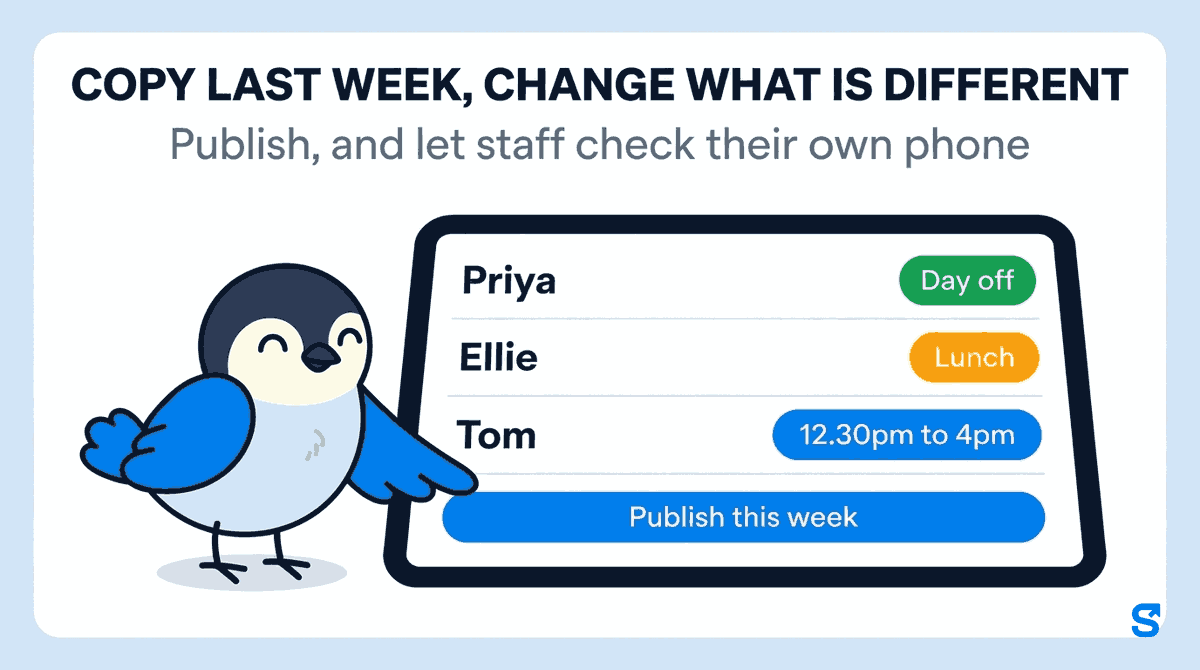
- Priya has Wednesday off as holiday. The owner taps her Wednesday and chooses the paid Day off.
- Ellie can do an extra Thursday lunch. The owner taps her Thursday, picks From the shift library and chooses Lunch.
- Tom needs to finish early on Saturday for a family do. The owner taps his Saturday and sets Custom hours of 12.30pm to 4pm.
The top of the week now says how many unpublished changes there are. The owner checks the grid once, then taps Publish this week. Until that tap, nothing on the draft affects anybody's pay or what staff see.
If you change your mind after publishing, edit the day and publish again. If you want to throw away a half-finished set of changes instead, the rota asks you to confirm that every unpublished change to this week should go, and says that published shifts are not affected.
Split shifts, days off and the student who can only do mornings
A café rota is never a neat block of identical shifts. Three tools cover most of the awkward ones:
- Split shifts. If Jack does the breakfast rush and comes back for the lunch rush, tap his day and choose Add a second stretch (split shift). On his phone the day shows as a split shift with the total hours.
- Days off, paid or unpaid. Mark off takes a person off a day. The paid and unpaid Day off options say which it is, so the pay run does not have to guess.
- One-off hours. Custom hours sets a start and end for one day without creating a new shift in the library.
When a salaried member of staff works a different day from usual, the rota asks whether it is Instead of a normal day (a swap, paid as a normal day) or On top of the usual days (an extra day, paid on top). That one question stops the most common rota-to-payroll argument in small businesses before it starts.
Stop starting every week from a blank grid
Three buttons on the rota planner save the Sunday evening:
- Copy last week fills the empty days from the week before. It never overwrites a week you have already planned.
- Duty chart makes a repeating chart that fills the next weeks, for a café whose weeks are mostly the same.
- Print downloads the week as an A4 PDF for the back-of-house wall. Pay is left off the printout unless you choose to include it.
What staff see on their phone
Every member of staff sees their own week under My roster in the Shiftelio app: the next 7 days, each with its shift and hours, and labels such as day off, split shift, extra day, swapped day or public holiday. It says the plan was made by their manager, so nobody mistakes a draft in a group chat for the real rota.
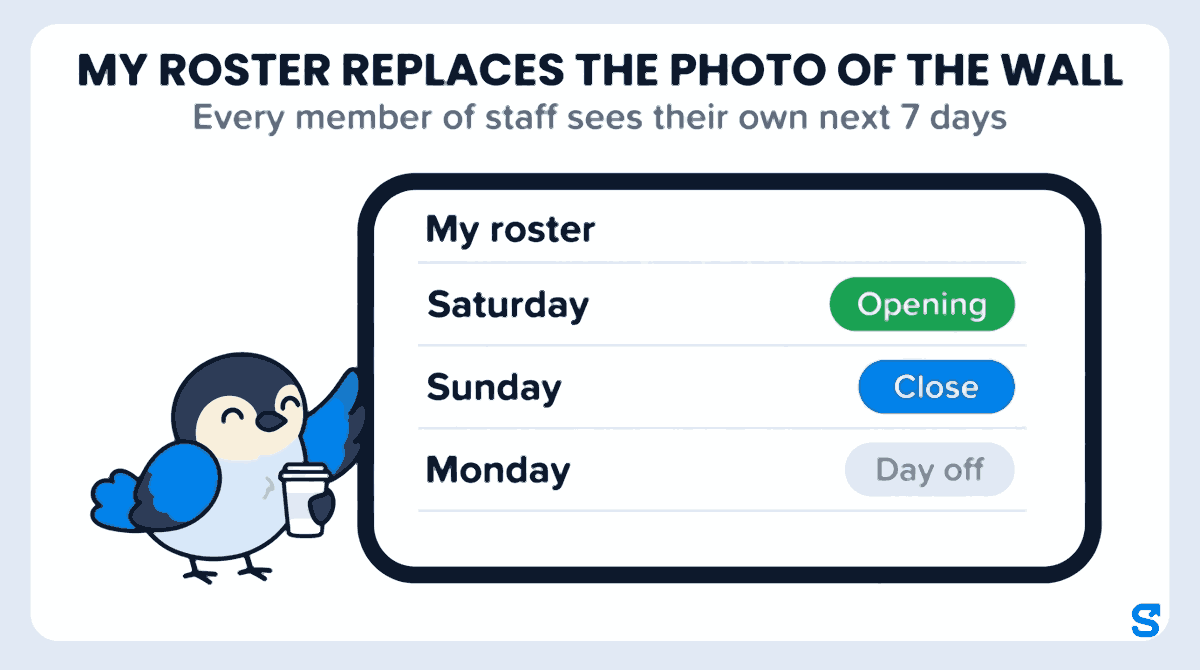
Publishing does not send a message to every phone, so tell the team once that the rota lives in the app. After that, "check My roster" replaces the photo of the wall.
What the rota costs before you publish it
A rota is also a wage bill. Each person's pay rate sits on their own shift pattern, as pay per hour, pay per shift or a weekly or monthly salary. The rota planner adds it up as Planned labour cost for the week, which is an estimate: actual pay depends on attendance, overtime and deductions.
Once the week is worked, the pay run is built from the hours staff actually clocked in, at the rate on their pattern, so the rota and the wages come from the same record. Only the owner, and managers you allow to see pay, see the amounts; a supervisor who only plans shifts can be given the rota without the wages. For the full picture of shift planning, see shift rosters in Shiftelio.
What gov.uk says about hours when you plan a rota
Law is not the point of this article, and we are not lawyers. These are the lines from official guidance that most often affect a café rota.
The gov.uk guide Rest breaks at work (checked on 10 October 2026) says workers have the right to one uninterrupted 20 minute rest break if they work more than 6 hours a day, and that the break does not have to be paid, depending on the contract. It also says workers have the right to 11 hours rest between working days: if they finish at 8pm, they should not start again until 7am the next day. For young workers, above school leaving age and under 18, the same page says they are usually entitled to a 30 minute break if they work more than 4.5 hours, and 12 hours daily rest. That is why, when Jack works the six-hour Opening shift, his break is planned differently from Priya's.
The gov.uk page Sunday working (checked on 10 October 2026) says employers only have to pay staff more for working on Sundays if it has been agreed as part of the contract.
The gov.uk page National Minimum Wage and National Living Wage rates (checked on 10 October 2026) lists the rates from April 2026 as £12.71 an hour for workers aged 21 and over, £10.85 for 18 to 20, and £8 for under 18 and for apprentices. The page says the rates change on 1 April every year.
This is general information, not legal advice: check with the agency or an employment lawyer for your case.
A café rota checklist
- Shifts are named once, with start, end, unpaid break and colour.
- Every person has a usual pattern, with their days and their pay rate.
- The new week starts from Copy last week, not a blank grid.
- Holidays are marked as a paid or unpaid day off, not just left empty.
- Nobody goes from a late close to an early opening without checking the rest between them.
- Under-18s have the longer break planned in.
- The week is published before staff are told to check it.
Which rota app suits a small café?
See what else the owner's app covers on the features page, or start from Shiftelio for UK businesses.
Questions café owners ask
How do I make a staff rota?
Name a shift for each block of hours you need covered, then build each week from last week. Give each person their usual days and change only what is different. Publish it once, so everybody works from the same version.
What is the best way to do a rota for a small café?
Start from the café's busy times, not from people's preferences. Three or four named shifts with an overlap at lunch cover most cafés, and copying last week saves rebuilding the grid every Sunday.
Can staff see the rota on their phone?
Yes. In Shiftelio each member of staff sees their own next 7 days under My roster in the app. Tell the team once that the rota lives there, because publishing does not send a message to every phone.
Do I have to pay more for Sunday shifts in the UK?
Not unless the contract says so. The gov.uk Sunday working page says employers only have to pay more for Sundays if it has been agreed as part of the contract.
How many hours rest do staff need between a close and an opening?
The gov.uk rest breaks page says 11 hours between working days for adult workers, and 12 hours for young workers under 18. A close at 8pm and an opening at 7am is exactly 11 hours.
Can I plan a split shift on the rota?
Yes. In Shiftelio tap the person's day and choose Add a second stretch (split shift); their phone then shows the day as a split shift with the total hours.