How to Track Employee Certifications and Licenses Before They Expire
In short
Record each license or certificate's expiry date once, remind the holder and yourself 30 and 7 days before, and keep the old copy when the new one arrives.
- Write each expiry date down once, read off the license or certificate, never from memory.
- Remind at 30 days and again at 7 days. A course, a test or an office appointment takes longer than a week.
- The reminder must reach the person who holds the document. They are the one who has to renew it.
To track employee certifications and licenses, record each one's expiry date once, copied from the document itself, next to a photo of it in that person's file. Then have a reminder reach both the employee and you 30 days and 7 days before the date, ask for the renewed copy, and keep the old one on file.
That is the whole system. The rest of this guide is about the parts that go wrong in a small team: the spreadsheet nobody opens, the reminder that reaches the wrong person, and the morning you find out a driver's license ran out last week. The worked example is a cleaning company whose crews drive vans between client homes.
Why employee certification tracking in Excel breaks down
Search for "employee certification tracking" and the first suggestions are an Excel template. A spreadsheet is a fine place to list dates. It is a poor place to be reminded of them, and that is where small teams get caught.
- A spreadsheet never speaks first. It is right on the day you fill it in and silent after that. Somebody has to open it, sort by date and read down the column, every month, forever.
- The date and the document live apart. The sheet says "June 2027" and the scanned license sits in an email from two years ago. When the date looks wrong, nobody can check it quickly.
- Only the office sees it. The van driver whose license is about to run out never opens the owner's spreadsheet, so the one person who can fix it is the last to know.
- A new row overwrites the old one. Type the renewed date over the old date and the history is gone, along with any way to show what was valid last spring.
What to record for every license and certification
You need four things per document, and nothing else:
| What to record | Why it matters |
|---|---|
| A clear photo of the document | So the date can be checked against the real card at any time |
| The expiry date, read off the document | The one date every reminder is counted from |
| Who holds it | The reminder goes to them, not only to you |
| The date you approved it | So you know a person checked it, and when |
Which documents expire depends on your trade. For a cleaning or field service crew it is usually a driver's license, a first aid and CPR certificate, and any certificate a client or your insurer asks for. In a kitchen it is a food handler card, in a warehouse a forklift certificate, in care work a nursing registration.
Do not guess how long a certificate lasts, even a common one. The American Red Cross says its first aid, CPR and AED certificates are valid for two years and can be extended with a shorter renewal class (American Red Cross: CPR certification), while the Canadian Red Cross says most of its training certifications are valid for three years (Canadian Red Cross: Recertify your training). Same kind of course, two different lengths. Read the date printed on each card and record that.
The 30 and 7 day rule, and who hears about it
Two reminders are enough, if they are at the right time and reach the right people.
- 30 days before the date: the first reminder. Enough time to book a course, sit a test or get an appointment, and for the new card to arrive.
- 7 days before the date: the last call. If nothing has come in yet, this is when you plan the schedule around it.
- Both reminders go to the employee. They book the course and bring back the new card.
- Both reminders go to you, naming the person. You check, and you plan cover if the renewal is late.
- The renewed copy comes back into the same file. Approve it against the new card, and keep the old one beside it.
When a license has already expired: decide before it happens
Most owners only think about this on the morning it happens, which is the worst time to decide. Agree the plan once and write it into your team rules:
- Move the person to work that does not need the document. A driver whose license has lapsed can ride with a colleague or take the jobs within walking distance until the new one arrives.
- Ask for the renewed copy the same day, not at the end of the month.
- Keep the expired copy on file. It shows what was valid until when, which is exactly what a client or an insurer may ask about later.
What the document legally allows in your country or state is a question for the agency that issued it. This guide is about the routine, not the rules.
A worked example: a cleaning company with van crews
Dana runs a home cleaning company with 18 staff. Three of them drive the company vans between client homes. One of their licenses is coming up, and Dana finds out without opening a spreadsheet:
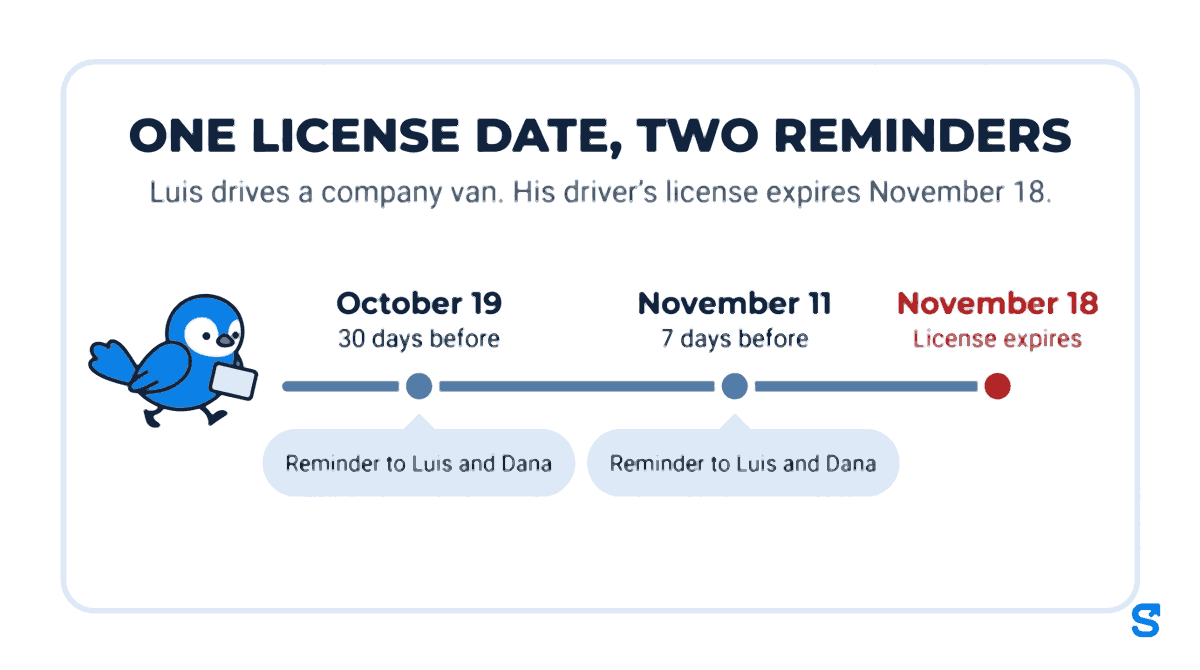
When Luis started as a van driver, he took a photo of his driver's license in the app and typed in its expiry date, November 18, 2026. Dana checked the date against the photo and approved it.
On October 19, 30 days before the date, Luis gets a notice on his phone that his driver's license for the company expires on November 18 and asking him to send the renewed one. Dana gets one too, naming Luis and the license. Luis books his renewal appointment that week.
If Luis has not sent the new license by November 11, 7 days before the date, both of them hear about it again. In Dana's staff documents his license shows Expiring soon from 30 days out, and Expired after the date if nothing new has come in.
Dana taps Renew on Luis's license. The app asks Luis for the photo and the date again, and his approved old license stays saved. When he sends the new one, Dana checks it and approves it, and the chip goes away.
How Shiftelio tracks employee certifications and licenses
In Shiftelio, licenses and certificates live in Staff documents, the same place you collect documents from new joiners and check them off (our guide to collecting new hire paperwork before day one covers that first step). You build a document checklist once, assign it, and each person sends their documents from the app they already use to clock in.
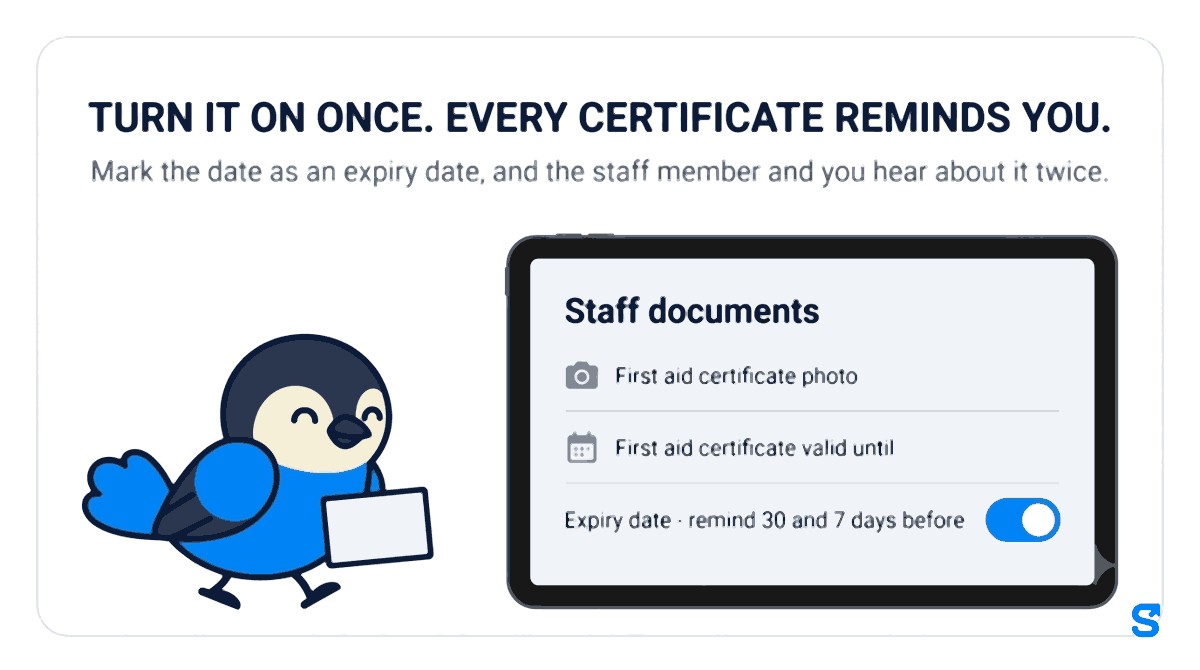
- A photo item and a date item. Add the license or certificate as a photo, and its expiry as a date, for example "First aid certificate valid until".
- The expiry date switch. A date item has a switch, Expiry date - remind 30 and 7 days before. A driver's license date is already marked for you; for anything else, turn the switch on.
- Two reminders, to both sides. 30 days and 7 days before the date, the employee gets a notice on their phone asking for the renewed copy, and every owner of the business gets one naming the person and the document.
- Chips at a glance. On a person's documents, a dated document shows Expiring soon in its last 30 days and Expired after the date.
- Renew keeps the old copy. Renew asks for that one document again, and the approved old copy stays saved. For a driver's license, it asks for the photo and the date together.
- Managers can help. A manager you allow to ask staff for documents can press Renew; the owner always can.
The one thing this does that a spreadsheet or a calendar alert does not: the reminder reaches the employee who holds the document, on the app they open every shift, and the renewed copy comes back into the same record without anybody retyping it. See the full features list or start from the Shiftelio home page.
Which app reminds staff before their license or certification expires?
Frequently asked questions
What is the easiest way to track employee certifications?
Record each certificate's expiry date once, next to a photo of it, and set reminders for 30 and 7 days before. A tool that reminds the employee as well as you saves the most chasing.
Is an Excel sheet good enough for employee certification tracking?
It works for a handful of people if someone opens it every month. It cannot remind anybody by itself, and the employee who has to renew never sees it.
How far ahead should employees renew a license or certificate?
Start about 30 days before the date. That leaves time for a course, a test or an appointment, with a second reminder at 7 days as the last call.
What should I do if an employee's license has already expired?
Move them to work that does not need it, ask for the renewed copy the same day, and keep the expired copy on file. Check with the issuing agency about what the document allows.
Should I keep an old certificate after an employee renews it?
Yes. Keep it with its dates, so you can show what was valid on any past day if a client or an insurer asks.