Leavers Checklist for Managers: Getting Keys, Uniforms and Tablets Back Before the Last Shift
In short
List what a leaver holds the day they hand in notice, take each item back in person before their last shift, and photograph its condition at both ends.
- Write down what the leaver holds on the day they give notice, not on their last day.
- Take every item back in person, at the counter or the office, and record the return there and then.
- A photo of the condition at hand-over settles "it was already scratched" a month later.
A leavers checklist for managers starts with one list: everything the person is holding that belongs to the business, written down the day they hand in their notice. Then take each item back in person before their last shift, photograph its condition, and record the return the same day, so nothing is still out when their final pay is worked out.
That sounds obvious, and in most small businesses it still goes wrong. A barista gives a week's notice, works her last Saturday, and on Monday nobody can find the back door key. The aprons turn up in a bag a month later, or never. The order tablet comes back with a cracked corner and she says it was like that when she got it. Nobody wrote anything down, so nobody can say. This guide is the checklist that stops that, and then shows how the Company items register in Shiftelio keeps the list for you.
What leavers usually still have
Small businesses lend out more than they think. Before you can get it back, you need to know it went out. In a café, a shop or a cleaning firm the usual list is:
- Keys and fobs. The front door, the back door, the stockroom, the alarm fob. For a cleaning firm, the keys to a client's office, which are the ones that really matter.
- Uniform. Aprons, branded T-shirts, fleeces, hi-vis vests, safety shoes.
- Devices. An order tablet, a card reader, a work phone, a laptop.
- Tools and kit. A vacuum cleaner, a floor polisher, a drill, a set of knives.
The trouble is rarely a person who means to keep something. It is that the list lives in the manager's head, the manager is off on the leaver's last day, and the keys go home in a coat pocket.
The leavers checklist for managers
Use it from the day notice is given. Each line is something a manager can tick in a minute.
- On the day they hand in notice, write down every item they hold, with what it is and when they got it.
- Agree a return date for each item, normally their last shift.
- Tell them, in writing, what you will need back and when.
- In their last week, check the list against what you can see: keys on the ring, aprons on the hook, tablet on the counter.
- On their last shift, take each item back in person and look at it before you record it.
- Photograph anything that can be damaged, such as a tablet, a phone or a tool.
- Record anything that is missing or broken as missing or broken, the same day.
- Change the code or the lock for any key that does not come back.
- Only then work out the final pay.
Why the return has to happen in person
A return is a hand-over to somebody, not a note the leaver sends you. If the person holding the keys can mark them as returned, the record says only what they wanted it to say. The moment the item is handed back is also the moment somebody looks at it, and that is when a crack or a missing part gets noticed, not three weeks later.
For the same reason, write down who took it back. "Returned 4 October" is useful. "Returned 4 October to Sam, on the counter, screen fine" ends the conversation.
Doing it in Shiftelio: Company items
Shiftelio describes this feature in one line: keep a log book of company property, who has the laptop, the drill, the uniform, and since when. In the owner's app it is called Company items. You add each thing you lend out once, and from then on every hand-over, return and repair goes into that item's log book.
- Hand it over. Pick the item, choose who is taking it, and set a return date if there is one. You can add a Photo of its condition, which is the picture that proves the scratch was not theirs.
- Take it back. Choose the item and who is giving it back, add a photo if you want one, and it goes back into the store.
- Damage and loss. If something comes back broken, record the damage. If it does not come back at all, record it as lost, and the log book keeps who had it when it went missing.
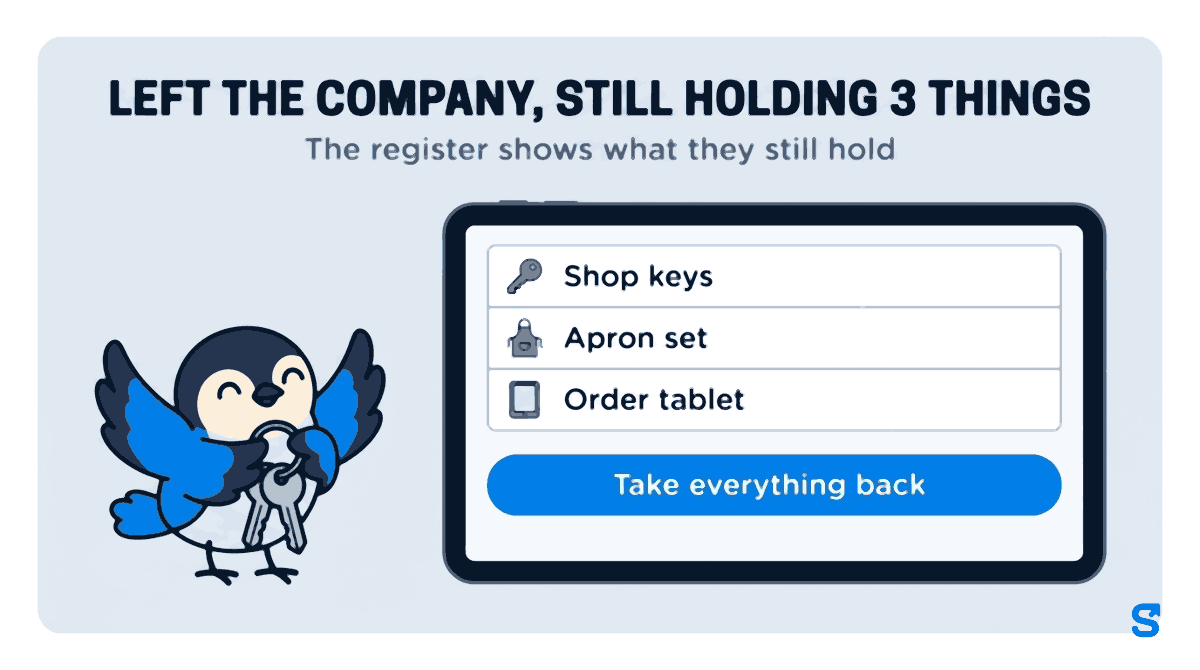
The part that matters for leavers is a filter. Once a person is marked as having left the company, the register can show only people who have left and still have company items. Open it and you see a name, the things they still hold, and a Take everything back button for the day they hand it all over at once. The register also lists anything due back this week, so a last-shift return date does not slip past unnoticed.
You also get a short Company items message that flags anything past its return date and any person who has left or is suspended but is still holding company items. The person holding something gets an Item due back soon reminder of their own before the date arrives.
On the staff side, each person sees their own list under My Items: what is signed out to them, since when, and when it is due back. They can report damage on something they hold, which reaches the office straight away. What they cannot do is mark an item as returned. That is done by the person who takes it back.
Photograph the condition at both ends
The argument about a scratched tablet is never about the scratch. It is about when it happened. A photo taken at hand-over answers that, because the scratch is either in it or not.
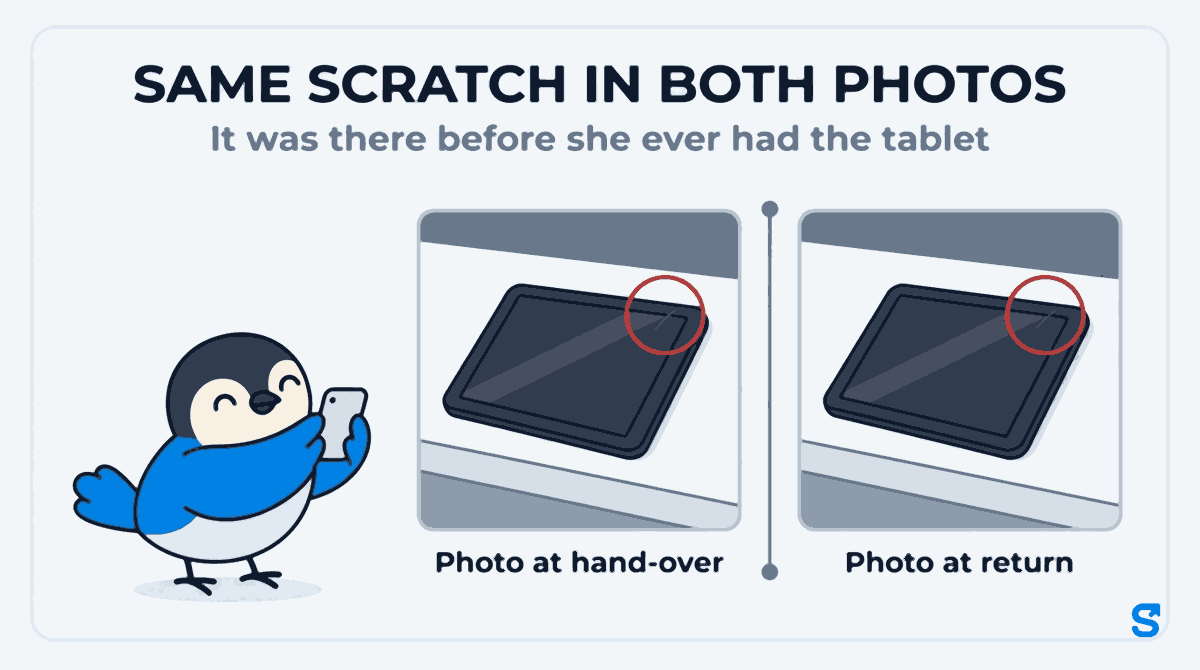
In Company items the photo goes with the hand-over or the return, so it is in the item's log book with the date and the name beside it. You do not have to find it in somebody's camera roll later.
Can you take the cost out of a leaver's final pay?
Law is not the main job of this article, and we are not lawyers. These are the lines from the official page that matter here.
The gov.uk page on deductions from your pay (checked on 10 October 2026) says an employer "is not allowed to make deductions unless" one of a list of reasons applies, and that list includes "you agree in writing" and "your contract says they can". The rule behind it is in section 13 of the Employment Rights Act 1996 on legislation.gov.uk.
The same page says a deduction "cannot normally reduce your pay below the National Minimum Wage even if you agree to it", with a short list of exceptions. Under "If you leave your job" it says to check the contract, and that normally a person is "entitled to be paid everything you've earned up to the point you finish."
This is general information, not legal advice: check with the agency or an employment lawyer for your case.
Shiftelio does not take anything out of anybody's pay for a missing item. The register's job is to show who had it, when, and what it cost. Whether that becomes a deduction, a write-off or a conversation is your decision.
A worked example from a café
A café with 12 staff lends its baristas an apron set, and its shift leads a set of shop keys and the order tablet. Ellie, a shift lead, hands in a week's notice.
- Day she gives notice: the manager opens Company items and sees Ellie holds 3 things: the shop keys, an apron set and the order tablet. Each gets a return date of her last Saturday.
- The week before: the tablet already has a photo from the day it was handed to her, showing a small scratch on the corner.
- Her last Saturday: the manager takes the three items back at the counter and records each return with a photo. The tablet has the same scratch, so there is nothing to argue about.
- Monday: the filter for people who have left and still have company items is empty. Ellie's final pay is worked out with nothing outstanding.
If the keys had not come back, the manager would have recorded them as lost, had the lock changed, and still known exactly who had them last.
Which app keeps a log of who holds company property?
You can see what else the owner's app covers on the features page, or start from Shiftelio for UK businesses.
Questions owners ask
What should be on a leavers checklist for managers?
Every item the person holds, with a return date for each. Then the return recorded in person on the last shift, photos of anything that can be damaged, and missing items recorded the same day.
What if an employee does not return their uniform?
Record it as not returned, ask for it back in writing, and check the contract and the gov.uk page on deductions before deciding anything about pay.
Can I deduct unreturned property from final pay in the UK?
gov.uk says an employer is not allowed to make deductions unless a listed reason applies, such as a written agreement or a contract term. Check that page and take advice for your own case.
Can staff mark an item as returned themselves?
No. In Shiftelio a person can see what they hold and report damage, but the return is recorded by whoever takes the item back.
Can a manager hand out items without seeing what they cost?
Yes. Issuing and taking back items is a separate permission from adding items, and the purchase price only shows to people allowed to see it.