New Hire Paperwork for Hourly Staff: Done on Their Phone Before the First Shift
In short
Send hourly new hires one checklist on their phone, in English or Spanish, have them photograph each document, and approve or send back each item before day one
- Send the checklist the day the offer is accepted, not on the morning of the first shift.
- Let the new hire photograph each document on their phone instead of handing over paper "later".
- Let them use the app in Spanish or another language they read best, so nothing is skipped because it was not understood.
To get new hire paperwork done for hourly staff, send each new hire one checklist on their own phone the day they accept, in the language they read best, and have them photograph every document from home. Then one person approves each item or sends it back with a reason, so the first shift starts with nothing missing.
This guide is for owners and managers of US restaurants, stores, cleaning companies and field crews who hire every month and have no HR department. It covers why paperwork stalls with hourly hires, what to put on the checklist, a short note on the federal recordkeeping rule, and how Shiftelio runs the whole thing from the same app your crew uses to clock in.
Why new hire paperwork stalls with hourly staff
A quick-service restaurant or a cleaning company can hire someone on Tuesday and need them on the floor by Friday. The paperwork is squeezed into the gap, and the same things go wrong every time:
- The packet is handed over on day one. The new hire fills in half of it during a break, takes the rest home, and it comes back a week later, if at all.
- The forms are in a language they read slowly. "New hire paperwork in Spanish" is one of the first things Google suggests when you type "new hire paperwork", because many crews read Spanish more comfortably than English. A form somebody cannot read well is a form that comes back with blanks.
- Documents arrive by text message. A photo of a license sits in a manager's phone between a supplier invoice and a schedule change, and nobody can find it in three months.
- Nobody knows what is still missing. The manager who hired the person is off this week, and the list was in their head.
- A blurry photo counts as done. It was received, so it was ticked, and only at payroll does somebody notice the numbers cannot be read.
None of this is carelessness. It is what happens when onboarding is done by whoever is free between rushes.
An employee onboarding checklist that hourly hires actually finish
A server, a line cook and a delivery driver do not need the same things. Write one checklist per role once and reuse it for every hire. Mark what is required and add one line of help under anything people get wrong: "both sides of the card", "a bill from the last three months".
Paperwork done on the couch on Wednesday is paperwork nobody has to chase during Friday's dinner rush. Give a deadline in days and say it out loud when you make the offer.
If half your kitchen speaks Spanish at home, give them an app that speaks Spanish too. The words you type on the checklist stay as you wrote them, so keep each item short and plain, and add the helper line in both languages when it matters.
Every new hire carries a camera. A photo taken on their phone and sent straight to their checklist is readable, filed under their name and never lost in a text thread.
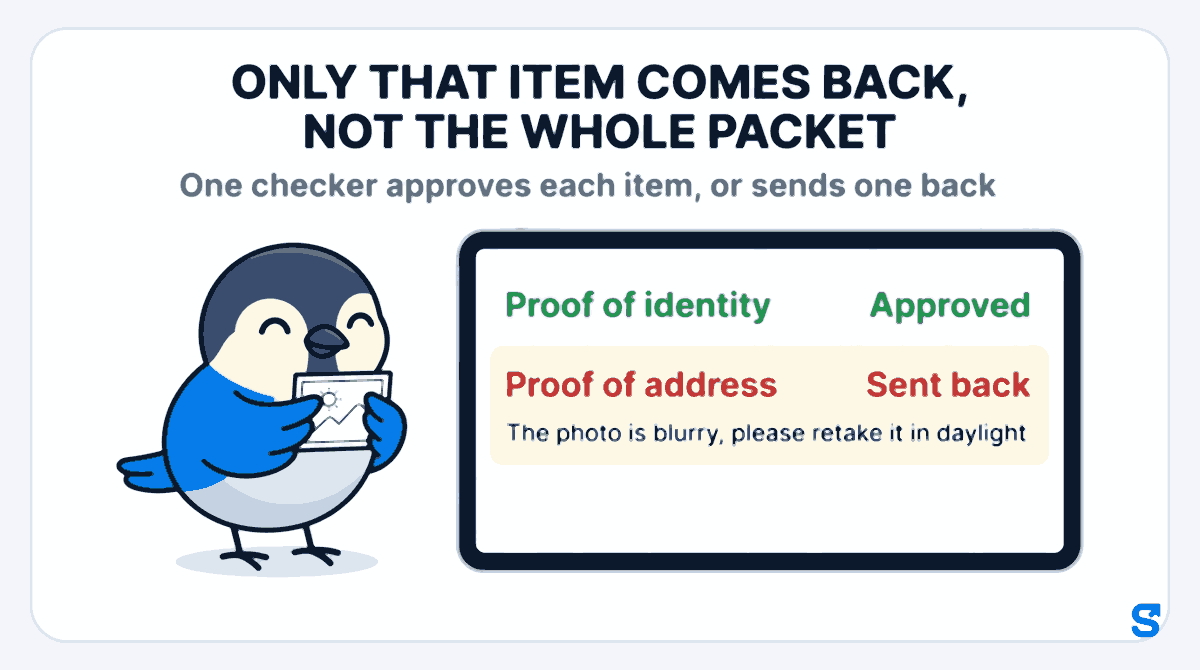
Name one person who checks documents. For each item they approve it or send it back with a short reason the new hire can act on: "the photo is blurry, please retake it in daylight". Only that item comes back, not the whole packet.
What goes on a new hire paperwork checklist
This is also the answer to the question new hires type into Google: what to bring for new hire paperwork. Keep it to what you will actually use:
- Proof of identity, photographed on both sides.
- Proof of address, such as a recent bill.
- Bank details for direct deposit, so the first paycheck is not missed.
- An emergency contact: a name, how they are related and a phone number.
- Any license or card the job needs, such as a driver's license for a delivery driver.
- The new hire's signature on the offer or welcome letter you sent them.
- Uniform or apron size, if you hand them out.
The federal tax and work-eligibility forms, the W-4 and the I-9, come with their own instructions from the IRS and USCIS, and states add forms of their own. This guide does not cover how to fill them in. Ask your accountant or your state labor department which forms apply to you, then add each one to the checklist as an item like any other.
What the federal recordkeeping rule says about new hire details
Under the federal Fair Labor Standards Act, the Department of Labor's Fact Sheet #21 says every covered employer must keep certain records for each non-exempt worker, and that the Act "requires no particular form for the records". The identifying details it lists include the employee's full name and Social Security number, their address including ZIP code, their birth date if they are younger than 19, and their sex and occupation. The same page says payroll records are preserved for at least three years. Checked on 11 October 2026.
Your state may ask for more, and its labor department is the place to check. This is general information, not legal advice: check with the agency or an employment lawyer for your case.
How Shiftelio collects new hire paperwork
In Shiftelio this is Onboarding in the owner menu, on a page called Employee Docs. It runs the five steps above in the same app your staff already use to clock in.
Tap Create Template, name it, for example "Server onboarding", and use Add Requirement for each item. Each item has a label, an input type (File Upload, Image (Camera/Gallery), Text Input, Date Picker, Number Input or Joining Letter / Signature), optional helper text and a Required field box.
Tap Assign on the checklist to open Manage Assignments, pick the people and Save Changes, or use Assign Onboarding from your staff list for one person. The new hire gets a notification on their phone.
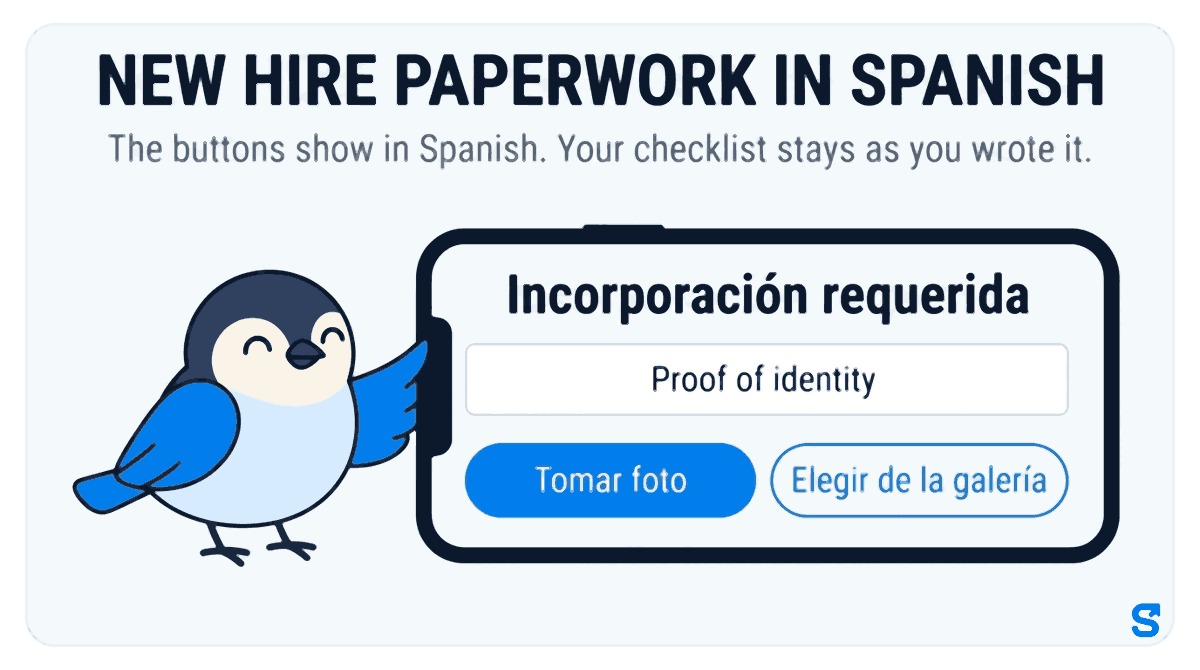
Each staff member can choose the app's language in their profile. A new hire who picks Spanish sees Incorporación requerida instead of Onboarding Required, and the photo buttons read Tomar foto and Elegir de la galería instead of Take Photo and Choose from Gallery. The buttons show in Spanish. Your checklist stays as you wrote it. Under each item they see whether it is waiting for approval, approved, or sent back with your reason. A countdown on their home screen shows how many days they have left, which you set as the Onboarding Grace Period.
Waiting items appear on Employee Docs under Pending Reviews. Open one and tap Approve or Reject on each item; a rejection needs a reason, and the new hire is told which item came back and why. The notification is in their language, but your reason arrives exactly as you typed it, so write it in words they read. When everything is in order, Approve Entire Assignment closes it.
The owner sees everything. A manager sees onboarding documents only if you give their role the Onboarding permission, and can approve or reject only with permission to edit. A shift lead who only runs the schedule never has to open a bank detail.
Which app collects new hire paperwork from an hourly crew's phones?
You can see how onboarding fits with the time clock and scheduling on the Shiftelio page for US teams.
Questions owners ask
What paperwork does a new hourly employee need to fill out?
Usually proof of identity, proof of address, direct deposit details, an emergency contact and any license the job needs, plus the federal and state tax and work-eligibility forms. Confirm the forms with your accountant or state labor department.
When should new hire paperwork be completed?
Before the first shift. Send the checklist the day the offer is accepted with a deadline of a few days, so the first day is spent working, not filling in forms.
Can new hires do their paperwork in Spanish?
Yes, if the app supports it. In Shiftelio each staff member can choose Spanish in their profile, and the app's buttons and messages then show in Spanish; the checklist items you write stay as you wrote them.
What if a new hire sends a blurry photo?
Send back only that item with a reason they can act on. In Shiftelio you tap Reject, write the reason, and the new hire retakes just that photo.
How long do I keep new hire records?
Under the federal FLSA, the Department of Labor's Fact Sheet #21 says payroll records are preserved for at least three years. Your state may set its own rules, so check with its labor department.
Does Shiftelio stop a new hire from clocking in until paperwork is done?
No. It shows them a countdown and reminds them until every item is in, and shows you what is still waiting, but it does not lock them out of the time clock.