Segregation of Duties in a Small Business: Who Enters Staff Bank Details and Who Approves Them
In short
Let staff type their own direct deposit details, and have a second person approve any account a manager enters before payday. Two people, one simple rule.
- Segregation of duties for payroll is one rule: whoever enters a bank account is not the only one who approves it.
- Let each employee enter their own direct deposit details from their own phone, so nobody else has to type an account number from an email.
- Any account a manager enters, by hand or from a spreadsheet, waits as Pending Review until a second person approves it.
Segregation of duties in a small business means the person who enters or changes an employee's bank details is never the only person who approves them. In practice: staff type their own direct deposit details, and any account a manager types in waits for a second person before the next payday.
It sounds like something only a bank or a big company needs. It is not. The most common way a small Canadian business loses a pay cheque is a short email, sent the week before payday, asking the office to "update my direct deposit". One person reads it, one person changes it, and nobody finds out until the real employee asks where their pay went.
What segregation of duties means when you only have two people in the office
The textbook version of segregation of duties splits a job into four parts: who authorizes it, who records it, who holds the money and who checks it afterwards. A cleaning company with 22 staff and one office manager cannot staff four roles. It does not need to.
For staff bank details you only need to split two jobs:
- Entering. Typing or uploading the account an employee is paid into: the institution, the transit number, the account number.
- Approving. A second person looking at that entry and saying "yes, this is right" before it is used for a pay run.
If one person does both, every pay run depends on that one person never making a typo, never being fooled by an email and never being tempted. Splitting the two costs a few minutes a month and removes all three risks at once.
The email that asks to change a direct deposit
Here is how the most common payroll fraud on a small business plays out, the kind of scam Canadian police and fraud services keep warning employers about.
Karen owns a commercial cleaning company in Mississauga, Ontario, with 22 cleaners on night crews in office towers. Jordan is her office manager and runs the bi-weekly pay. On a Tuesday, Jordan gets an email that looks like it is from Luis, one of the cleaners: "Hi Jordan, I changed banks. Can you update my direct deposit before Friday? New account below. Thanks."
The name is right. The tone is friendly. There is a deadline. Jordan has done this kind of update before, so Jordan changes the account and Luis's pay goes out on Friday as usual.
Except Luis never sent it. Somebody else did, and Luis's two weeks of pay are now in their account. Luis finds out on Friday night when his pay does not arrive, and Karen finds out on Monday.
Nothing about this needed a hacker inside the company. It needed one inbox and one person allowed to change an account without anybody else looking. That is the gap segregation of duties closes.
Two rules that close the gap
Rule 1: the employee enters their own bank details. When each person types their own institution, transit and account number on their own phone, nobody in the office ever has to copy an account number out of an email. An email asking Jordan to change Luis's bank account now has an easy answer: "You can change it yourself in the app." A fraudster cannot do that without Luis's phone.
Rule 2: anything a manager enters waits for a second person. Sometimes the office has to enter the details: a new hire who brought a void cheque, or twenty new staff from a spreadsheet when you first set up. Those entries should not count until somebody other than the person who typed them has checked them.
Add one habit on top: no bank change because a message asked for it. If anyone asks the office to change an account, call the employee on the number you already have, or ask them in person at the start of their shift. Never call the number in the email.
How this looks in Shiftelio
In Shiftelio, the screens are called Payment details (where staff bank details live) and Payment Approvals (where the second person signs off). Here is Karen's company, set up the way this guide recommends.
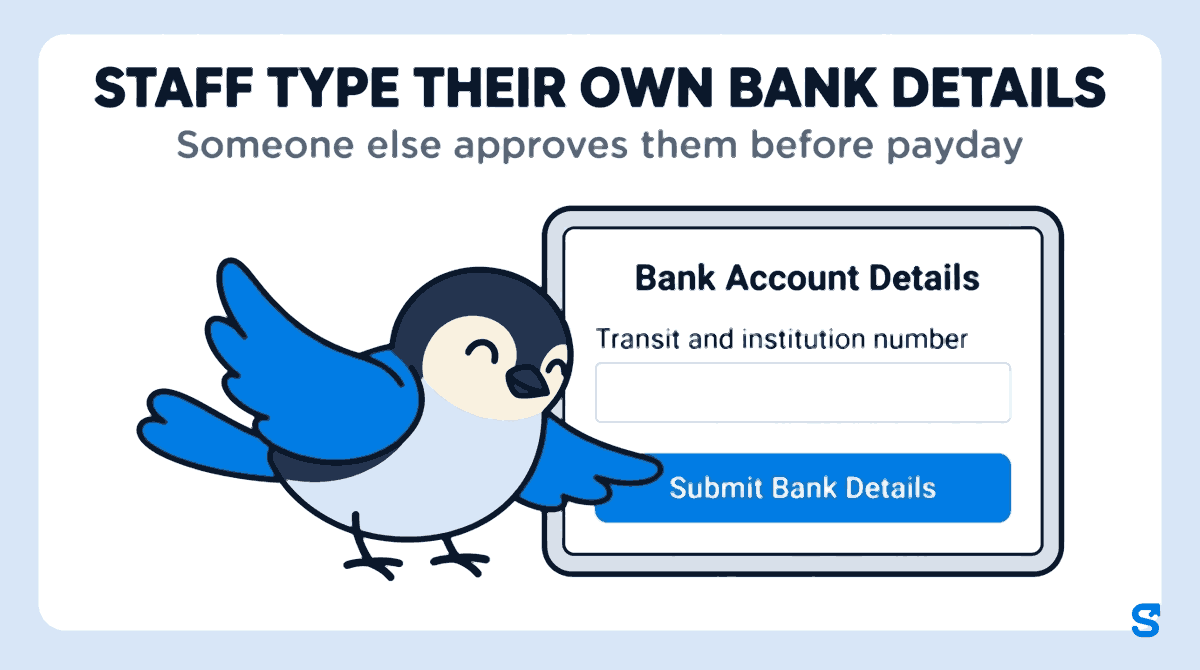
Luis opens the Shiftelio app on his phone and goes to Payment Details. Under Bank Account Details he types the account holder name, his bank's name, his account number and his transit and institution number, then taps Submit Bank Details. His details now show as Pending Review. Karen gets a notification that Luis has submitted payment details.
On Payment Approvals, Karen sees Luis's submission with the account holder, bank name and account number side by side. If it looks right, she taps Approve and Luis is told his bank details have been approved. If something is off (the name on the account is not his, say), she taps Reject, types the reason, and Luis is told why and can resubmit.
A new cleaner, Amira, starts on Monday and brings a void cheque. Jordan types her details on her employee page. Because Jordan is a manager, the entry does not count straight away: it waits on Payment Approvals as a group labelled "Entered by hand", with the date. A spreadsheet of many staff waits the same way, labelled "Bulk upload", and Karen can approve all of them at once, reject all of them with one reason, or check them one by one.
When Amira opens Payment Details on her phone, the screen says the details were added by her employer and asks her to check they are correct, and to tell her employer straight away if anything is wrong. That is a third pair of eyes, and the one who knows the account best.
Splitting the jobs between two managers
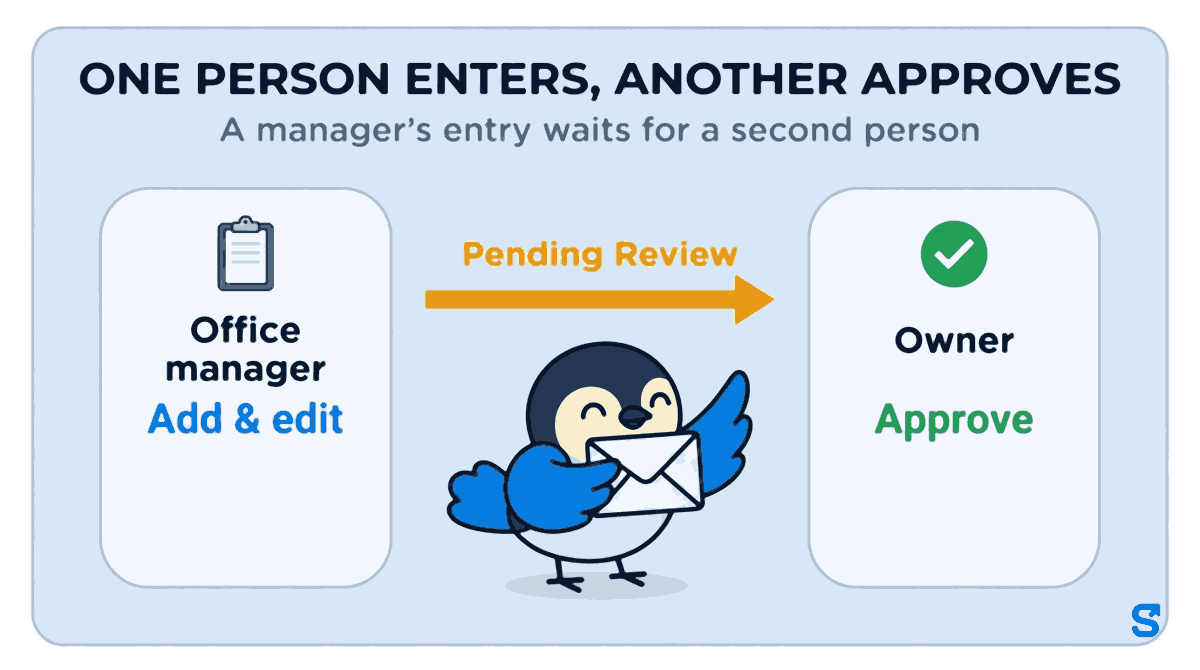
If you are not the one who should approve, you do not have to be. In Shiftelio's Roles, the Payment details permission has separate actions: Add & edit (enter or change payment details, including in bulk) and Approve (approve payment details somebody else entered). Give Add & edit to your office manager and Approve to a different person, such as an operations manager or yourself.
One honest caution: the split only works if the two actions sit with two different people. If you give one manager both Add & edit and Approve, that manager can enter an account and approve it too, and you are back to one person. And when you, the owner, enter details yourself, they are approved straight away, because the owner is the approver.
What Ontario says about direct deposit accounts
This part is short, because the management practice above is the same in every province. In Ontario, the province's guide to the Employment Standards Act says employers may pay wages by cash, cheque or direct deposit. For direct deposit, the guide says that effective June 21, 2024, "the account must be selected by the employee", that the employer cannot require an employee to use a financial institution the employee did not choose, and that the account must be in the employee's name (Ontario: Payment of wages, checked on 11 October 2026).
Letting each employee enter their own account fits that wording naturally: the account on file is the one they chose. Other provinces have their own employment standards rules, so check your province's employment standards office if you are outside Ontario. This is general information, not legal advice: check with the agency or an employment lawyer for your case.
If a pay cheque has already gone to the wrong account
Move fast, in this order:
- Call your bank or payroll provider the same day and ask whether the deposit can be recalled.
- Tell the employee what happened, and agree with them how and when they will be paid.
- Change the account back only after confirming the correct details with the employee in person or on a number you already had.
- Report it to your local police and to the Canadian Anti-Fraud Centre.
- Write down which inbox the request came from, and warn the rest of the office about it.
Which app keeps entering and approving staff bank details in separate hands?
The one true thing Shiftelio does that a spreadsheet of bank details cannot: the employee who owns the account can see and enter it themselves, and a manager's entry is held for approval before anyone relies on it. See it on the Shiftelio for Canadian businesses page or in the full features list.
Frequently asked questions
What is segregation of duties in payroll?
It means no single person can both enter and approve a payroll change. For bank details, one person enters the account and a different person approves it before it is used.
How can a small business with one office person segregate duties?
Let employees enter their own bank details, and have the owner approve anything the office person enters. Two people are enough for this job.
Should I change an employee's direct deposit because they emailed me?
No. Confirm it with the employee in person or on a phone number you already have, or ask them to change it themselves in the app.
Can an employer choose the bank account for direct deposit in Ontario?
According to Ontario's guide to the Employment Standards Act, no: since June 21, 2024, the account must be selected by the employee and be in the employee's name.