Vacation Tracker for Employees: How a Small Canadian Business Keeps Every Balance Straight
In short
A vacation tracker for employees records the days each person earned, took and has left, and who approved each request, so summer never turns into an argument.
- A vacation tracker answers three questions per person at any moment: earned, taken, left.
- In Ontario, the province's guide says staff with under five years of employment get two weeks of vacation after each 12-month vacation entitlement year, and three weeks from five years.
- A spreadsheet loses the approval trail, and approvals are where summer arguments start.
A vacation tracker for employees is one place that shows, for each person, the vacation days they have earned, the days they have taken, the days they have left, and who approved each request. For a small Canadian business it also has to follow each person's own vacation year, because that is how provincial rules such as Ontario's count vacation.
Why the vacation spreadsheet breaks every summer
Picture a family restaurant in Hamilton with 14 staff. In March the owner keeps vacation in a spreadsheet: one row per person, a column for days given, a column for days used. By June three things have gone wrong.
Two line cooks booked the same week in August, one by text and one by a note on the fridge, and nobody saw the clash until the schedule was posted. A server says she has four days left; the spreadsheet says two, because somebody typed a half day as a full one. And when the owner asks "who said yes to this?", nobody knows: the approval was a thumbs-up in a group chat that has since scrolled away.
None of that is a people problem. It is a record problem. A vacation tracker fixes it by putting the request, the decision and the balance in the same place, in front of the person asking and the person deciding.
What a vacation tracker has to record
Whatever tool you use, paper included, these are the things that settle a disagreement:
- The days each person earns in a year, and how they are earned (all at once, or a little each month).
- Each person's own vacation year: when it starts and when it ends.
- Every request: the dates, a full day or a half day, and the reason if one was given.
- Every decision: approved or rejected, and by whom.
- The balance left after each approved request.
- What happens to unused days at the end of the year.
A tool that keeps the first five but forgets the sixth will be right all year and wrong every January.
What Ontario's rules say about vacation time
Employment rules in Canada are provincial, so the numbers depend on where your staff work. This section quotes Ontario only; British Columbia, Alberta, Quebec and the other provinces publish their own rules, and federally regulated employers follow federal rules.
In Ontario, the province's guide to the Employment Standards Act on vacation (Checked on 6 October 2026) says:
Employees with less than five years of employment are entitled to two weeks of vacation time after each 12-month vacation entitlement year. Employees with five or more years of employment are entitled to three weeks of vacation time.
The same Ontario page says vacation pay is at least four per cent of gross wages for employees with less than five years of employment and at least six per cent from five years. It describes the vacation entitlement year as the 12-month period over which employees earn vacation, says the employer has the right to schedule vacation and an obligation to see that it is taken within 10 months after the year ends, and lists the vacation records an employer keeps: vacation earned, vacation taken and the balance remaining. The full Employment Standards Act guide covers the rest.
Look at that record list again: earned, taken, balance. That is exactly what a vacation tracker is for.
This is general information, not legal advice: check with the agency or an employment lawyer for your case.
Setting up a vacation tracker in Shiftelio
Shiftelio keeps vacation under Leaves: you approve or reject time-off requests and set up leave types. Here is the restaurant from above, set up in about ten minutes.
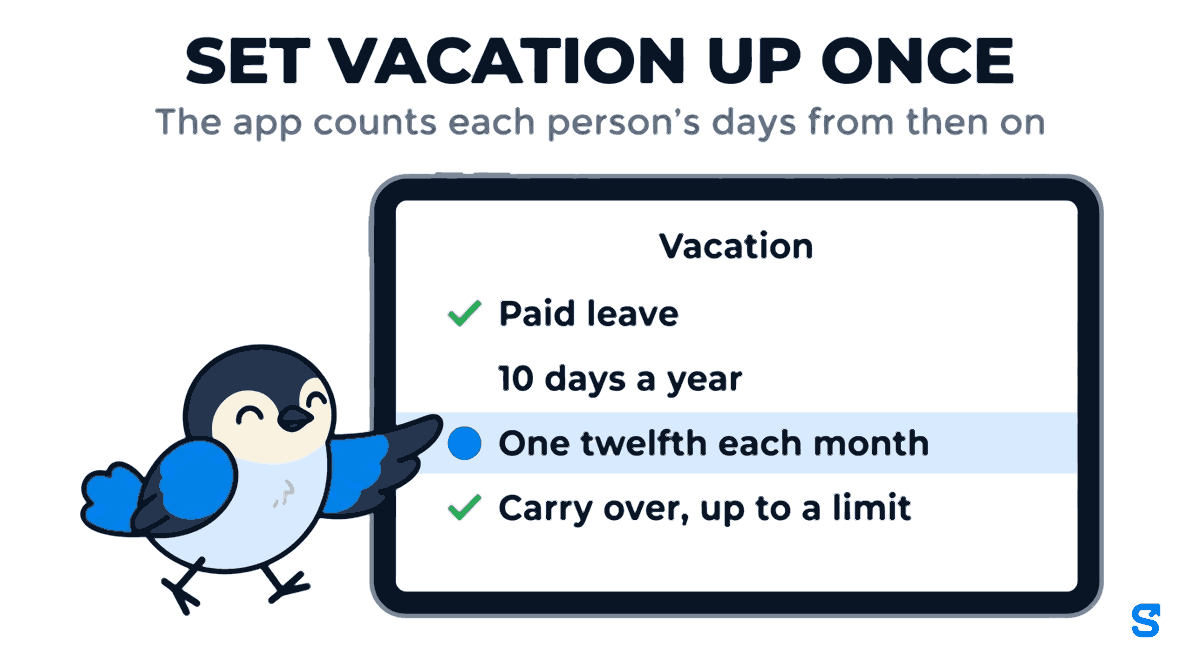
In Leave Settings, add a new leave type, name it Vacation, and answer Is this leave paid? with Paid leave. Under Standard days per year, enter what you give full-time staff, say 10 days a year.
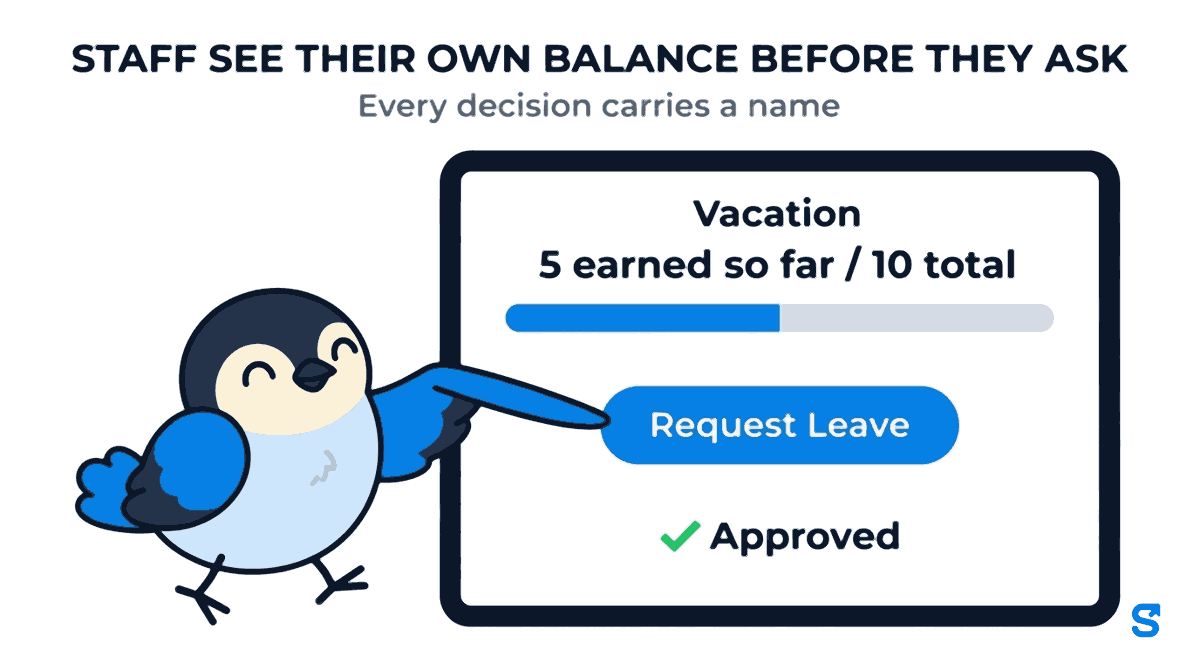
Under How are these days granted? pick All at once, at the start of the cycle, or One twelfth each month. The second one matches "earned over the year": with 10 days a year, a person has 5 earned after six months, and their screen reads 5 earned so far / 10 total.
Under What happens to unused days at the year end? choose Resets to zero, Carry over, up to a limit (and set Most days that may carry over), or Carry over, all of them. Set it to match your own policy and your province's rules.
On each employee's profile, set the month their leave year starts. A cook hired in April can run April to March while the rest of the team runs January to December, so each person's balance follows their own year rather than one calendar for everybody.
How staff ask for vacation, and how you answer
Once the leave type exists, nobody needs to text you a date again.
In My Leaves, the server taps Request Leave, picks Vacation, the dates, and a Full Day, a Half Day, or leave for one shift only. Before sending, she sees her own Current Balance, so the "I thought I had four days" conversation never starts.
The request lands with you. You approve or reject, and her history shows Decided by with your name, or Rejected by if you said no. The thumbs-up in a group chat becomes a record you can find in December.
An approved request comes off the balance. A person cannot book two leaves over the same day, so one day off is never taken off the balance twice. The day before somebody's vacation starts, you get a reminder, so the schedule is never a surprise.
Vacation days are not vacation pay
A vacation tracker counts days. It does not work out vacation pay, and in Canada that matters: the Ontario page quoted above sets vacation pay as a percentage of gross wages, which your payroll provider or accountant calculates. Shiftelio tells you, for each person, how many vacation days were earned, taken and left, and whether each one was paid or unpaid leave. Hand that to whoever runs your payroll.
Holidays that are not the same at every location
If you run two stores, a day off you give one branch is not automatically a day off at the other. In Shiftelio a holiday can be set for one branch or one department without giving it to everybody, so a closure at one location does not quietly turn into a day off on the other location's schedule. That also keeps the vacation tracker honest: a day the whole branch is closed is not taken out of anybody's vacation balance.
Which vacation tracker fits a small Canadian team
The tracker you choose matters less than whether staff actually use it. If they have to log in to a desktop portal, they will go back to texting you, and the record is gone again.
You can see the rest of what the app does on the features page, and how it works for teams in Canada on the Canada page.
Frequently asked questions
What is a vacation tracker for employees?
It is a record of the vacation days each person earned, took and has left, with every request and who approved it. It can be a spreadsheet, but an app keeps the approval trail and lets staff check their own balance.
How much vacation do employees get in Ontario?
Ontario's guide says two weeks after each 12-month vacation entitlement year for employees with under five years of employment, and three weeks from five years. Other provinces set their own rules, so check your province's page.
Can each employee have a different vacation year?
Yes. In Shiftelio you set the month each person's leave year starts on their profile, so a person hired in April can run April to March while others run January to December.
Does Shiftelio calculate vacation pay?
No. It tracks vacation days earned, taken and left, and whether each day was paid or unpaid leave. Vacation pay as a percentage of wages is calculated by your payroll provider or accountant.