Appointment Letter for Staff: Write It Once, Get It Signed on Their Phone
In short
Write one appointment letter, give it to each new joiner on their phone, and get it read, confirmed by a WhatsApp code and signed, with a PDF you can check.
- Write the appointment letter once and reuse it for every new joiner in that role; only the date, pay and type change per person.
- Since the labour codes, an appointment letter is a written requirement for most employers, so a signed copy you can find matters as much as the letter itself.
- On the phone, the person reads to the end, confirms it is them with a code sent to their WhatsApp, and signs with a finger.
The simplest way to give staff an appointment letter is to write it once, fill in each person's joining date and pay, and send it to their phone, where they read it to the end and sign it with a finger. You keep a signed PDF, and anybody you show it to can scan its QR code and check it is the letter that was signed.
That is the whole job. What makes it hard in most small Indian businesses is not the writing. It is the chasing: printing the letter, finding the person on a busy shift, waiting while they read it standing up, getting a signature, and then filing a sheet of paper that has to be found again two years later when somebody disputes their pay or their notice period.
Why the signed copy matters now
For years an appointment letter in a shop, a restaurant or a security agency was optional in practice. Many owners gave one only when a person asked for it for a bank loan. That changed with the labour codes. Rule 6 of the Occupational Safety, Health and Working Conditions (Central) Rules, 2026, notified on 8 May 2026 and published by the Ministry of Labour and Employment, sets out what an appointment letter must contain. We have written the rule up field by field in Appointment Letters Are Now Mandatory in India, so this article does not repeat it. (Checked on 17 October 2026.)
What that article cannot fix is the everyday part. A letter that exists only as a Word file on the owner's laptop proves nothing. A letter that was handed over but never signed proves very little. What you want, for every person on the payroll, is three things you can show:
- The exact letter the person got, with their own joining date and pay in it.
- That they read it, and when.
- Their signature, tied to that exact version of the letter.
Paper can give you all three. It rarely does, because the signed sheet goes in a drawer and the drawer is never sorted.
How to make the appointment letter once
Most owners already have some version of a letter. Maybe it came from a CA, maybe from a template site, maybe from a cousin's company. The point is to turn it into one letter you approve once, not a new document every time somebody joins.
In Shiftelio this lives under Staff documents, in the Letters tab. Tap New letter and pick one of three ways to start:
Photograph your old letter, upload its PDF, or type a few lines about the job. Tap Make my letter and the app drafts an appointment letter from it. It is marked "Written with AI. Read it fully." and you should do exactly that.
There are three ready letters to start from: Security guard, Office staff and Nurse / home care. Pick the closest one and change what does not fit.
Paste or type your own text if you already have a letter your lawyer has approved.
Before you approve it, a Check before you save list shows the clauses you still have to decide, such as notice period or probation. You can tap any line and edit it, or tell the app what to change in your own words with Want changes? Tell us in your words, then Undo change if you do not like the result. When it reads right, tap Approve letter.
The app can make three kinds of letter: an Appointment Letter, a Probation Letter, and a plain Letter for anything else. The government-format check only runs on appointment letters.
The settings card asks for two things that go on every letter: your Labour Identification Number (LIN), if you have one, and your Company address. If the LIN is empty, the letter says it is not yet allotted rather than leaving a blank.
Changing an approved letter later does not rewrite letters already given. It makes a new draft, and the people who already got the old one keep theirs. Every letter carries its version number, so you always know which wording a person signed.
How to give the appointment letter to a new joiner
When somebody joins, open the letter and tap Give this letter. Pick the person by name. You then fill in only what is different for them:
- Issue date and the joining date.
- Daily pay or Monthly pay. This only goes into the letter; it does not change their payroll.
- Employment type: Regular, Fixed term or Contractual.
- Skill category, from Unskilled to Highly skilled.
A Live preview shows the letter exactly as they will see it. The first time you give a letter, you sign once as the employer, and that signature goes on every letter you give after it.
Then choose Send to their phone, or Sign in person if they are standing in front of you.
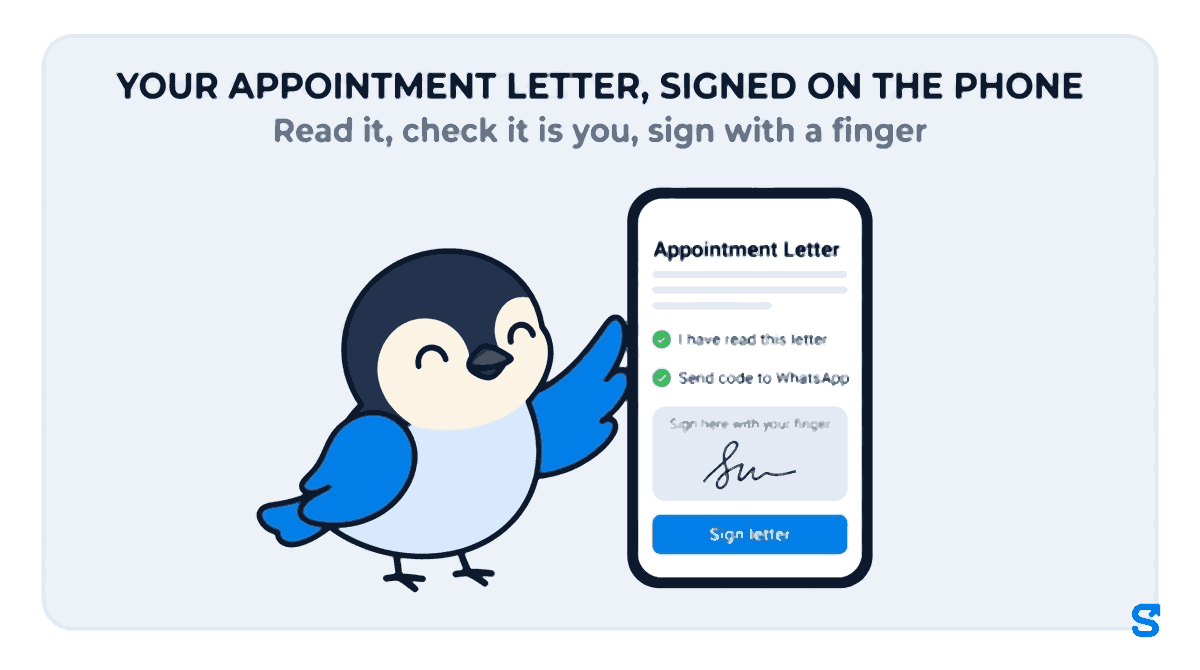
What the staff member sees on their phone
The person gets a message that their company sent a new letter, and opens it from their documents. They cannot sign from the top of the page. They read to the end and tap I have read this letter, or I have a question / something is wrong if a date or the pay looks wrong. That second button is worth a great deal: a wrong joining date gets fixed before it is signed, not argued about at the full and final settlement.
To sign, they tap Send code to WhatsApp, type the code that arrives, and draw their signature with a finger. When they tap Sign letter, they see "Signed. Your copy is ready." and can download the signed PDF for themselves.
Before they sign, the screen tells them in plain words that signing means agreeing to every term in the letter and that the letter becomes a binding agreement with their employer. Nobody can later say they did not know what they were signing.
When the person has no WhatsApp
A helper in a kitchen or a guard on a night post may not have WhatsApp, or may be sharing a phone. Open the letter on your own phone and tap Sign in person. They read it on your screen, type their full name and sign with a finger. The signed copy is kept exactly as if they had signed on their own phone.
What you get back: who signed, and the proof
Every letter you give has its own record. You can see when the person Opened it, when they Read to the end, whether they Asked a question, and when they Signed. From the same screen you can Remind somebody who has not signed, Change details if you typed the wrong date, Download PDF, or Withdraw a letter that should never have gone out. If you give a new letter before the old one is signed, the old one is marked "Replaced before signing", so there is never confusion about which one counts.
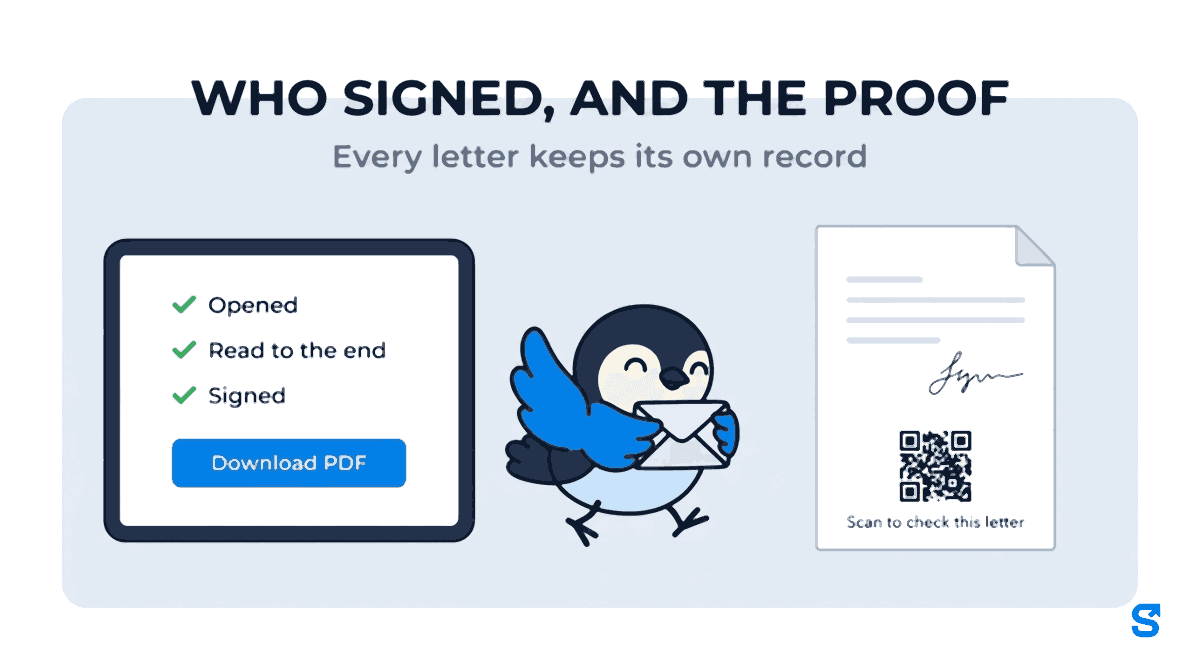
The signed PDF ends with a QR code and the words "Scan to check this letter". Scanning it opens a page that says whether the letter is signed and on record, replaced, withdrawn or not signed yet, and shows the letter as it was signed, with the employee's signature and the times the WhatsApp code was sent and entered. If a bank, a landlord or a labour inspector is handed a printout, they can check it in a few seconds without calling you.
Because the check page shows the full letter, including the pay, treat the signed PDF like the letter itself. Share it only with people you would show the letter to.
Is a letter signed on a phone valid?
A letter that is accepted is a contract, and section 10A of the Information Technology Act, 2000 says a contract is not unenforceable only because it was made electronically. (Checked on 17 October 2026.) What Shiftelio records is a simple electronic signature with a signing record: the exact version of the letter, the finger signature, and the WhatsApp code times. It is not an Aadhaar eSign or a digital signature certificate.
For most appointment letters in a small business, that is the right level. For a letter with a bond, a penalty or a secrecy clause, the app warns you to print it on stamp paper as your state requires. This is general information, not legal advice: for a disputed or unusual case, check with a labour lawyer.
Paper letter or phone letter: what changes
| Printed letter | On the phone | |
|---|---|---|
| Writing it | A new Word file each time | One approved letter, reused |
| Getting it signed | Find the person, wait, collect the sheet | They sign wherever they are |
| Knowing they read it | No way to tell | Opened and read to the end, with times |
| Finding it later | In a drawer, if it was filed | On their staff record, with a PDF |
| Proving it is real | Your word | A QR code anybody can scan |
Which app does this
If you only need the wording, our HR letter formats include an appointment letter you can copy and fill in.
Frequently asked questions
Can I give an appointment letter on WhatsApp as a PDF?
You can, but a PDF on WhatsApp gives you no signature and no proof it was read. Sending it through the app's Letters lets the person read, confirm with a WhatsApp code and sign, and you keep the signed copy.
What if the joining date or pay in the letter is wrong?
Before signing, the person can tap I have a question / something is wrong. You fix it with Change details and they sign the corrected letter. After signing, give a new letter rather than editing the signed one.
Do I need a new letter every time someone joins?
No. You approve one letter for a role and give it to each person, filling in only their date, pay, employment type and skill category.
Can a manager give letters for me?
Yes, if you tick it for their role. Viewing letters, writing them, approving them, giving them and seeing pay are separate ticks, and a manager who can only view does not see anybody's pay.
Is it a probation letter or an appointment letter?
Both can be made. A probation letter is its own kind of letter in the app, written, checked and titled as a probation letter.
The short version
Write one appointment letter per role, approve it once, and give it to each new joiner with their own date and pay. Let them read it to the end and sign it on their phone, or on yours if they have no WhatsApp. Keep the signed PDF on their record, with a QR code that settles any question about whether it is the real one. You can start from the Letters tab in Staff documents, or read the rule itself in our appointment letter article.
Keep reading
Free to use, no signup: Shift roster template.