Duplicate Staff Entries: Clean Your Employee Master List Without Losing History
In short
Delete a duplicate or test staff entry that never worked a day; deactivate anyone with attendance or pay. Let a trusted manager do it for their own staff.
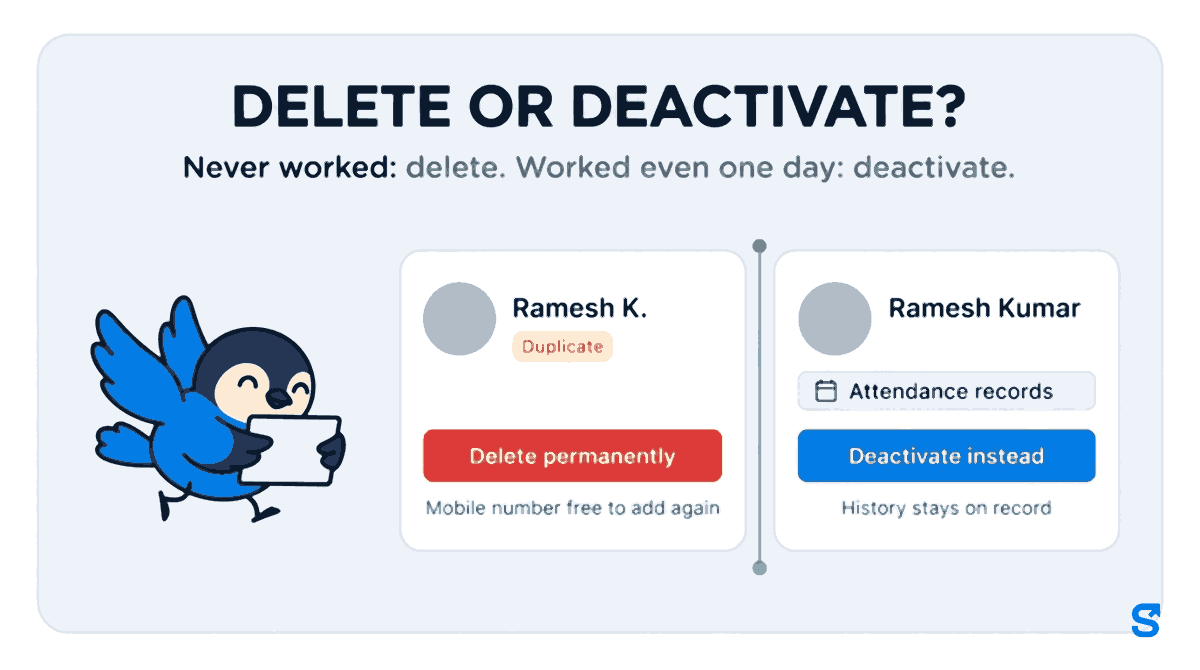
- Delete permanently only a wrong, test or duplicate entry with no attendance, pay or leave behind it.
- Deactivate anyone who worked: they leave the active lists and their history stays.
- In Shiftelio a manager with the Delete tick can do this for their own staff, never for themselves, an owner or another manager.
A duplicate staff entry that has never clocked in can be deleted permanently, and its mobile number or email becomes free to add again. Anyone who has worked even one day should be deactivated instead, so their attendance and pay history stays on record.
That one rule keeps an employee master list clean without breaking last month's salary. The rest of this article is about doing it quickly, and about letting a manager you trust do it for the staff they look after, so the clean-up does not wait for you.
How a staff list fills up with people who do not exist
Nobody sets out to keep a messy list. It happens in four ordinary ways.
- The same person added twice. Once by the owner from the phone, once by the manager from a spreadsheet, with the name spelt "Ramesh Kumar" in one and "Ramesh K." in the other.
- A wrong number or email. The invite went to a number with one digit wrong, so a second entry was made with the right one. The first entry sits there forever, "not signed in".
- Test entries. "Test Staff 1" and "Manager Demo", added on day one to see how the app works.
- A bulk upload run twice. The CSV was uploaded, something looked off, and it was uploaded again. If you use bulk upload, our guide to bulk uploading staff and reading the invite status shows how to spot this before it happens.
None of these people ever worked a shift. But they show up as "absent" in the daily report, they sit in the salary sheet as zero rows, and they make every headcount on the dashboard slightly wrong. A store manager reading "3 absent" every morning stops trusting the number, and that is the real cost.
Delete or deactivate: the one question to ask
Ask: has this person ever done anything in the app that we would need to show later? Attendance, a salary payment, a loan, a leave request, a task. If yes, the entry is a real employee's record, even if they left after a week.
| Delete permanently | Deactivate | |
|---|---|---|
| Use it for | A duplicate, a wrong entry, a test entry | Someone who worked and has left |
| Attendance and pay history | Gone (there should be none) | Kept |
| Shows in active lists and daily reports | No | No |
| Their mobile number or email | Free to add again | Stays with this record |
| Can it be undone | No | Yes, tap Activate |
India's labour codes expect an employer to keep wage and attendance records for the people it employs (Ministry of Labour and Employment, new labour codes, checked on 27 October 2026). So the history of someone who worked is not yours to throw away just because they left. A duplicate entry is different: it holds no one's history at all.
There is a privacy side too. The Digital Personal Data Protection Act, 2023 asks organisations to erase personal data once it is no longer needed, unless a law says to keep it. A test entry with a real phone number in it is exactly the kind of data that has no reason to stay.
What Shiftelio does when you press Delete permanently
On an employee's page, the bin icon opens Delete employee permanently. Before anything is deleted, Shiftelio checks whether that person has real records. You then see one of two screens.
- Nothing to keep. It says "This permanently deletes" and names the person. Confirm, and you see that their mobile number (or email) is free to use again. You can now add the right entry with the right number.
- Records that must be kept. It says "This employee can't be permanently deleted" and lists why, in plain words: attendance records, salary payments, loans, leave requests, task assignments and so on, each with a count. One button underneath does the right thing instead: Deactivate instead.
If the person still has company items with them, such as a uniform, a phone or a key, the screen says so first and asks you to collect them, because deleting the entry would also erase the record of who had them.
To clean up many at once, open Employees, tap Select, tick the duplicates and choose Delete permanently. Each person is checked on their own, so a real employee ticked by mistake is refused while the true duplicates go.
Letting a manager clean up their own staff
In a business with more than one site, the owner is usually the last person who knows which "Ramesh" is the real one. The branch manager knows. Since October 2026, Shiftelio lets you give that job to them.
Go to Roles, open the role your managers use (or make one), and find Employees.
The Delete tick is marked sensitive, because it removes people. It is off for every role until you turn it on.
On the employee page and in Select on the Employees list. The same check runs for them as for you: anyone with real records can only be deactivated.
A manager with the tick still has limits they cannot get around:
- Only staff inside the sites and departments they look after.
- Never themselves: "You cannot delete yourself."
- Never an owner, a co-owner or another manager: "Only the owner can delete a manager."
- Never someone who has worked: the screen offers Deactivate instead.
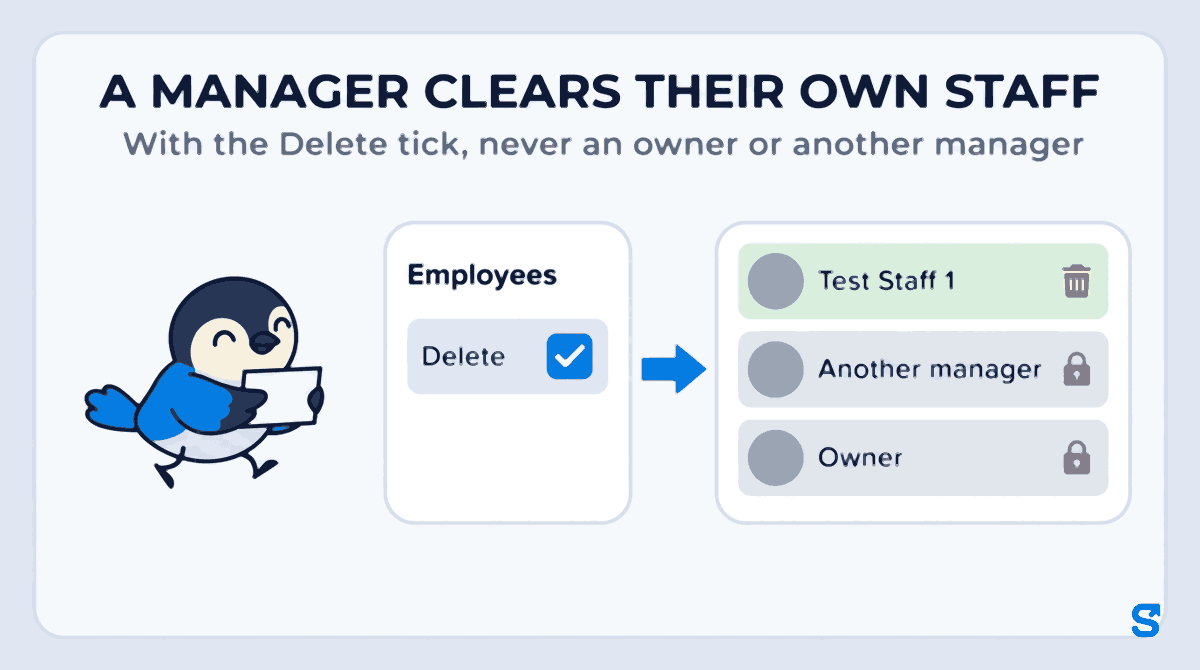
That is the point of giving it out: the person closest to the mistake fixes it the day it happens, and nothing a payroll month depends on can be lost on the way.
A ten-minute monthly clean-up
Do this on the first working day of the month, before salary is run.
- Open the Employees list and sort by name. Two entries with almost the same name and the same branch are your first suspects.
- Open Invite status and look at anyone who has "not signed in" for more than a week. A wrong number usually shows up here.
- For each suspect, press Delete permanently. If Shiftelio says there is nothing to keep, it was a duplicate: delete it. If it lists records, it was a real person: deactivate them if they have left, or leave them alone if they have not.
- Check the daily absent count the next morning. If it dropped by exactly the number you removed, the list is clean.
Doing it before salary means the salary sheet you check has only real people on it.
Which app lets a manager clean the staff list safely?
You can see the rest of what the staff screens do on the features page.
Questions owners ask
Can I delete an employee who has left?
Usually no, and you should not want to. If they have any attendance or pay in the app, Shiftelio offers Deactivate instead, which removes them from active lists and keeps their records.
Will deleting a duplicate change last month's salary?
No. Shiftelio only deletes an entry that has no attendance, pay, loans or leave behind it, so no salary month ever depended on it.
Can a manager delete another manager?
No. Only the owner can delete a manager, and a manager can never delete themselves or a co-owner.
I added the wrong mobile number. How do I add the person again?
Delete the wrong entry permanently if it was never used. Shiftelio then tells you the number is free, and you can add the person with the right one.
Can I bring back someone I deactivated?
Yes. Open their page and tap Activate. A permanent delete cannot be undone, which is why it is only allowed for entries with nothing to keep.
Keep reading
Free to use, no signup: Shift roster template.