Employee Forgot to Clock Out? How to Fix the Timesheet Before Payroll in Canada
In short
Find every shift that closed without a clock-out, fix the ones with hours nobody worked or hours missing, and mark the rest checked before you run payroll.
- A forgotten clock-out is a timesheet problem first: the hours on record are wrong in one direction or the other.
- Most shifts that close without a clock-out are fine. Only a few have hours nobody worked, or hours missing.
- Check those few before payroll, record why you changed a time, and leave the rest marked as checked.
When an employee forgets to clock out, do not guess and do not leave it. Find every shift that closed without a clock-out, correct the few where the hours are clearly wrong, mark the rest as checked, and do it before you run payroll, not after somebody's paycheque is short.
That sounds obvious until you run a restaurant, a store or a cleaning crew with twenty hourly staff. Somebody always walks out the back door at close with their apron in their bag and their shift still open. The question is not whether it happens. It is whether you find it on Monday or on payday.
What really happens when an employee forgets to clock out
Picture a Friday at a family restaurant in Mississauga. Priya, a line cook, clocks in at 3 pm, works the dinner rush and leaves after close. She did not tap out after close. On a paper time card that is a blank box. In a punch clock it is an open shift that somebody has to close by hand. Either way, one of two things goes wrong:
- Hours nobody worked. The shift runs on into the night, or into the next day, and the timesheet says she worked twenty hours.
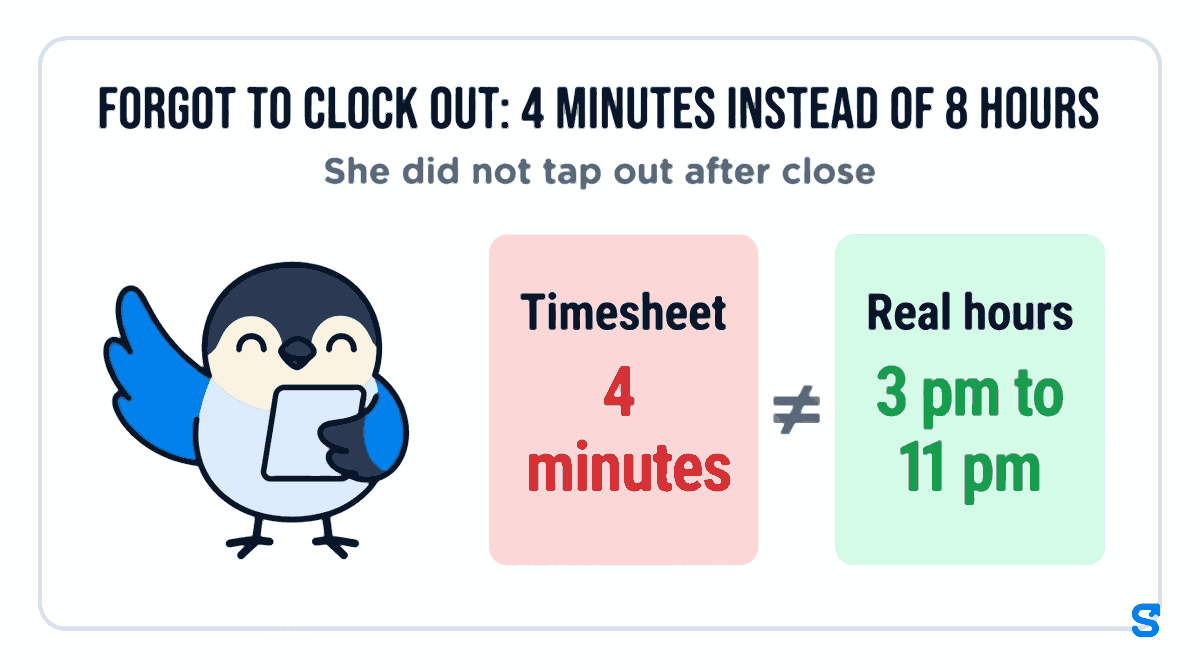
- Hours missing. The shift is closed far too early, and the timesheet says she worked 4 minutes of an evening that really ran from 3 pm to 11 pm. Forgot to clock out: 4 minutes instead of 8 hours.
The first one costs you money. The second one costs her money, and that one tends to end with a hard conversation at the pass. Both are the same mistake: a timesheet that does not match what happened.
Why staff forget, and why reminders only go so far
Searches like "employee keeps forgetting to clock out" are common for a reason. The end of a shift is the busiest, most distracted moment of the day: a server is cashing out, a cook is breaking down the line, a cleaner is loading the van. Clocking out is the last thing on anyone's mind.
You can and should do the usual things:
- Put the clock-out step in the closing checklist, next to locking the walk-in.
- Ask the closing lead to check the team has clocked out before they leave.
- Talk to the person who forgets every week, privately, before it becomes a pattern.
But even a good team misses a punch now and then, and a forgotten clock-out is not misconduct. Treat it as a record to correct, not a person to punish. What you need is a way to catch every one of them without reading every shift by hand.
The weekly check: three steps before you run payroll
Whatever system you use, the routine is the same.
Not every shift, only these. On paper, that is every card with a blank box.
A shift that ran far past a normal day, or one that closed minutes after it started, is the one that will be wrong on the paycheque. Ask the employee or the closing lead when they really left.
Change the clock-out to the real time and write down why. If the time is right, mark it as checked so nobody looks at it twice.
The record of why you changed a time matters as much as the change itself. If an employee asks about their hours three months later, "Corrected to 11 pm, closing lead confirmed" settles it. A crossed-out number with no note does not.
How Shiftelio shows you the shifts nobody clocked out of
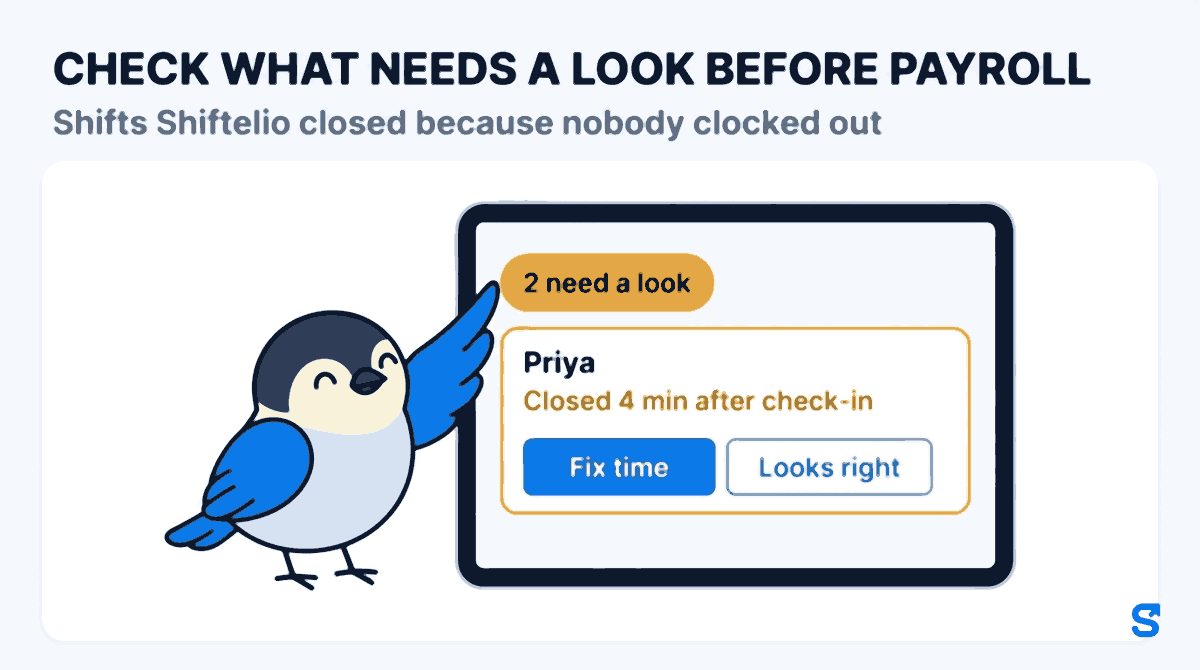
The screen's own heading says it plainly: Shifts Shiftelio closed because nobody clocked out. In Shiftelio, when an employee does not clock out, Shiftelio closes the shift for them, so nothing stays open for days. Every one of those shifts then lands on one screen: open Attendance, then the Auto Clock Out tab. The top of the screen tells you how many Shifts closed by Shiftelio there were in the last few weeks, across how many people, and how many need a look.
The list is split in two:
- Needs a look. These are the shifts with hours nobody worked, or hours missing. A card says, in plain words, something like "Closed 4 min after check-in - the real hours are missing". These are the ones to deal with before payroll: check what needs a look before payroll, and leave the rest.
- All other shifts. Most shifts that close this way are fine, for example a shift closed at the shift end time. They are listed by day, newest first, so you can glance down them.
On each card you have two buttons. Fix time opens the attendance edit box with the shift already filled in. You change the check-out time, add a reason (it is saved with the change so anyone reading the record later knows why), and press Save Changes. Looks right marks the shift as checked when the time is correct. Either way the card then says who corrected or checked it and on which day, and Undo takes it back if you tapped the wrong one.
A few details that matter on a busy Monday:
- Search by name. With a big team the list gets long, so you can type a name instead of scrolling.
- Nobody signs off their own shift. A manager never sees the buttons on their own cards, so a supervisor cannot quietly fix their own hours.
- Every change is kept. A time you fix shows up in the Edit Log tab on the same Attendance page, with who changed it.
So for Priya, the owner opens the tab on Monday, sees her Friday shift at the top under Needs a look, checks with the closing lead that she left at 11 pm, taps Fix time, sets the check-out to 11 pm with the reason "left after close, lead confirmed", and saves. Her Friday is a full shift again before anybody runs payroll.
If staff also clock in on a phone you do not trust, our guide to spotting a fake GPS clock-in covers that side of the same timesheet.
What Ontario's rules say about the hours on record
This part is short, because the article is about running the timesheet, not about the law. Employment standards in Canada are mostly provincial, so the rule depends on where your staff work.
In Ontario, the government's guide to the Employment Standards Act on record keeping says: "The employer must record and retain the dates and times the employee worked. The employer must also record the hours worked by the employee in each day and each week." The same guide says these records are kept for three years after the day or week of work, and it sets out different recording rules for some salaried employees. Checked on 9 October 2026.
So a shift that shows twenty hours, or four minutes, is the kind of record that guide is talking about. If your business is in British Columbia, Alberta, Quebec or another province, look at that province's own employment standards pages. Federally regulated employers, such as banks, airlines and interprovincial trucking, follow the federal rules on canada.ca instead. This is general information, not legal advice: check with the agency or an employment lawyer for your case.
Which app catches forgotten clock-outs before payroll?
The one thing it does that a punch clock or a paper card does not: you never have to hunt for the forgotten clock-outs. They come to you, sorted, with the odd ones first, on the same app your staff already use to clock in. See how it fits a Canadian team on the Shiftelio for Canada page, or the full list of features.
Frequently asked questions
What should I do if an employee forgot to clock out?
Ask them, or the closing lead, when they really left, then correct the clock-out time and write down why. Do it before you run payroll so the paycheque matches the hours.
Can I just pay the scheduled hours when someone forgets to clock out?
The scheduled end time is a reasonable starting guess, but check it. If they stayed late to close, the scheduled time is short, so confirm the real time first.
What if an employee keeps forgetting to clock out?
Add clocking out to the closing checklist and talk to them privately. A list of every shift closed without a clock-out shows you quickly who it is and how often.
Does Shiftelio change the hours on its own?
It closes the open shift so nothing runs on for days, then lists it for you. A shift with hours nobody worked, or hours missing, waits under Needs a look until you fix it or mark it checked.
Can a manager fix their own forgotten clock-out?
No. A manager never sees Fix time or Looks right on their own shifts, so somebody else has to correct or check them.