Employee Records in Ontario: Collect a New Hire's Documents on Site When They Never Send Them
In short
Ontario employers keep a written record for each person they hire. When new staff never send their papers, a manager can photograph them on site, on one phone.
- Ontario's ESA guide says employers keep each employee's name, address and start date for three years after the person stops working there.
- Most new hires send their documents themselves. The ones who do not are usually busy, not unwilling, so collect from them in person.
- On site, one phone does the work: pick the documents, photograph each one, move to the next person.
In Ontario, the Employment Standards Act asks employers to keep written records about each person they hire, starting with their name, address and start date. When a new hire never sends their documents from their own phone, the fastest fix is to collect them in person: a manager photographs each paper on one phone, the new hire signs their letter with their own finger, and every item lands in that person's file.
This guide is for owners and supervisors of Ontario cleaning companies, restaurants, home care agencies and shops whose new staff start fast and send paperwork slowly. It covers what an employee file usually holds, why the "send it from your phone" step stalls, what Ontario's record keeping rule says, and how Shiftelio lets one person collect a whole crew's documents in one visit.
What an employee file holds in a small Ontario business
An employee file is the set of records and documents you keep for one person. For an hourly crew it is short, and most of it arrives in the first week:
- Name, home address and start date. The basics Ontario's record keeping rule names first.
- Social Insurance Number. Typed in, rather than a photo of every ID card they carry.
- TD1 forms. The federal one and the one for the province of work, TD1ON in Ontario.
- A void cheque or direct deposit form, so the first pay goes straight to the bank.
- Certificates the job needs, such as a food handler or first aid card.
- A signed joining letter with the role, the pay and the start date.
- The hours they work, which your timesheets already record.
If you want the full list of new hire forms and why each one matters, our guide to new employee forms in Canada walks through them one by one. This article is about the part that guide cannot fix: the people who never send them.
Why "send it from your phone" stalls for some new hires
Asking new staff to photograph their own documents works for most of a team. It stalls for a predictable few, and they tend to be the same kinds of people in every trade:
- The night crew. A cleaner who starts at an office tower after hours sees the reminder on the bus, means to do it, and forgets by morning.
- The person whose phone is full. The camera will not save another picture, so the TD1 waits.
- The one who does not read the app's messages yet. They joined three days ago and the reminders look like everything else on their screen.
- The person who asks for help. Some new hires simply prefer to hand the paper to their supervisor and let them deal with it.
None of them are refusing. They are standing in front of you at the start of a shift, with the papers in a backpack. That is the moment to collect.
Collect for them: one phone, the whole crew, one visit
Shiftelio's Staff documents page has a Collect for them button. Pick the people who still owe you documents, tap it, and the phone walks you through each person in turn. Here is how Priya, a supervisor at a commercial cleaning company in Mississauga, collects from four new cleaners before their night shift.
On Staff documents, Priya selects the four new cleaners and taps Collect for them (4).
The phone asks "What are you collecting today?". She picks the void cheque, the TD1ON and the joining letter, and taps Start collecting.
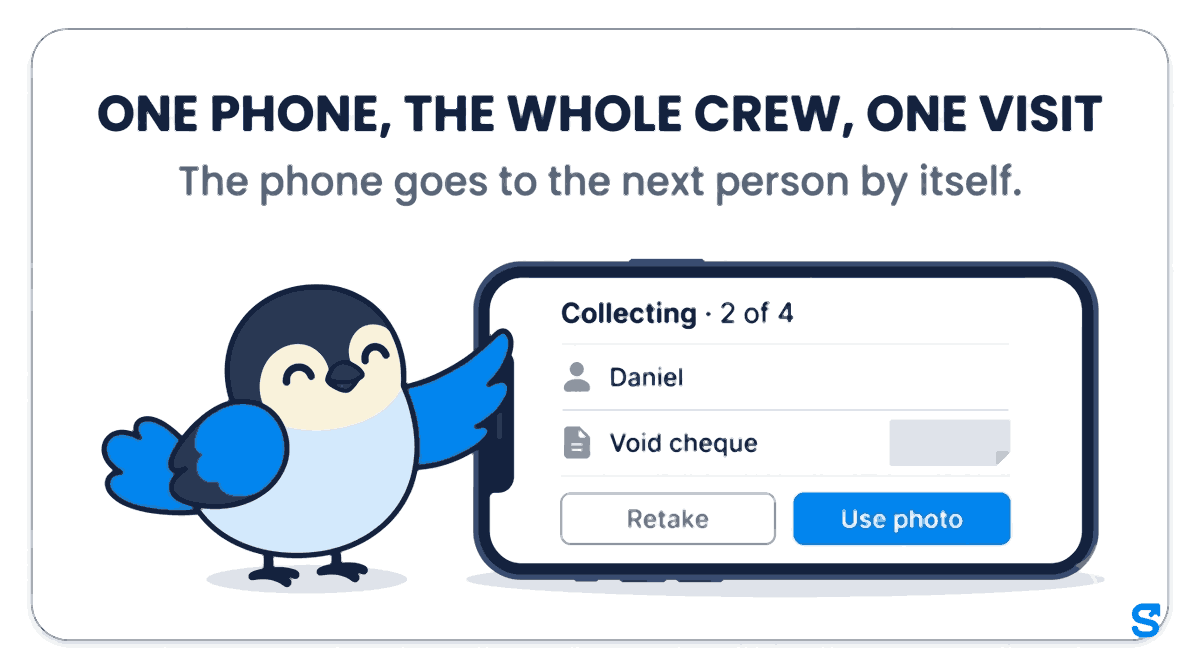
The screen reminds her to ask the person's name and look at their face first. One big camera button opens for each document. She taps Use photo, or Retake if the page is blurry. The top of the screen reads "Collecting · 2 of 4" when she reaches Daniel, the second cleaner.
For the joining letter, the cleaner signs with their own finger while Priya watches, then she ticks Signed in my presence.
The phone goes to the next person by itself. One cleaner is off sick, so she taps Not here today, and that person stays on the list for next time.
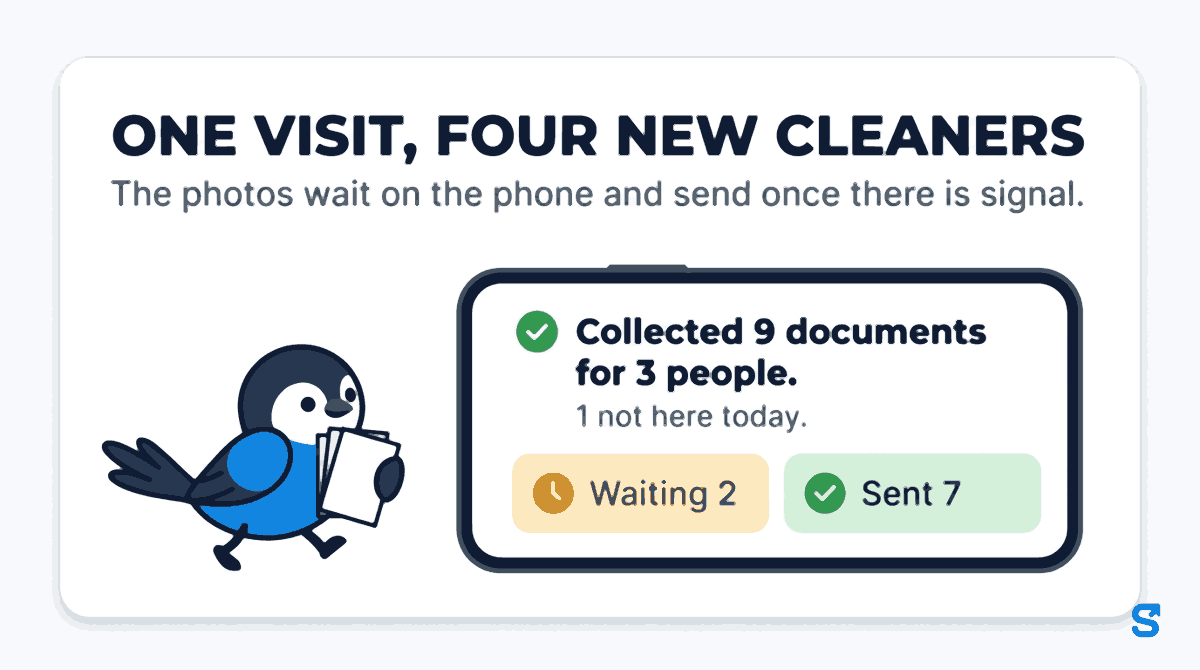
The office tower's basement has no signal, which is normal for a cleaning crew. It does not matter: the names, documents and letters are saved on the phone before she starts, and the photos wait on the phone and send once there is signal. At the end the phone shows a summary of what was collected, what is still waiting to send and what has been sent. Priya's reads "Collected 9 documents for 3 people." and "1 not here today.", with 2 photos waiting and 7 sent by the time she is back upstairs.
What the record shows afterwards
Each collected item is marked Given by Priya for Daniel, so the file always shows that a supervisor collected it on site and did not receive it from Daniel's own phone. It then waits for review like any other document, and a document a new hire already sent themselves is never overwritten by a collected one.
On a computer, the same screen takes a scan instead: drop the file on the page or choose it, which suits an office manager clearing a pile of paper forms.
What Ontario's record keeping rule says
Employment standards are set by each province. In Ontario, the government's guide to the Employment Standards Act says employers are required to keep written records about each person they hire, and that the records may be kept by the employer or by someone else on their behalf, as long as they are readily available for inspection. Source: Ontario, Your guide to the Employment Standards Act: Record keeping. Checked on 14 October 2026.
The same page lists what goes in them. The employee's name, address and starting date of employment are kept for three years after the employee stopped working for the employer. The dates and times the employee worked, and the hours worked in each day and each week, are kept for three years after the day or week of work.
A second Ontario rule touches the first week. As of July 1, 2025, employers who employ 25 or more employees on a new employee's first day of work give that new employee specified information about the job in writing before their first day, or as soon after as is reasonably possible. Source: Ontario, Mandatory information for employees. Checked on 14 October 2026.
Other provinces set their own record keeping rules; check your own province's employment standards site. This is general information, not legal advice: check with the agency or an employment lawyer for your case.
Which app lets a supervisor collect new hire documents on site?
You can see every other part of the app on the features page.
Questions owners ask
How long do employers keep employee records in Ontario?
Ontario's ESA guide says three years for the name, address and start date, counted from when the employee stopped working for you. Hours worked are kept three years after the day or week of work.
Can a manager upload documents on behalf of an employee?
Yes, in Shiftelio, if the owner turns on the "Collect documents for staff" permission for that manager. The owner can always do it, and each item records who collected it.
What if there is no signal where we collect?
Collect anyway. The names and documents are saved on the phone before you start, and the photos wait on the phone and send once there is signal.
Can the supervisor sign the joining letter for the new hire?
No. The phone is handed to the new hire, who signs with their own finger, and the supervisor ticks "Signed in my presence" only if they watched.
What happens to someone who was not there on collection day?
They stay on the list. Tap "Not here today" and that person is still waiting the next time you collect, with nothing lost.