Wound Check Photos in Home Care: Proof for the Office, Never on the Family Link
In short
A bed sore needs a photo to prove it is healing. The family link must never show it. How a home care agency gets both, per patient, per job.
- A wound check, back care or a site check is the one job in home care where a tick proves almost nothing and a photo proves almost everything.
- It is also the one job whose photo must never travel. A picture of a bed sore on a forwarded family link is a picture of somebody's mother's body in a stranger's group chat.
- Most agencies solve this by not taking the photo at all, which leaves them with no record the day a sore gets worse and the family asks why.
The job a tick cannot prove
Most jobs on a home care visit are easy to prove with a tick. Medicines given, lunch cooked, the room cleaned. If the attendant ticks it and the family is satisfied, the tick has done its work.
A pressure sore is different. An elderly patient who spends most of the day in bed can develop a bed sore on the lower back, the heel or the hip within days, and whether it is getting better or worse is the whole question. A tick that says "back care done" tells your office nothing about that question. It says somebody looked. It does not say what they saw.
So the nurse or the senior attendant who visits once a week asks the obvious thing: can the daily attendant send a photo? And the agency owner, who has thought about it longer, says no.
The owner is right to hesitate, for a reason this article is mostly about. But saying no leaves a gap that shows up at the worst possible moment.
Why owners say no to wound photos
Three reasons come up every time, and all three are fair.
- The photo lands on the attendant's own phone gallery, next to her family pictures, and stays there after she leaves your agency.
- It gets sent over WhatsApp to a supervisor, and from there to anybody the supervisor forwards it to.
- If you share visit photos with the family, a photo of a wound goes to the family too, and the family forwards it further still.
The third one is the one that stops most agencies. If you already give families a link that shows who came and what was done, as we described in home care family updates, the natural next step is to show the proof photos on it as well. A family nervous about a new attendant likes seeing the lunch that was cooked. Nobody wants that same page carrying a close-up of their father's hip.
So the photo is never taken. The daily record says "back care done" for six weeks, the sore gets worse in week five, and when the son asks when it started, nobody has a single picture to answer with.
What the clinical guidance actually asks for
This is not a question of being extra careful. Documenting a pressure ulcer's size over time is standard practice. The UK's NICE guideline on pressure ulcers, CG179, asks for the size of every pressure ulcer to be recorded, and names a photograph as one of the ways to do it. A sore you can compare this week against last week is a sore you can act on before it becomes a hospital admission.
India's own law points the same way on the other half of the problem. The Digital Personal Data Protection Act, 2023 makes whoever holds personal data responsible for reasonable security safeguards against a breach, in Section 8(5). A wound photo is about as personal as data gets. An agency that collects it through personal WhatsApp chats is collecting it with no safeguard at all.
So the requirement is two sentences long: take the photo, and control exactly who sees it.
Three ways agencies handle it today
| Tick only, no photo | Photo on WhatsApp to a supervisor | A photo job that only the office sees | |
|---|---|---|---|
| Proof the wound was checked | A tick, nothing more | A photo, if somebody sends it | A photo on every visit, or a skip with a reason |
| Where the photo lives | Nowhere | Attendant's gallery and every chat it touched | The patient's visit record in your account |
| Who can see it | Nobody | Whoever it was forwarded to | Office staff you allow to see photos |
| Reaches the family link | No | Only if somebody forwards it | Never |
| Can you compare week to week | No | Scroll a chat and hope | In the patient's history, date by date |
The middle column is the one most agencies are actually running, whether or not anybody decided it. It gives you the photo and loses control of it on the same afternoon.
How it works in Shiftelio
In Shiftelio's home care add-on, every patient has a list of standing jobs for each visit, each with a kind: personal care, medication, household or other. Personal care covers bathing, dressing, toileting and wound care, and it starts tick-only. Nothing arrives with a camera on. A task template cannot switch it on either, so adding a patient from a template never turns a camera on by accident.
Open the patient, open the job (a wound check, back care, a site check) and tick Ask for a photo. The form tells you, in the same place, who will see it: only the office, never the family link. It also tells you what to photograph: the wound or the site, never the whole person. The switch belongs to that one job for that one patient. Another patient's back care stays tick-only until you decide otherwise.
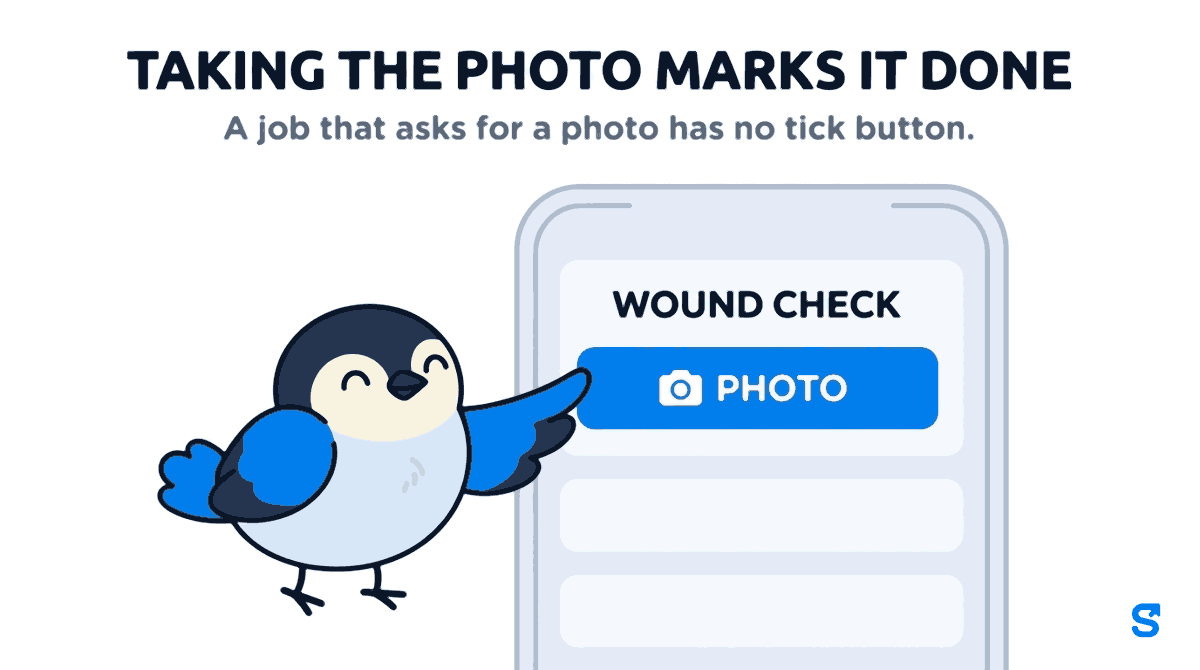
On the attendant's phone, a job that asks for a photo has no tick button. It has a Photo button that opens the back camera, and taking the photo marks it done. That is deliberate: a job that asks for proof cannot be closed without the proof. If the check did not happen, she marks it skipped with a reason, which is also on the record.
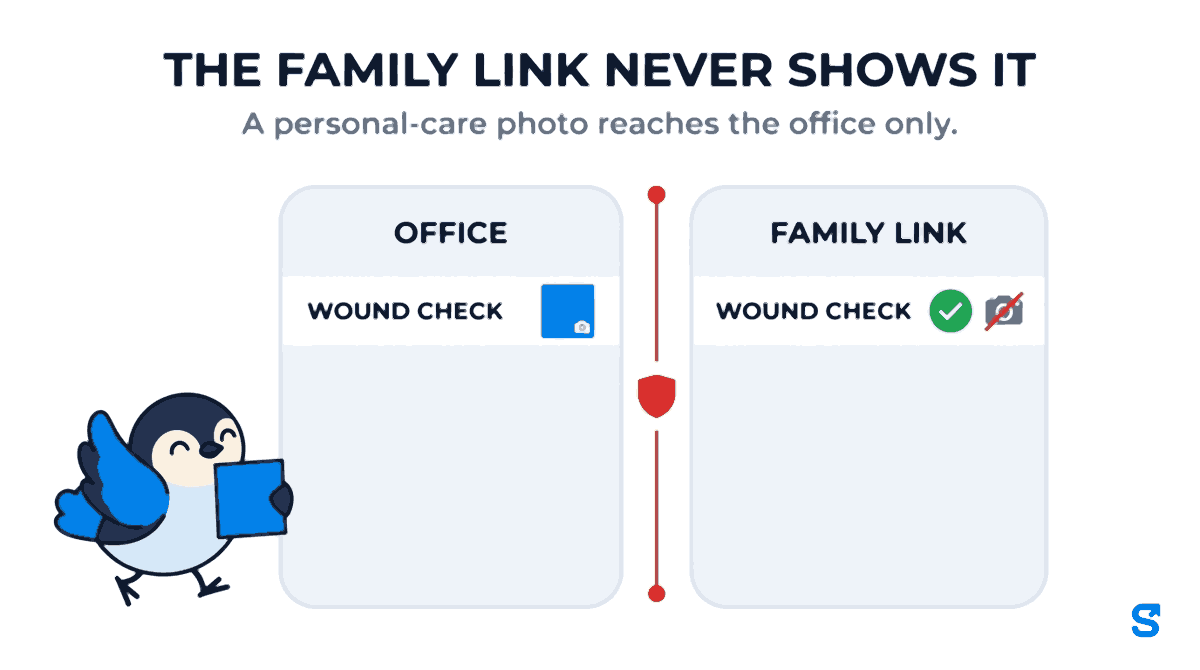
The photo lands on that visit in the patient's history, dated and tied to the attendant who took it. Seeing it is a permission of its own, See photos, on the Home Care Patients feature. A coordinator without it still opens the record and sees a lock where the photo would be. Your visiting nurse can have it; the person who books visits may not need it.
If you share a patient with the family, you can switch on visit photos for that family, so they see the lunch or the medicine strip. A photo from a personal-care job is still never sent to their page: the family link never shows it, and a personal-care photo reaches the office only. The family sees that back care was done, with its tick, and no picture. The family page never carries it, and this holds whether the job is a personal-care job today or was one when the photo was taken. Moving the job to Other next month does not publish what was taken under personal care.
It works where your patients live, too. An attendant in a ground floor flat with no signal still takes the photo; the phone holds it with the visit and sends it when signal returns, following the same rule for that job as it would online.
What to tell your attendants before you switch it on
The software can control where a photo goes. It cannot control what is in the frame. Say these three things out loud at the next team meeting, because the attendant holding the phone is the last safeguard.
Photograph the wound, not the person. Fill the frame with the sore or the site. No face, no room, no other part of the body that the job is not about.
Use the Photo button, never the phone's own camera. The button sends the picture to the visit record. A picture taken with the normal camera sits in her gallery, which is exactly the problem you set out to solve.
Ask first, every time. Tell the patient, or the relative present, that you are taking a photo of the wound for the nurse. A patient who is asked stays a patient who trusts you.
What this does not do
Home care is a paid add-on. Patients, visit plans, the family link and photo jobs come with the home care add-on on top of a plan, priced separately. If a single wound photo is all you need, this is a large tool for a small job.
It is not a clinical wound assessment. Shiftelio stores the photo against the visit and keeps it private. It does not measure the wound, stage the ulcer or suggest a dressing. That judgement stays with your nurse or the patient's doctor.
It does not stop a determined attendant. Somebody can still take a second picture with their own camera. What changes is that your process no longer needs them to, and your record no longer depends on their gallery.
Which home care app keeps wound photos away from the family link?
Questions home care owners ask
Can the family ever see a wound photo?
No. A photo from a personal-care job is left out of the family page and the family history, even when visit photos are switched on for that family. The rest of the visit, including the tick on back care, still shows.
Why not just move the wound check to Other so it can take a photo?
Because photos from Other jobs can go on the family link. That was the only workaround before this setting existed, and it is exactly the leak you are trying to avoid. Keep the job as personal care and switch on Ask for a photo.
Can I switch the photo on for every patient's back care at once?
No, on purpose. Templates cannot turn it on. You decide per patient, per job, because a wound check on one patient is not a reason to photograph every patient's back care.
What if the attendant cannot take the photo?
She marks the job skipped with a reason. A job that asks for a photo has no plain tick, so it is closed either with the photo or with a stated reason, never with a silent tick.
Who in the office can see the photos?
Only people whose role has See photos on Home Care Patients. Everybody else opens the record and sees a lock where the photo is.
Does it work without mobile signal?
Yes. The photo is kept on the phone with the visit and sent when signal returns, under the same rule for that job.
Start with the one patient who needs it
Do not switch this on for everybody. Pick the patient whose nurse has been asking for pictures, switch on Ask for a photo on that patient's wound check, and tell the attendant the three rules above. After two weeks, open the patient's history and look at the photos side by side. If the sore is healing, you will see it. If it is not, you will see that too, a week before anybody would have told you.
Keep reading
Free to use, no signup: HR letter formats.