New Employee Paperwork at the Jobsite: How a Crew Lead Collects It on One Phone
In short
When new hires never send their paperwork, the crew lead collects it on site: one phone, each document photographed, every item marked with who collected it.
- New hires on a crew rarely refuse paperwork: they have no data, a cracked phone or no email, so the request just sits.
- The fix is a paperwork round at the jobsite: the crew lead photographs each new hire's documents on one phone before the shift.
- Letters are signed with the new hire's own finger, and the lead ticks Signed in my presence only if they watched.
If your new hires never send their paperwork from their own phones, stop chasing them and have the crew lead collect it at the jobsite: one phone, each person's documents photographed in turn, and every item marked with who collected it. Ten minutes before the shift starts closes files that a week of text reminders did not.
This guide is for owners of US commercial cleaning companies, construction and remodeling crews, landscaping and field-service teams, where people are hired on a Friday and start on a Monday. It covers why the "send it from your phone" step fails on a crew, how to run a paperwork round at the start of a shift, what the federal recordkeeping rule says, and how Shiftelio puts it on the crew lead's phone with Collect for them.
Why new employee paperwork stalls on a crew
The usual way to collect paperwork for a new employee is to send a link and wait. In an office that works. On a crew it fails for the same people every time, and not because they refuse:
- No data left. Prepaid plans run out mid-month, and a photo upload is the first thing that fails.
- A phone that cannot take a clear photo. Cracked lenses and full storage turn every ID into a blurry square.
- No email, or one they never open. A link that lands in an inbox nobody checks is a link nobody sees.
- No time. People working two jobs read your message on the bus and forget it by the time they get home.
- No signal where they work. Basements, new builds and warehouse aisles are where crews spend the day.
Meanwhile the owner is three weeks into payroll for someone whose file still holds only a name and a phone number. If you already ask new hires to do their paperwork on their own phones, keep doing it: most people will, and our guide to new hire paperwork done on the employee's phone covers that route. The jobsite round below is for everyone that route does not reach.
Run a paperwork round at the start of the shift
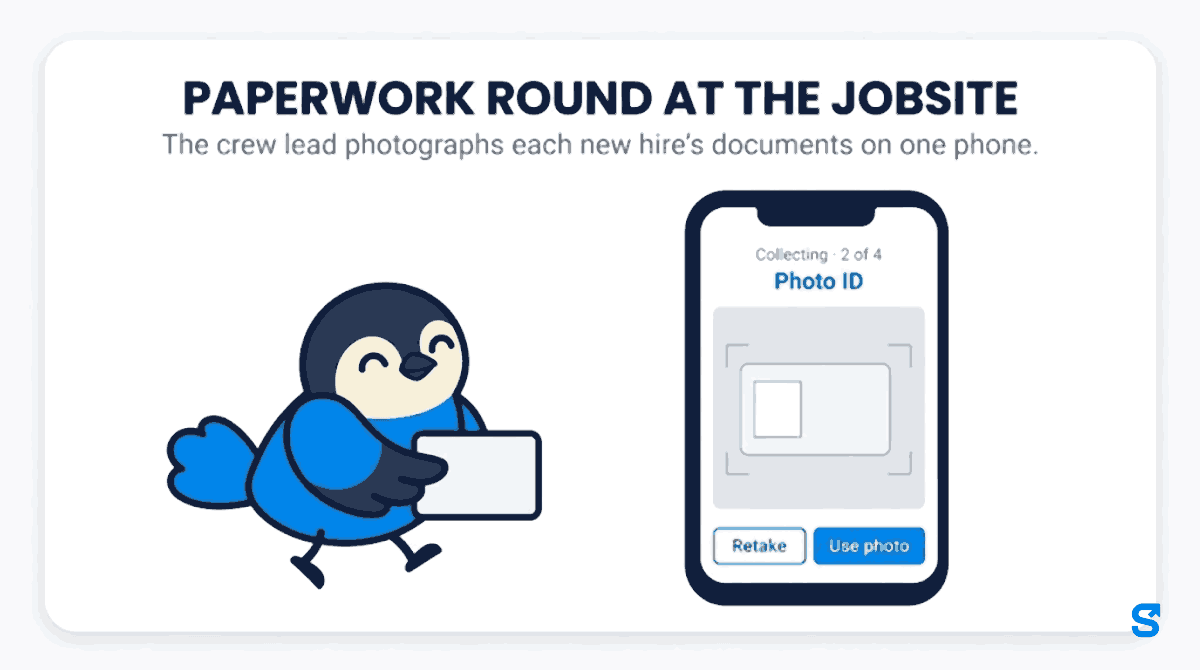
Here is how Marcus, who leads a night cleaning crew for a commercial janitorial company in Phoenix, Arizona, handles four new hires starting on Monday. Each one owes three things the owner put on the checklist: a photo ID, a voided check for direct deposit, and the signed site safety rules.
On the Staff documents page, Marcus selects the four new hires and taps Collect for them (4). The owner can always do this; a crew lead needs the Collect documents for staff permission, which is off by default.
The phone asks What are you collecting today?. Marcus picks the photo ID, the voided check and the safety rules, and taps Start collecting.
Before each photo the screen reminds him to ask the person's name and look at their face. One big camera button opens for each document. He taps Use photo, or Retake if the picture is blurry, and the top of the screen counts the round, for example "Collecting · 2 of 4".
For the safety rules the phone tells Marcus to hand it over: only the new hire signs, with their own finger. He takes the phone back and ticks Signed in my presence, which he only ticks because he watched.
The phone moves to the next person by itself. Luis forgot his voided check, so Marcus taps Skip this document and keeps the rest. Dee is not on tonight's shift, so he taps Not here today, and she stays on the list for the next round.
Someone showed up who is not in the app yet
Crews hire fast, and sometimes the new person is standing in front of you before anyone added them. A crew lead who is also allowed to add staff taps New person, types their full name and phone number, picks the site, and taps Add and collect. They go first in the queue. This one step needs internet, so do it in the parking lot before you walk into the basement.
No signal in the building
The rest of the round works without a signal. Before Marcus starts, the phone shows Ready for offline: names, documents and letters are saved on this phone. The photos wait on the phone and send once he has signal again.
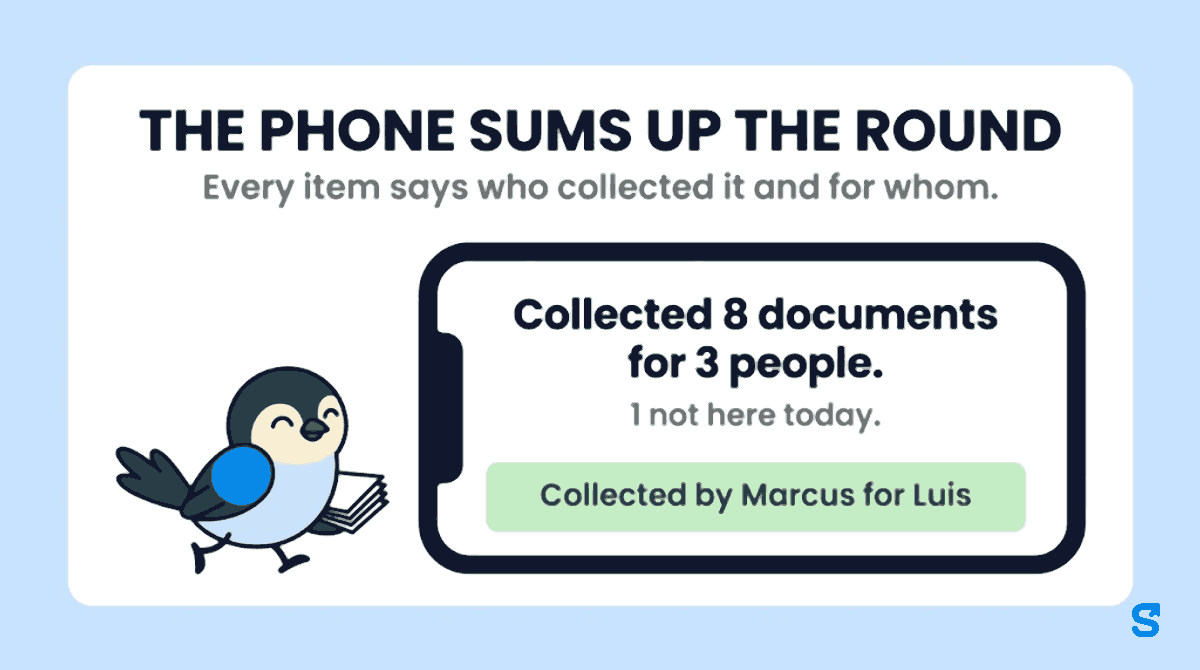
At the end, the phone sums up the round. Marcus's reads Collected 8 documents for 3 people. with Dee marked not here today, and a count of what is still waiting to send and what has already been sent by the time he is back at the van.
What the owner sees afterwards
Every item says who collected it and for whom. Luis's photo ID reads Collected by Marcus for Luis, so nobody later thinks Luis uploaded it from his own phone. A collected item never replaces something the new hire already sent or something already approved: the phone marks those They already sent it or Already approved and moves on. The documents then wait on Staff documents for the owner to approve or send back, like any other upload, so the person who collected them is not the only one who looked.
Habits for a crew lead who collects for someone else
Collecting someone's ID and bank details is a position of trust. Give every crew lead who does it the same rules:
- Check the person, every time. Ask the name and look at the face before the first photo, even on a crew you know.
- Never sign for anyone. Hand the phone over. If a new hire cannot sign tonight, leave the letter for the next round.
- Collect only what the checklist asks for. Do not photograph every card in a wallet "just in case".
- Stay with your own people. A crew lead can only collect for people in their own sites or teams; anyone else is left out of the round.
- Let the owner review. Collecting is not approving. The owner, or a manager you choose, checks each document after.
What the federal recordkeeping rule says
Under the federal Fair Labor Standards Act, the U.S. Department of Labor's Fact Sheet #21 says every covered employer must keep certain records for each non-exempt worker, and that the Act "requires no particular form for the records". The identifying details it lists include the employee's full name and Social Security number, their address including ZIP code, their birth date if they are younger than 19, and their sex and occupation. The same page says payroll records are preserved for at least three years, and that records may be kept at the place of employment or in a central records office. The regulation behind it is 29 CFR Part 516. Checked on 15 October 2026.
Your state may ask for more, and its labor department is the place to check. Form I-9 and Form W-4 are separate federal forms with their own instructions from USCIS and the IRS; this article does not cover them. This is general information, not legal advice: check with the agency or an employment lawyer for your case.
Which app lets a crew lead collect new hire paperwork on site?
You can see how this fits with the time clock and scheduling on the Shiftelio page for US teams, or the setup for crews on the field teams page.
Questions owners ask
What paperwork does a new employee need to fill out?
Usually a photo ID, an emergency contact, a direct deposit form or voided check, and any signed site rules, plus the federal and state forms your payroll provider names. Your state labor department lists what your state adds.
How do I get paperwork from new hires who don't have a smartphone?
Collect it yourself at the jobsite. In Shiftelio a crew lead picks the people, photographs each document on one phone and hands the phone over only for signatures.
Can a manager upload documents for an employee?
Yes, if you allow it. The owner can always collect for staff; a manager needs the Collect documents for staff permission, and every item they collect is marked with their name.
What if there is no signal where the crew works?
The round still works. The names, documents and letters are saved on the phone before you start, and the photos send once there is signal again.
What happens to a new hire who is off on collection day?
Tap Not here today. Nothing is lost, and they stay on the list for the next round.
Does collecting a document mean it is approved?
No. Collected documents wait for the owner, or a manager you choose, to approve or send back, like any document the new hire sends themselves.