Staff Marking Attendance From a Browser? How to Make Them Use the App
In short
Staff who mark attendance in Chrome slip past the one-phone rule. Switch on Staff must use the app, and keep the browser only for the people who need it.
You asked every employee to install the attendance app. Most did. A few never got round to it, and they mark attendance by opening the Shiftelio link in Chrome on their phone, or on the shop computer, or on somebody else's phone. It works, so nobody complains, and the attendance sheet looks complete.
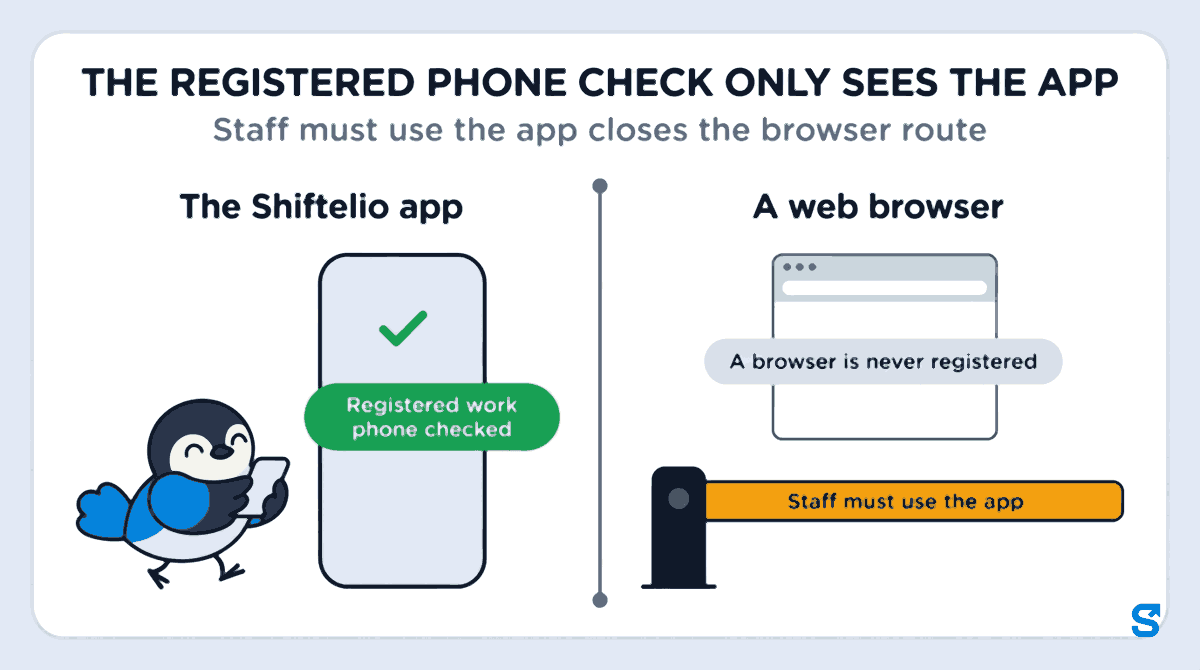
The trouble is what the browser leaves out. If you turned on a registered work phone for each person, that rule lives in the app. A web browser is not a phone the app can register, so the check simply does not look at it. A browser check-in still carries a selfie and a location, but it can come from any handset, including a colleague's. That is the quiet route proxy attendance takes once the obvious one is closed.
This article explains the gap, how to close it with one switch, and how to keep the browser for the few people who genuinely need it.
Why a browser check-in is not the same as the app
The app and the browser show the same screens, so it is easy to think they are the same thing. They are not, and the difference is exactly the part an owner pays attention to.
| A web browser | The Shiftelio app | |
|---|---|---|
| Selfie and location at check-in | Yes | Yes |
| Registered work phone checked | No, a browser is never registered | Yes, one phone per person |
| Location while the page is closed | No | Yes, when location tracking is switched on |
| Proof the request came from the app | No | Yes |
The location row is not a Shiftelio choice. A web page can only ask for the location while it is open and the person has allowed it, as the MDN reference on the Geolocation API describes. Location in the background is something only an installed app can be given, and on Android it needs its own permission, as Google's Android documentation on background location explains.
So if you rely on the one registered phone per employee rule to stop buddy punching, every person still signing in through a browser is a person that rule does not cover.
The switch: Staff must use the Shiftelio app
Shiftelio has a setting for exactly this. It sits on the Phones tab of Attendance, next to the registered work phone setting, and it is called Staff must use the Shiftelio app. When it is on, staff open Shiftelio in the app, not in a web browser.
Press Turn on. Before anything changes, Shiftelio counts the staff who used a web browser in the last 30 days and names them. If the list is long, you know who to call before the morning shift rather than after.
Nothing locks the moment you press the button. The lock starts tonight at midnight, in your business's own time zone. Until then, anyone who opens Shiftelio in a browser sees a banner: from tomorrow your company asks you to use the Shiftelio app, with a button to get it. So staff get a day of warning, not a surprise at the gate.
After midnight a staff member who opens Shiftelio in a browser sees one screen: your company's name, asking them to use the Shiftelio app, and the buttons for Google Play and the App Store. They install the app and sign in there with their mobile number. Nothing is deleted and their attendance stays as it is.
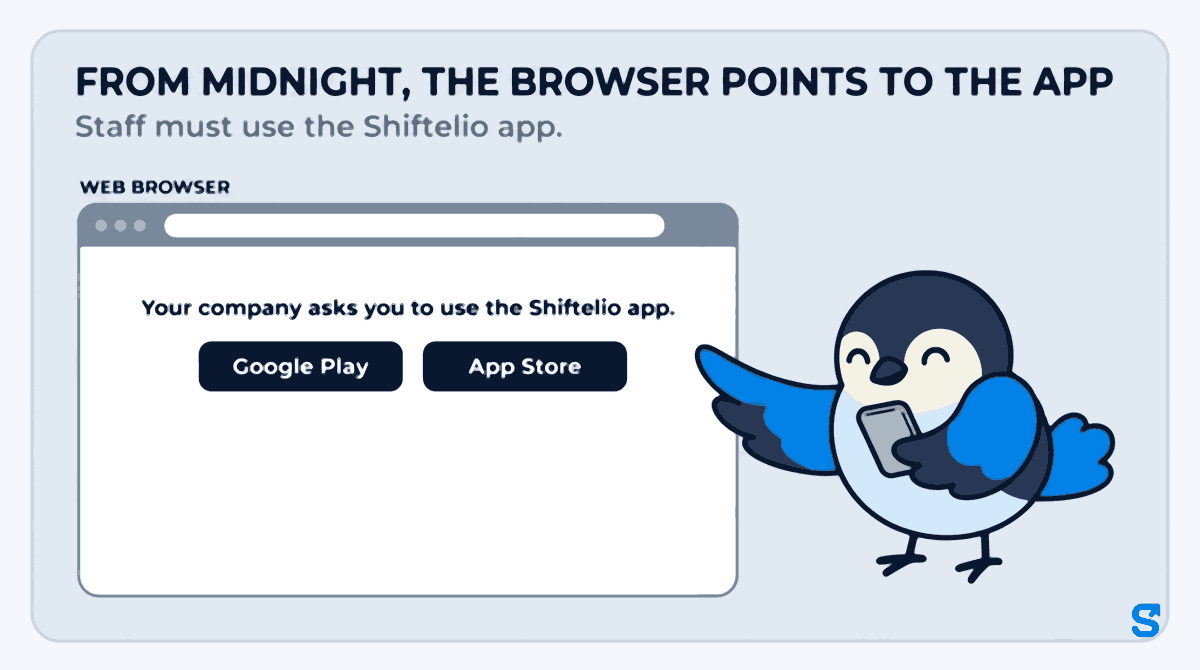
The rule is not only on the screen. A browser check-in is refused, not just hidden, so a person cannot get round it by keeping an old tab open.
The people who should keep the browser
A blanket lock is rarely right. Some people have a good reason to use a computer, and the switch has three ways to leave them alone.
- Owners are never locked. The owner and any co-owner can always use Shiftelio in a browser.
- Managers keep the business screens on a computer. The lock is about staff opening their own attendance, not about the office running payroll on a laptop.
- A role can be allowed the browser. In roles, the Staff sign-in permission has a Use a browser action. Give it to a role, such as an accountant or a front-desk lead, and everybody in that role keeps the browser.
- One person can be allowed the browser. On that person's staff page there is a May use a web browser switch. Use it for the one employee whose phone cannot run the app.
Who may change any of this is a permission of its own. A manager needs the Manage action under Staff sign-in to turn the switch on or off or to allow one person the browser, and every change is written to the access log with who made it.
What it does not do, said plainly
This switch stops honest staff from drifting back to a browser. It is not a lock against somebody who deliberately sets out to fake the app, and Shiftelio says exactly that on the screen where you turn it on. Combined with the registered work phone and the selfie, it closes the easy route, which is the one almost all proxy attendance uses.
Two more things worth knowing before you switch it on:
- If Shiftelio cannot check, it lets the person in. A failed check never locks out somebody who should be working. The cost is that, on a bad network moment, a browser may get through.
- Attendance saved offline before the lock still arrives. A punch recorded without signal before midnight uploads from the browser afterwards, so turning the switch on never loses a day.
A week that goes well
Monday afternoon you open the Phones tab, press Turn on, and see four names who used a browser last month. You message those four the app link. Two install it that evening. On Tuesday morning the other two open the old Chrome tab, see that the company asks them to use the app, install it in a minute and check in from it. Your accountant, who only ever uses the laptop, is in a role you allowed the browser, so their day does not change.
By Wednesday every check-in comes from a phone the registered work phone rule can see. That is the moment the one-phone rule starts covering everybody, not just the people who already did as they were asked. If you want the bigger picture of how Shiftelio ties a check-in to a person and a place, the employee tracking app page walks through it, and the full list of settings is on the features page.
Which attendance app makes staff use the app, not a browser?
Will my staff lose their attendance history when I turn this on?
No. Nothing is deleted. The browser simply asks them to use the app, and when they sign in to the app their history is there.
Can I still use Shiftelio on my laptop?
Yes. Owners and co-owners are never locked, and managers can still use the business screens on a computer. The switch is about staff opening their own attendance.
What if one employee's phone cannot install the app?
Turn on May use a web browser on that person's staff page. They keep the browser while everybody else uses the app.
Does this stop proxy attendance completely?
No tool does that on its own. It closes the browser route, which the registered work phone rule cannot see. Together with the selfie and the one registered phone, it removes the easy ways one person marks attendance for another.
Keep reading
Free to use, no signup: Attendance register generator.