Staff Movement Register in Excel: A Month of Field Staff Stops Without Anyone Writing It
In short
A staff movement register built from the shift, not handwritten: every stop, place and gap for a month, downloaded as one Excel file from Shiftelio.
- A movement register written by the person being measured cannot be checked; one built from the shift's location can.
- In Shiftelio: Report, Movement tab, pick a Month, tap Excel. The file has Summary, Timeline, Wide and Read me sheets.
- Filter the Status column to find the days with long gaps instead of reading every row.
A staff movement register records when each person left for work outside the office, where they went and when they came back. In Shiftelio you do not write one: open the Report, choose the Movement tab and a month, and tap Excel to download a workbook with every stop, place and gap for every field staff member.
The paper version is familiar to anyone who has run an office in India. A ruled book near the door, columns for Name, Time out, Place of visit, Purpose and Time in, and a signature at the end. It works for a clerk who goes to the bank once a week. It does not work for a sales team that is outside all day, because the book only knows what people choose to write in it, usually at 7 in the evening and from memory.
This article covers what a movement register has to answer, why the handwritten and WhatsApp versions fall apart for field staff, and how the movement report in Shiftelio gives you the same register for a whole month as one Excel file.
What a movement register is for
Strip away the format and the owner wants the same answers every month:
- Who was out, on which day, and for which shift.
- Where they stopped, by a name the owner recognises, not a pin.
- How long they stayed, because a 5 minute stop and a 40 minute visit are different days.
- How far they travelled, so conveyance or travel allowance rests on a number.
- What happened in the gaps, written down rather than hidden.
A government office keeps a movement register so a senior officer can see who stepped out during office hours and why. A private business with field staff needs it for harder reasons: to settle a travel claim, to answer a customer who says nobody came, and to see which of ten salesmen is really doing ten visits a day.
Why the usual movement register format fails for field staff
| Method | What you get | Where it breaks |
|---|---|---|
| A movement register book at the door | Time out, place, time in | Filled in by the person being measured; nothing proves the visit |
| A movement register format in Excel, typed daily | A neat sheet | Someone types it from memory; a month takes hours to check |
| A WhatsApp location at each visit | One pin per message | Easy to forget, no time spent, impossible to total |
| A movement report built from the shift | Every stop, drive and gap, by day and person | Needs the phone's location on during the shift |
The typed Excel sheet is the trap most owners fall into. It looks like a record, and at the end of the month it even adds up. But every row was written by the person whose travel allowance depends on it, and no column tells you whether a visit happened.
How Shiftelio builds the movement register for you
Shiftelio already records where a staff member's phone is while they are clocked in, and nowhere near it when they are not. For the people you mark under Settings → Saved places → Who works in the field, it turns each shift into a field day timeline: named stops, drives with km, and gaps that say why. The Movement tab of the Report shows that for everyone at once, and the Excel button turns any period of it into a file.
Downloading a month in four taps
- On the dashboard, open Report and switch to the Movement tab.
- Pick the period: Today, Yesterday, This week, Last 7 days, a Month (any of the last 12) or a Custom range.
- Check the branch: the report covers the location selected on the dashboard, or all locations.
- Tap Excel at the bottom. The status line counts the days as it loads them and says Excel ready when the file is saved.
You can cancel half way, and if one day fails to load the line says which date and offers Try again from where it stopped, so a month does not start over.
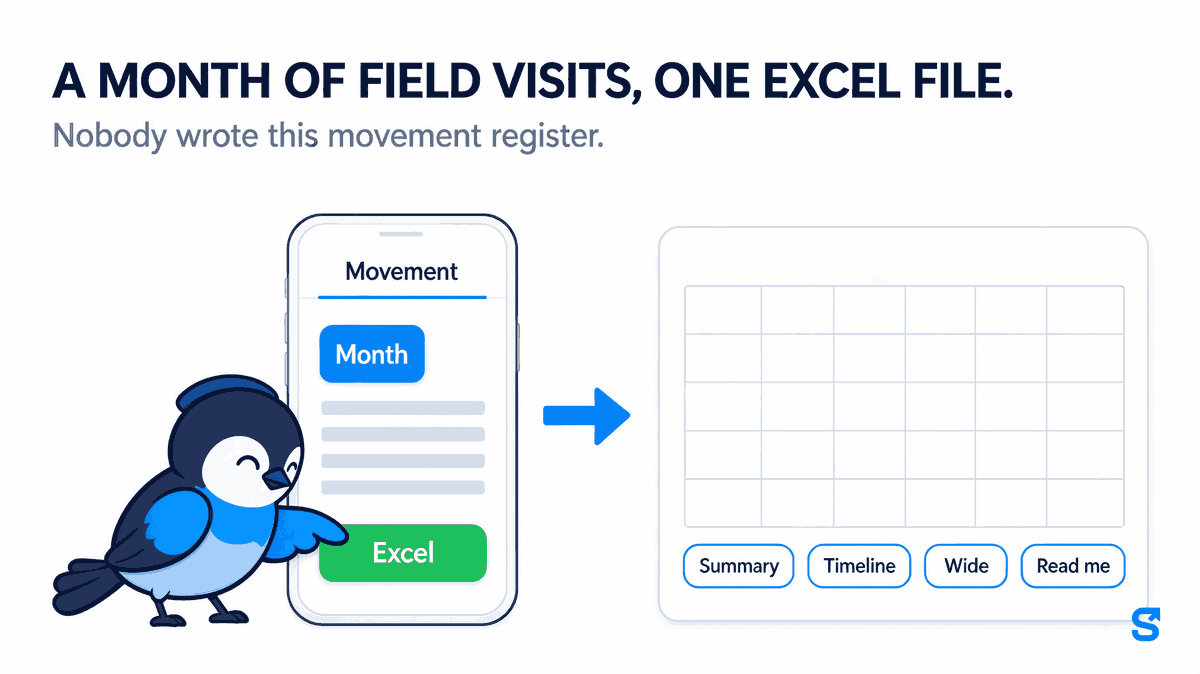
What is in the file: four sheets
The workbook opens on the Summary sheet. Each sheet answers a different question, so you rarely need more than one.
Summary. One row per person per shift: Date, Name, Checked in, Checked out, Time on duty, Distance (km), Stops, Time at stops, Time travelling, No location time and a Status. It also carries Staff ID, Department and Home branch, and how much of the shift was at their own site, at someone else's site or outside work sites. This is the page an accountant filters for a travel claim.
Timeline. One row per step of each shift, in order: check-in, each stop, each drive, each stretch with no location, check-out. Every row has a Place, a Place type, From, To, Minutes and km. This is the classic movement register, written out for you, one line per movement.
The other two sheets are Wide, which lays out one shift per row with each stop and the drive after it side by side, coloured green for their own site, amber for someone else's site and grey for outside work sites or no location, and Read me, which explains every column in plain English so the file still makes sense when it is forwarded to your accountant.
The first two columns stay fixed while you scroll, and every sheet has filters on its headings, so "show me only Ravi" or "only days with a gap" is one click. Microsoft's guide to AutoFilter in Excel covers the filter buttons if you have not used them.
Here is one row of a real-looking month
Say Meena is a medical representative in Pune. Her Timeline sheet for one Tuesday reads like this:
- 9:35 Checked in, near Shivajinagar
- 10:02 to 10:40 Sanjeevani Clinic, saved place, 38 min
- Drive 5.2 km, 19 min
- 11:00 to 11:25 near FC Road, 25 min
- 13:30 to 14:15 No location, 45 min
- 18:10 Checked out
Her Summary row for the same day shows the totals: Time on duty, 2 stops, the distance, and the 45 minute gap counted as No location time. Nobody typed any of it, and Meena sees the same day on her own attendance record.
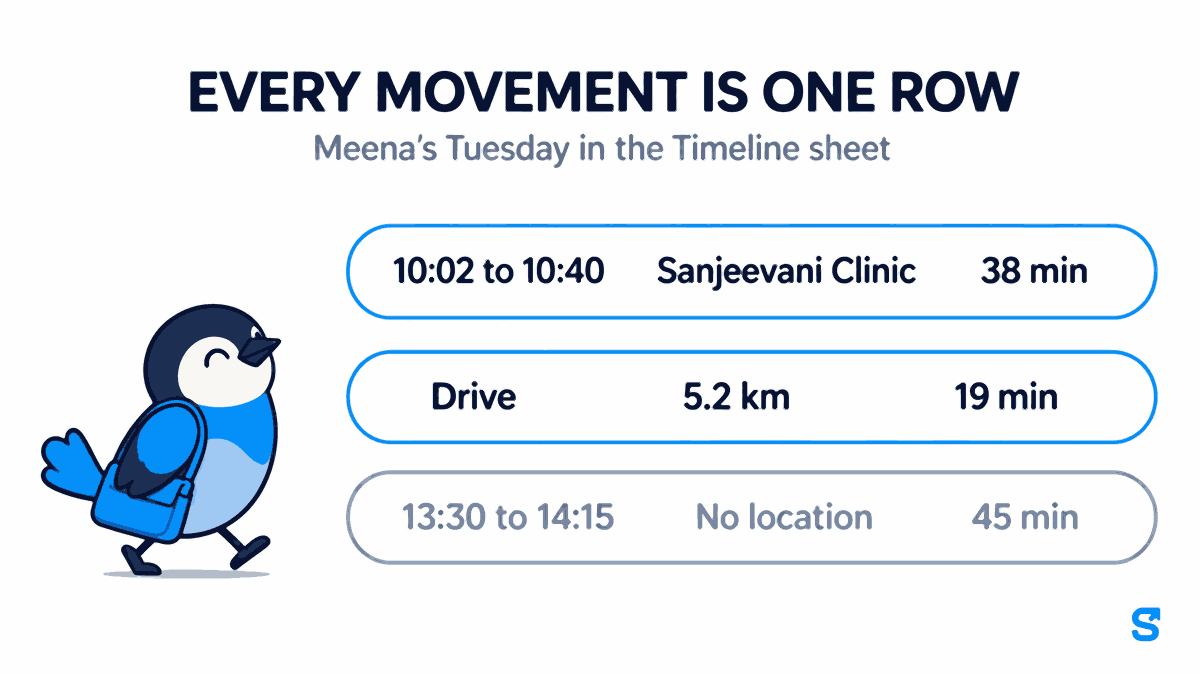
The Status column tells you which days to look at
You do not need to read 600 rows. Filter the Summary sheet's Status column and the days worth a question come straight up:
What the Status column can say
- No location 1h+: the phone sent no location for an hour or more in the shift.
- No location all shift: nothing came through at all; check whether location was off.
- Distance unclear - the GPS made no sense: that shift's km is left blank rather than guessed, so it never inflates a total.
- Marked absent and Still on duty: so a missing row is never mistaken for a missing visit.
A gap is not an accusation. A dead battery reads as a gap; so does a basement meeting. The register shows the gap and leaves the judgement with you, which is the point of keeping one.
Name your customers once, and the register reads in your words
A register full of "near FC Road" is better than nothing, but not by much. Under Settings → Saved places you can name a customer, a clinic or a warehouse once, or tap Save this place on any stop. From then on every stop there, by any staff member, shows your name for it, and the Place type column marks it as a saved place. After a month of saving the clinics or shops your team visits, most of the movement register is in your own words.
Who can download it
The movement register holds every stop, place and time for the staff it covers, and a file can be forwarded outside the app. So the download is guarded on its own:
- Owners and co-owners can always download it.
- A manager needs the Download movement reports tick in their role under Attendance, as well as permission to see attendance. It is off for every role until you switch it on, and a manager only gets the staff their role already covers.
- Staff cannot download it; each person sees their own day on their own attendance record.
The file covers people marked under Who works in the field. A receptionist who never leaves the office is not in it.
Three practical notes. A very long range for a large team can be too big for one file; the button says so and suggests fewer days or one branch. On the phone app the limit is lower than on a computer, so download a busy month from a laptop. And stop-by-stop detail is not kept for ever, so save each month's file when the month closes, the way you would close a paper register.
Tracking only during the shift
India's Digital Personal Data Protection Act, 2023 lets an employer process an employee's personal data for the purposes of employment, but that is not a licence to track people round the clock. The Ministry of Electronics and IT keeps the Act and its rules on its data protection framework page. Shiftelio records location only between check-in and check-out, and the movement register is built only from those hours. Tell your field staff in writing what the register shows before you switch it on; a register people know about is one they argue with less.
Where this fits, and what it is not
The one thing it does that a register book cannot: the person being measured is not the person writing the record.
Read more about tracking field employees without calling them all day.
Frequently asked questions
What is a movement register?
It is a record of when each staff member went out for work, where they went and when they came back. Offices keep it as a book at the door; Shiftelio builds it from the shift and gives it to you as an Excel file.
What columns should a staff movement register format have?
At least Date, Name, Time out, Place, Time back and how long they stayed. Shiftelio's Timeline sheet has Date, Name, Shift, Step, Place, Place type, From, To, Minutes and km, so every movement is one row.
Can I download the movement register for a whole month?
Yes. Choose Month on the Movement tab of the Report, pick any of the last 12 months, and tap Excel. Download it when the month closes, because stop-by-stop detail is not kept for ever.
Does the salesman still have to write anything?
Not for where they went. Stops, times, drives and km come from the phone during the shift. Order values or visit notes still need their own record.
Can my manager download it?
Only if you tick Download movement reports in their role. It is off for every role by default, and they only get the staff their role already covers.
Is the movement report an extra paid add-on?
No. The field day timeline and its Excel download are included in every plan. You switch on the people who travel under Settings, Saved places, Who works in the field.
What does No location mean in the file?
The phone sent no location for that stretch, for example because location was turned off or the battery died. No km is counted across it, and the Status column flags long gaps so you can ask.
Keep reading
Free to use, no signup: Shift roster template.