How to Submit Multiple Receipts at Once: A Week of Bills in One Go
In short
Pick every receipt photo or PDF from the week, check each bill the app found, tick the ones to claim and save them together. The owner gets one alert.
- Hand receipts in once a week, in one go, not one at a time and not once a month. A week is short enough that nothing fades or gets lost.
- Check every bill the app found before you save: the shop, the amount and the date. Fix a flagged one, untick anything that is not a work expense.
- In Shiftelio, staff pick several receipt photos, a multi-page PDF or a spreadsheet, see each bill as a card, tick the ones to save and tap Save. The owner gets one alert for the batch.
To submit multiple receipts at once, photograph every bill from the week (or pick a PDF with all of them), let the app read them into one list, check each bill it found, tick the ones you are claiming and save them together. You check the shop, the amount and the date once per bill, but you only fill in the form once, and your boss gets one alert for the whole pile instead of five.
That is the short answer. The rest of this guide is for the people who actually hold the receipts: the lead tech with a cup holder full of gas slips, the cleaning crew lead who bought supplies on the way to a move-out, the line cook sent to the store for limes. It also helps the owner or manager who sets the rules, because a pile that arrives in one go, already checked, is a pile that gets paid back on time. The last part shows how it works in the Shiftelio app, step by step.
Why one receipt at a time does not work
Most small crews in the US handle receipts in one of two ways, and both fail for the same reason.
One at a time. The tech texts a photo of each receipt to the owner as it happens. By Friday the owner's phone has eleven pictures in three different chats, mixed in with job photos and a dog. Nobody has added them up, and two of them are the same gas receipt, sent twice.
All at the end of the month. The receipts live in the truck until somebody asks. By then the thermal paper from the gas station has faded to grey, one slip blew out of the window, and the tech has honestly forgotten whether the $23.75 at the hardware store was screws for a job or a garden hose for home.
The fix is a rhythm, not a better shoebox: one batch, once a week, checked by the person who spent the money. The tech knows what each receipt was for, because it was this week. The owner sees one tidy list, because it arrives at once.
What to check on every bill before you send it
Whether you use an app, a spreadsheet or an envelope, the same five checks catch almost every problem before it reaches your manager.
- The shop name is readable and matches where you actually went.
- The amount is the total you paid, after any discount, not a subtotal.
- The date is this week. A receipt from last month is still claimable, but say why it is late.
- It is a bill, not a refund slip or a card statement. A statement is not proof of what you bought.
- It was work. Personal items on the same receipt come off before you claim it.
The receipt that fails a check is not a problem. Sending it without saying anything is. A short note ("faded, the total was $54.10") saves the manager a phone call.
Jake's Friday, before and after
Jake is the lead tech at a three-van HVAC company in Phoenix. This week he paid for three things out of his own pocket: parts at a supply house ($86.40), gas on the way to a call in Mesa ($54.10), and fittings at a hardware store ($23.75). There is also a refund slip from a part he returned, which is not a bill at all.
Before. Jake texts four photos to his boss on Sunday night. His boss opens them on Monday, cannot read the gas receipt, asks about it on Tuesday, types three amounts into a spreadsheet on Wednesday and forgets the refund slip was not a claim. Jake is paid back two weeks later, $23.75 short, and does not know why.
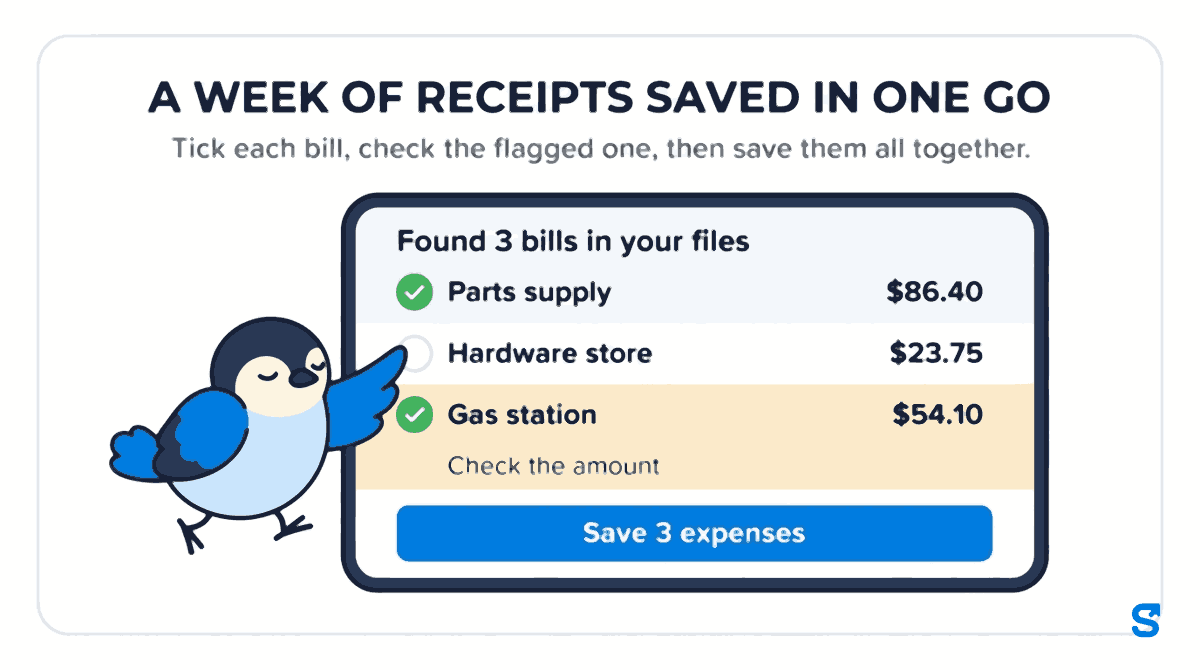
After. On Friday at 4 p.m. Jake opens the Shiftelio app in the truck, taps Add Expense, then Choose files, and picks all four photos at once. The app shows Found 3 bills in your files: the parts supply, the gas station and the hardware store, each as its own card with the shop, the amount and the date filled in. The refund slip is listed under them as Not added: a refund, so it never becomes a claim. The gas receipt carries an amber line, Check the amount, because it is faded. Jake taps it, confirms $54.10, taps Done, and saves all three together with Save 3 expenses.
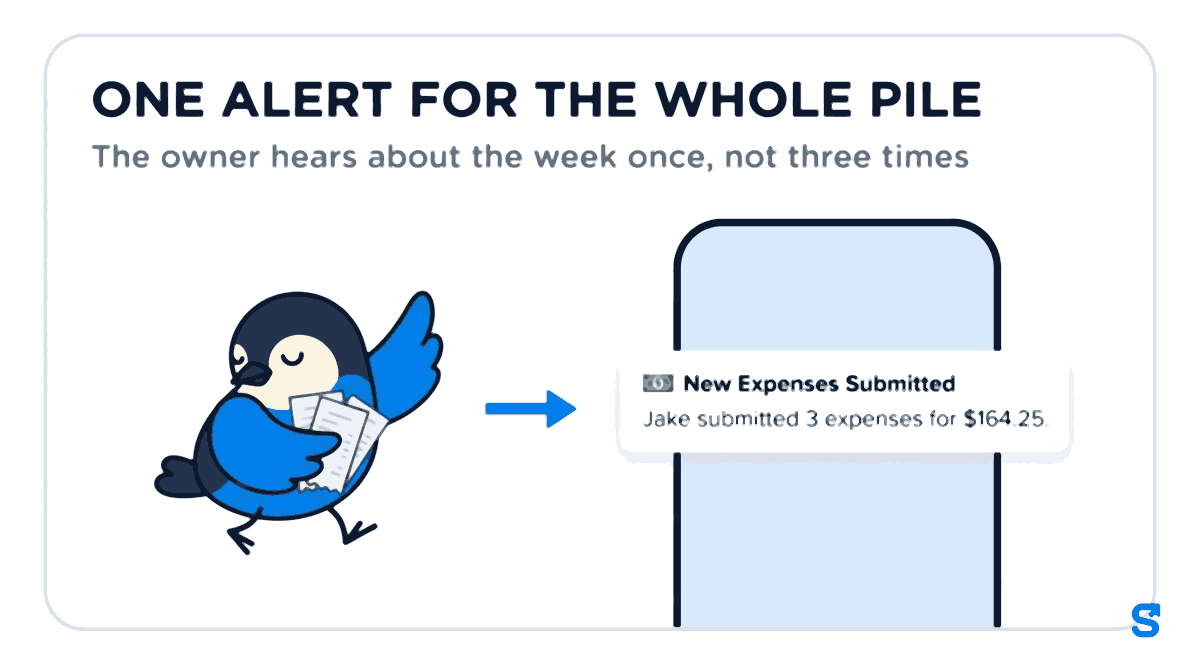
A few minutes later his boss gets one alert: Jake submitted 3 expenses for $164.25. All three bills, with their receipt photos, are in one list waiting for a decision.
How to submit several receipts at once in Shiftelio
This is what a staff member does in the app. It works the same for a cleaner, a server or a field tech.
On the Money screen, tap Add Expense, then Choose files. Pick several receipt photos at once, a PDF with one bill per page, or a spreadsheet of expenses. A long receipt can be two photos of the same bill, and the app keeps them together as one.
Tap Read 4 files (the number matches what you picked). The app shows each bill it found as a card: the shop, the amount, the date, the category and which photo or PDF page it came from, with a small picture of the receipt. Anything that is not a bill, such as a refund or a card statement, is listed under the cards as not added.
A bill the app is unsure about carries an amber line, such as Check the amount or Check the date. Tap the card to open it, fix what is wrong, and tap Done to go back to the list. A bill paid in another currency cannot be ticked until you pick the currency and type the rate.
Untick anything that is not a work expense. Choose how you paid (My own money or My work cash), add one Note for all bills if you want, and tap Save 3 expenses (the number matches what you ticked).
If the signal drops while saving, the app tells you how many saved and how many did not, for example 2 saved. 1 could not be saved. Tap Try again. The bills that already saved stay saved and are never added twice.
What the owner gets out of it
For the owner or manager, a batch changes three things.
- One alert, not a stream. Two or more bills saved together send a single message with the count and the total. You review them in one sitting on the Expenses screen.
- Each bill still stands on its own. You can approve the parts and the gas and ask about the fittings. One question does not hold up the other two.
- The person who spent the money did the checking. The amounts were confirmed by the one person who was at the counter, on the day it still mattered.
Once approved, a staff bill can be paid back with the next payroll run. The owner's side of that, from waiting to paid, is in our guide to seeing what you owe your crew back before payday.
What California's rule says about reimbursement
This guide is about handing receipts in well, not about law, but the reason the habit matters is worth one paragraph.
In California, the Labor Commissioner's deductions from wages FAQ says that "An employee is entitled to be reimbursed by his or her employer for all expenses or losses incurred in the direct consequence of the discharge of the employee's work duties," citing Labor Code Section 2802. Checked on 8 October 2026.
That is one state. Federal wage rules are on the US Department of Labor's Fair Labor Standards Act page, and other states have their own rules, or none beyond the federal ones. Your state labor department's website is the place to check.
This is general information, not legal advice: check with the agency or an employment lawyer for your case.
Which app lets staff submit a week of receipts at once?
If your crew works out of vans and trucks, our page for field teams shows how expenses sit next to clock-ins and job visits.
Questions staff and owners ask
How do I scan multiple receipts at once?
Photograph each receipt, then pick all the photos together in one go. In Shiftelio, tap Add Expense, then Choose files, select every photo or a multi-page PDF, and the app lists each bill it found as its own card for you to check.
How often should employees submit receipts?
Once a week works for most small crews. It is recent enough that the employee remembers each purchase and the paper has not faded, and it gives the owner one batch to review instead of a daily trickle.
What if one receipt in the pile is wrong or faded?
Fix that one bill before you save. In Shiftelio, a bill the app is unsure about shows an amber line such as Check the amount; tap it, correct the figure, tap Done, and the rest of the list is untouched.
Can I submit receipts from a spreadsheet?
Yes. If you already track expenses in a spreadsheet, pick the file and Shiftelio shows each row as a bill to check and tick. A spreadsheet row has no receipt photo, so the bill is marked as coming from that spreadsheet.
Will my manager get a message for every receipt?
No. When two or more bills are saved together, the owner gets one alert with the number of bills and the total, and reviews them together on the Expenses screen.
What happens if my phone loses signal while saving?
The app shows how many bills saved and how many did not. Tap Try again: bills that already saved are kept and never added a second time, so you cannot claim the same receipt twice by accident.