WhatsApp and Telegram Alerts to Staff, and How to Prove They Arrived
In short
Meta bills per delivered WhatsApp message. See which staff alerts arrived, which failed, which never went, and approve leave right from the chat.
- Meta charges for a WhatsApp template message only when it is delivered, which makes delivery status a billing fact, not an IT detail.
- The alert that hurts you is not the one that failed. It is the one that was never sent, because a setting somewhere quietly said no.
- Shiftelio writes a log row for every alert on both WhatsApp and Telegram, including the ones it decided not to send, with the reason.
The shift started at 9. At twenty to ten the supervisor rings you, annoyed, because nobody told him two of his people had applied for leave. You check. The leave requests are there. The app says the alerts went out.
So where did they go?
This is the most common support question we get that is not about attendance, and the honest answer is that on most systems there is no way to find out. The message either arrived or it did not, and the only evidence is a person saying they never saw it.
Delivery is now the unit you are billed in
Meta's own pricing documentation for the WhatsApp Business Platform is blunt about when the meter runs:
You are only charged when a template message is delivered.
Meta, WhatsApp Business Platform pricing
That single sentence changes what a delivery log is for. It used to be a debugging tool that a developer looked at once a quarter. Now it is the record of what you paid for.
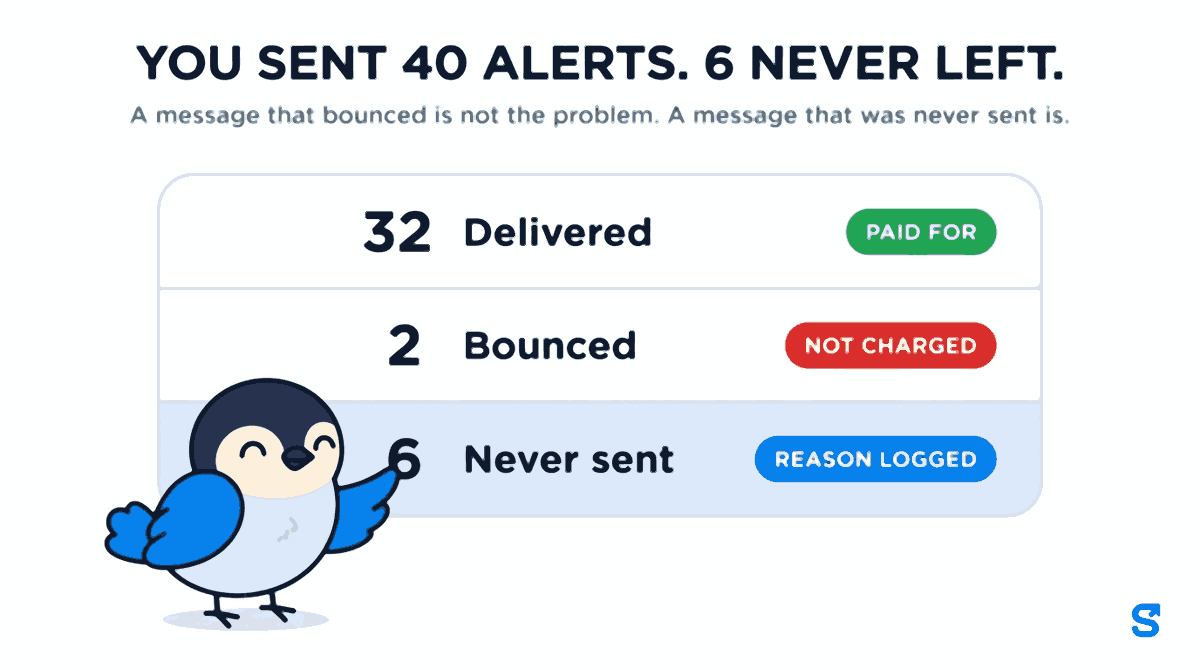
Say your business triggered 40 alerts this week. 32 were delivered, and those are the 32 you paid for. 2 bounced, and cost you nothing. And 6 were never sent at all. That last group is the one nobody looks at, and it is the only one where a member of staff was not told something you believed they had been told.
Two different problems live in that gap, and they need separating before anything else.
A failure is a message that was sent and bounced. Wrong number, number not on WhatsApp, the recipient blocked the business. You are not charged, and you have a phone number to go and fix.
A skip is a message that was never sent at all. A toggle was off, the plan did not allow it, the credit balance was empty. Nothing left the building, nothing bounced, and nothing appears in any log that only records outbound traffic.
The second one is the expensive one, and it is the one almost nothing records. A log of what you sent cannot, by construction, contain the message you did not send.
What Shiftelio writes down
Shiftelio's WhatsApp and Telegram alerts go where staff already are, and every one of them leaves a row behind. You will find them under Notification logs, split by channel, searchable by name, filterable by status, and defaulting to the last thirty days.
Each row carries who it was for, which event produced it, what the message said, whether a photo went with it, and a status that is one of four things:
- Sent. It left, and the provider accepted it.
- Failed. It left and bounced, with the provider's reason recorded next to it.
- Pending. In flight at the moment you looked.
- Skipped. It was never sent, and the row says why.
That last one is the whole point. When the plan gate or a notification toggle stops a message, Shiftelio still writes the row, marks it blocked, and records the reason, so an owner can see why nothing went out instead of it vanishing. A supervisor who says he was not told is either right or wrong, and the log settles it in about ten seconds.
The events themselves are not a single on-off switch. There are thirty-two of them across eight parts of the product: attendance, leave, loans, expenses, company property, crews, goals and the noticeboard. Nineteen are addressed to staff, thirteen to owners and managers. Each can be muted on its own. Mute one and the log still records the mute, under that event's name, so a year later you can see that the silence was a decision rather than a fault.
Three lanes, and they are not interchangeable
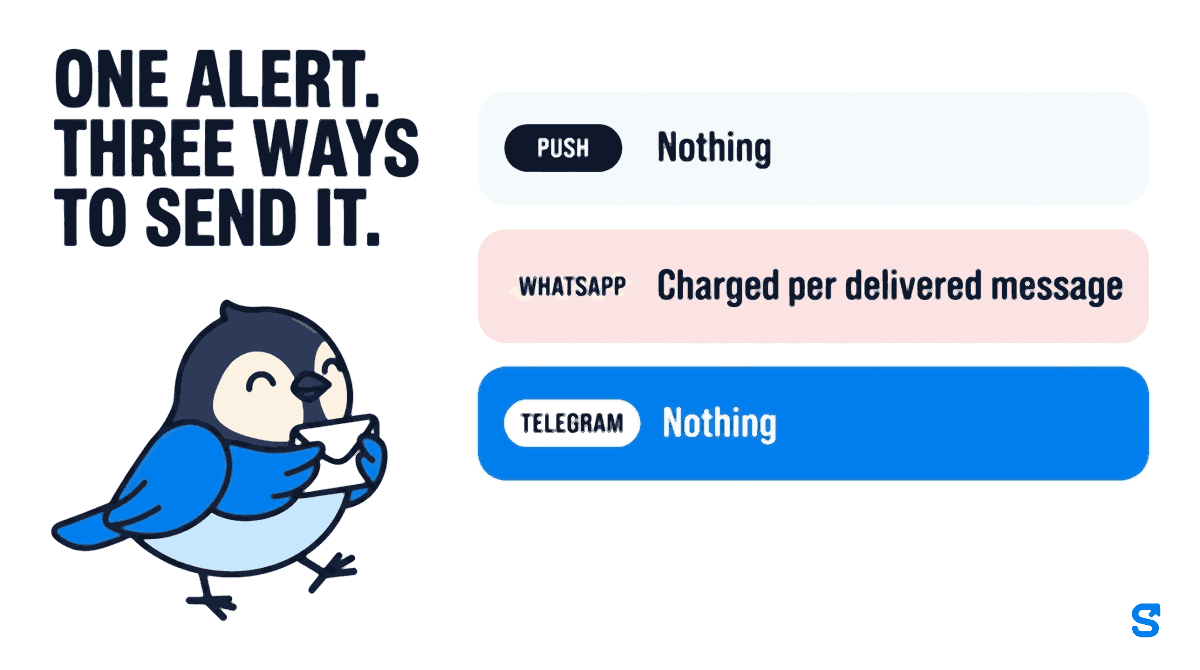
An alert can travel three ways, and the difference between them is money and reach, not preference.
| Push notification | Telegram | ||
|---|---|---|---|
| What it costs you | Nothing | Charged per delivered message | Nothing |
| Needs our app installed | Yes | No | No, but needs Telegram |
| Can carry a reply you act on | Taps into the app | Leave requests: Approve and Reject | Yes, buttons in the chat |
| Delivery recorded | Device level | Per message, with reason | Per message, with reason |
Push is free and instant and reaches nobody who has not installed the app, which on a site with high turnover is a larger share of your people than you think. WhatsApp reaches almost everybody in India and is the one with a per-message price attached, which is why Shiftelio meters it as pre-paid credits rather than burying it in the subscription: you can see what the alerts cost, per message, and turn off the ones that are not worth it.
Telegram is the interesting one, and it is free, because it runs over the official Telegram Bot API rather than a paid business platform. A member of staff links it once by opening a link from their profile. After that they are reachable.
The reply matters more than the message
Most notification systems are one directional. Something happened, here is a message about it, now go and open the app.
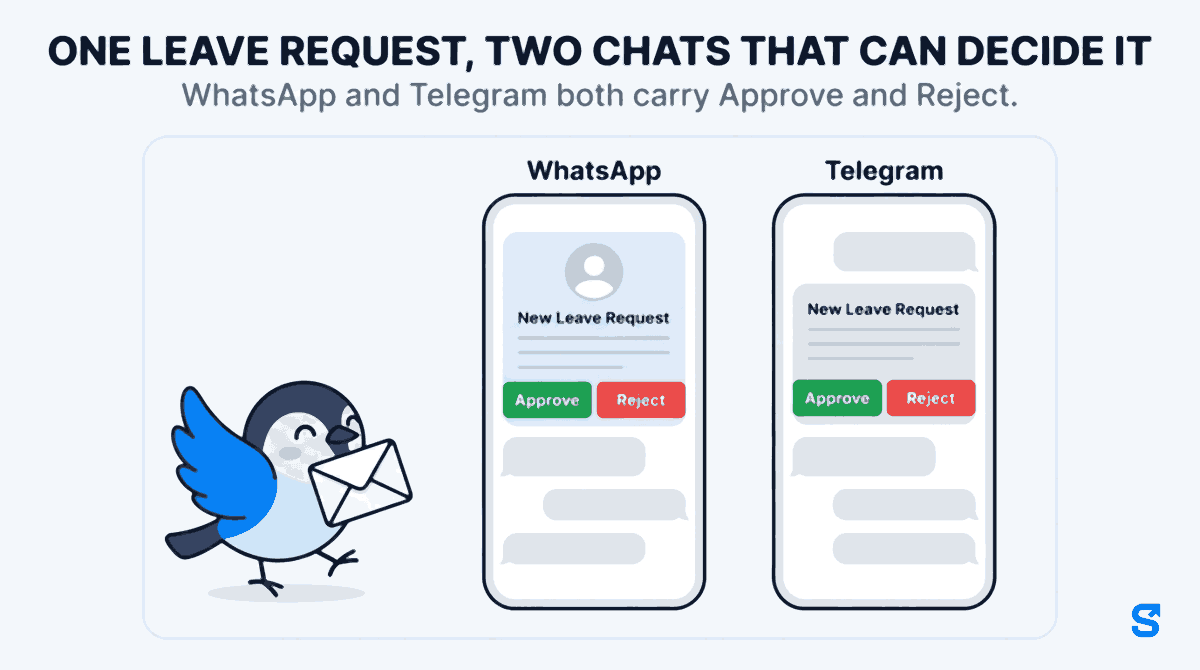
On Telegram, Shiftelio sends the buttons with the message. A leave request arrives in the manager's chat with Approve and Reject under it, and pressing one settles the request without anybody opening anything. The same is true for onboarding documents a new joiner has submitted, for bank and UPI details waiting to be checked before a payroll run, and for the proof a member of staff has logged against an incentive goal.
WhatsApp now carries the leave buttons too
Until recently this was the one thing that made Telegram worth the trouble of installing. It is no longer only Telegram's. A new leave request now reaches WhatsApp as a message titled New Leave Request, with the applicant's picture on top and two buttons under it, Approve and Reject, the same two buttons the Telegram message has always carried.
The picture is the one the member of staff chose for their profile. If they never set one, it is their most recent check-in photo, so the face on the request is the face that has been clocking in. The message goes to the owner, to every co-owner, and to every manager whose role has permission to approve leave, and each of them can decide it from their own phone.
Reject has one more step worth knowing. After the tap, WhatsApp replies asking for a reason, and a text sent back within 24 hours is saved on the request as the manager's comment, so the member of staff sees why rather than just a no. The walkthrough, screen by screen, is in approving leave from a WhatsApp button.
This is where a shortcut would be dangerous, so it is worth being precise about what happens when either button is pressed, on either app. The chat is not a bypass:
- The button's data is signed, so a forwarded or edited message cannot decide anything.
- On WhatsApp the person is recognised by their phone number. If one number belongs to two accounts, a shared family phone for instance, nothing is changed and they are asked to decide it in the app.
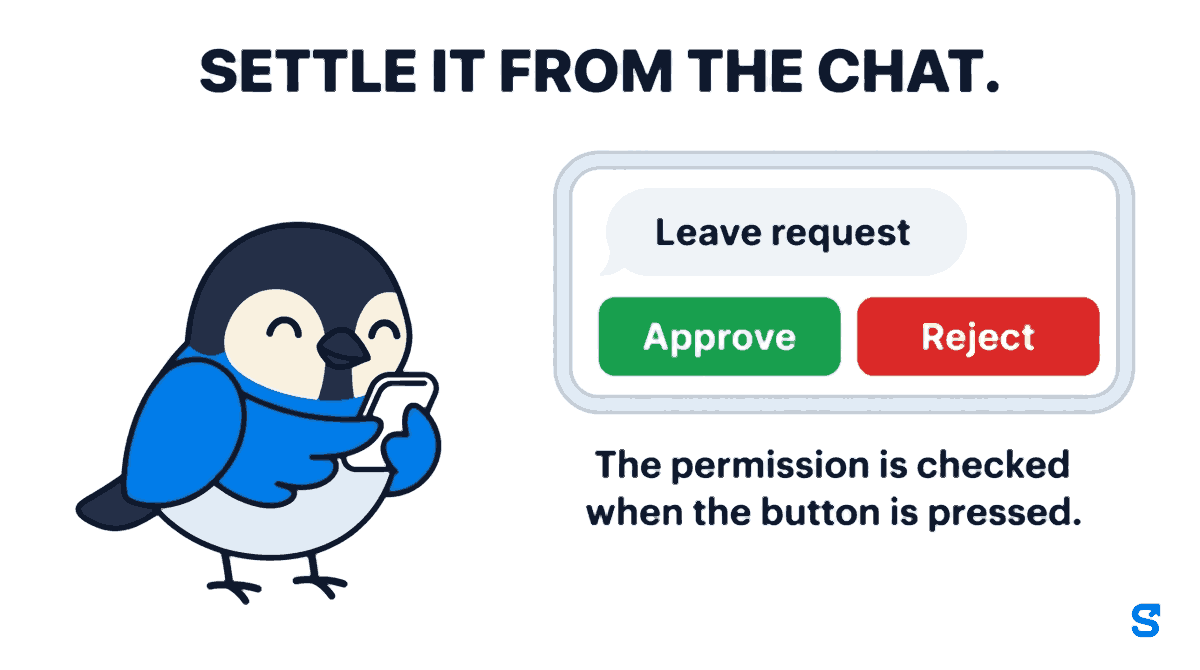
- The person pressing it must hold the permission for that action. A manager without leave approval gets refused in the chat, exactly as they would on the screen.
- Nobody approves their own leave. The self exclusion is checked before the permission is, owner or not.
- The decision is written with the approver's name on it, and both the member of staff and the record show who decided.
A shop owner on a scooter can clear a morning's leave requests at a traffic light. That is the actual benefit, and it is only safe because the rules that guard the screen also guard the chat.
One event, several languages
There is one more thing the log quietly proves, and it surprises people.
The recipients of a single event rarely share a language. An owner reading English, a supervisor reading Hindi and a worker reading Tamil are routinely told about the same check-in. Shiftelio renders the copy once per language group rather than once per event, so each of them gets it in their own language, from the same trigger, in the same call. Nine languages are supported: English, Hindi, Marathi, Bengali, Gujarati, Tamil, Telugu, Kannada and Punjabi.
You can see this in the log. Three rows, one event key, three different message bodies.
What to actually do this week
Not by date. Date tells you the system is running. Status tells you where it is not. Look at skipped first, failed second.
Each one is either a setting you meant or a setting you forgot. There is no third category. The ones you meant, leave alone.
Every break start and break end going to an owner's WhatsApp is a delivered message you paid for and nobody opened. Mute it there and leave it on push.
For leave, WhatsApp now carries the Approve and Reject buttons, so a manager who lives in WhatsApp needs nothing new. For onboarding documents, bank details and incentive proof, get them onto Telegram: it is free, it carries those buttons too, and it removes the single most common complaint, which is that a request sat unseen for a day.
Which app does this
Does a failed WhatsApp message still cost me?
No. Meta charges on delivery, so a message that bounces is not billed. It is still worth fixing, because a bouncing number means that person is not being told anything.
Why would an alert be skipped rather than sent?
Three common reasons, all recorded on the row: the event was muted for your business, your plan does not include that message, or the WhatsApp credit balance was empty. The log names which.
Is Telegram really free?
The messages are. It runs on the Telegram Bot API, which does not charge per message the way the WhatsApp Business Platform does. Your staff need Telegram installed and need to link it once.
Can a manager approve leave from Telegram without having permission in the app?
No. The permission is checked when the button is pressed, not when the message is sent, and a manager without leave approval is refused in the chat. Nobody, including an owner, can approve their own leave.
Can I approve leave from WhatsApp as well?
Yes. A new leave request reaches the owner, co-owners and managers with leave approval as a WhatsApp message with the applicant's picture and Approve and Reject buttons. A tap goes through the same checks as Telegram, and if you reject, a reason texted back within 24 hours is saved on the request.
Where do I find the logs?
In the business dashboard, under the WhatsApp and Telegram sections. Each has its own log page with search, a status filter and a date range.
The short version
An alert you cannot prove arrived is a rumour. Meta has made delivery the thing you are billed for, which is a good reason to start looking at delivery status, but the better reason is older than that: the message that was never sent is invisible everywhere except in a system that bothers to write it down.
Look at the skipped rows first. They are the cheapest problem you own and the most expensive one to ignore.
Keep reading
Free to use, no signup: Shift roster template.