Conveyance Allowance per Km for Field Staff: Pay Only the Trips You Approved
In short
Pay conveyance allowance per km from trips staff start on their phone and you approve, not petrol bills or WhatsApp claims. Set rates, review, pay with salary.
- A per-km travel allowance is only as honest as the km it is paid on. Pay on trips you can see, not on a total someone typed.
- In Shiftelio staff tap Start a trip, pick where they are going, and the trip ends at that place with its km.
- You set a rate per km for each vehicle (Two-wheeler, Car or Company vehicle) and an optional daily limit.
To pay a conveyance allowance per km fairly, pay it on trips, not on claims: each trip is started on the staff member's phone, ends at a named place with its km, and reaches the salary only after you approve it. In Shiftelio that is the Travel page and the travel allowance line in payroll, so the petrol allowance for your field staff stops being a monthly argument over bills and WhatsApp screenshots.
Why the monthly conveyance claim never adds up
Most Indian businesses with a field team pay travel one of three ways. A fixed petrol allowance every month, the same for the salesman who rode 900 km and the one who stayed near the office. A claim at month end, written from memory on a sheet or sent as a list on WhatsApp. Or fuel bills, which prove that petrol was bought, not where it went.
Each one fails the same test: nobody can point at a single trip and say "this is the ride we paid for". So the owner either pays whatever is written, or spends an evening calling people to ask why Tuesday says 64 km.
| How travel is paid today | What goes wrong |
|---|---|
| Fixed monthly petrol allowance | The person who travels most is paid the same as the one who travels least |
| Month-end claim on paper or WhatsApp | Written from memory, impossible to check a month later |
| Fuel bills | Prove petrol was bought, not which customer it was for |
| Per-km rate on approved trips | Every rupee points to a trip with a place, a date and km |
The last row is the one this article is about. It is also how most owners already think about TA DA: a rate per km, times the km that were really for work.
What "per km" needs before it can be fair
A per-km travel allowance needs four things, and the claim sheet has none of them:
- A start and an end for each trip, made at the time, not rebuilt at month end.
- A named place at the end, so you know the ride was to Sharma Traders and not home.
- A km figure you can question, and change with a reason when it is wrong.
- A rule that only approved trips are paid, so nothing reaches the payslip by default.
How a trip is recorded on the staff phone
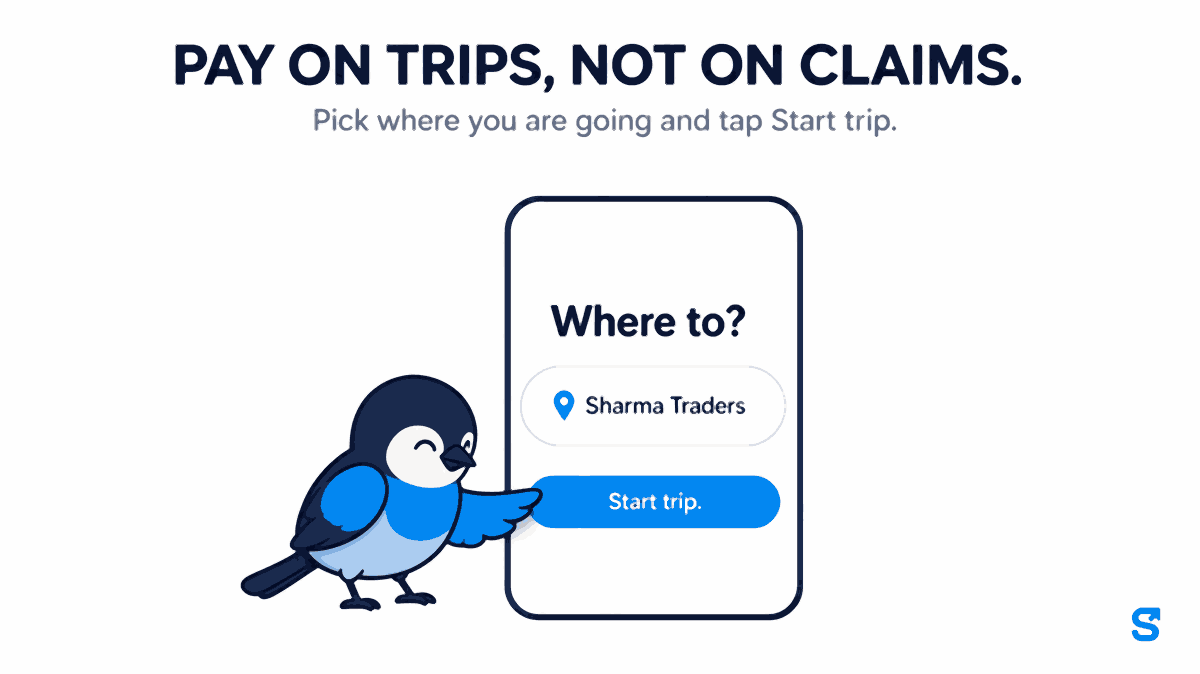
For anyone you have set up for travel, the staff app shows a Start a trip button: pick where you are going and tap Start trip. The salesman taps it, sees Where to? with their own places and your company places, picks one (or searches for a new one), and taps Start trip. If they do not know the name yet, Start now - name it when I get there works too.
When they reach the place, the trip closes with a line such as "Reached Sharma Traders - 11:40 - 6.2 km", and the app asks Where next? for the following ride. A trip started with no signal is saved on the phone and starts when the phone is back online, so a ride out of a basement market is not lost.
Staff see their own record under My travel: the month's trips, paid km and travel allowance, with each day's trips and their status. If a ride was missed, they can use Add a trip for a recent day, with From, To, the km and a comment. People whose location is shared for the whole shift also see Suggested from your day, a ride between two of their own stops that they can add with one tap. A trip added by hand or from a suggestion always goes to you for review; it is never approved on its own.
Setting your rates: per km, per vehicle, with a daily limit
The owner sets it up once, in Settings > Location & travel.
On the People tab, give each person a Location choice (Whole shift or Only at clock in and out) and a Travel allowance with their vehicle: Two-wheeler, Car or Company vehicle. You can select many people and set them in one go, and choose what New staff start as.
On the Rates tab, enter a rate per km for each vehicle and the date it starts from. A person with a different rate gets it on their own profile. Until a rate is set, trips wait rather than being paid at zero.
Daily limit (km) caps how many km a day can be paid, or leave it as No limit. Every rate change is kept with who set it and from which date, so a raise in the petrol rate does not rewrite last month.
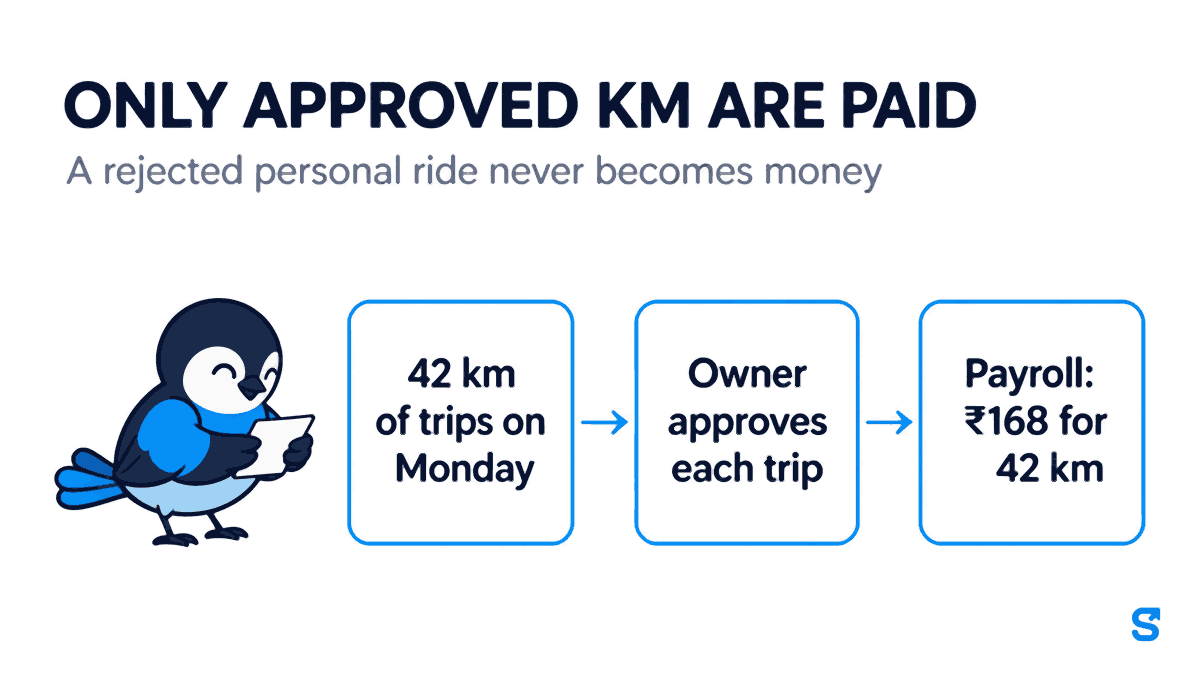
A worked example with your own numbers: you set ₹4 a km for a two-wheeler. Ravi has 42 approved km on Monday, so Monday's travel allowance is 42 × ₹4 = ₹168. Over the month his approved trips add up to 620 km, so his travel allowance for the month is 620 × ₹4 = ₹2,480, shown as its own line in payroll. The rate is yours to choose; Shiftelio does the multiplication on the km you approved.
Approving trips: the owner's evening check
The Travel page has two tabs. Today shows who is On the way and who Reached where. Month shows a row per person: trips, paid km, travel allowance, how the month compares with last month, the review checks and the status (Ready, Needs review, Approved, Rejected or In payroll). Someone whose km jumped against last month stands out without you having to look for them.
Open a person and you see each trip on its own: where it started and ended, the km and why that km is the paid km. On each trip you can:
- Approve it, or Reject trip as a Personal trip, Not for work or a Duplicate (same time).
- Change km, which needs a comment, or pick between the GPS km and the Map km shown for the trip.
- Change place when the stop was named wrongly, and add comments.
- Take back approval if you approved too fast, until the trip is in a payroll.
Trips that raise no checks can be approved together with one button, Approve n trips with no checks, so your time goes on the few that need a look. The month can be downloaded as a CSV, and each person gets a Travel statement PDF listing their trips.
Once a trip is in a payroll, it cannot change. That is the line between an allowance you can still question and one you have paid. If a mistake is found after salary day, it is corrected in the next month, never by quietly editing a trip that is already paid.
Paid with salary, with a statement behind it
Approved trips flow into payroll as a travel allowance line for each person: the km and the amount. Next to it, the owner sees a Travel statement link for that month, and the staff member gets the same link under their own pay, so both sides read the same list of trips. When a salesman asks why he got ₹2,480 and not ₹3,000, the answer is a document, not a debate.
If you also pay bills that are not per-km travel, such as a toll, parking or a bus ticket, those go through expense claims from field staff, which have their own approval. For a day-by-day picture of where field staff went, see the daily visit report for field staff.
What the Code on Wages says about conveyance allowance
The four Labour Codes, including the Code on Wages, 2019, took effect on 21 November 2025, as the Ministry of Labour and Employment announced through PIB (checked on 18 November 2026). In the Code on Wages, 2019 (checked on 18 November 2026), Section 2(y) lists "any conveyance allowance or the value of any travelling concession" among the payments that are not counted as wages, along with sums paid to cover special expenses an employee faces because of the nature of the job. Section 18 allows a deduction from wages to recover an advance, and names advances for travelling allowance or conveyance allowance in that list.
Two practical points follow. Keep travel as its own line, separate from salary, which the payroll travel line does. And how a conveyance allowance is treated for income tax depends on the employee's tax regime and situation, so ask your CA before you decide how to show it; Shiftelio records and pays the allowance, it does not decide its tax treatment.
Where this fits, and what it is not
The trips, the review and the payroll line are part of Shiftelio's field staff tools, built for owners of sales, service and delivery teams who already know where the money for petrol goes and want each rupee tied to a ride. You can see the rest of what it does for people on the road on the employee tracking app page.
Frequently asked questions
What is a conveyance allowance per km?
It is travel pay worked out as your rate per km times the km travelled for work. Instead of a fixed monthly amount, a person who rides more for the business is paid more, and a person who rides less is paid less.
Do staff still have to submit a travel claim at month end?
No. Each trip is started on their phone when it happens and ends at a named place with its km. Missed rides can be added by hand for a recent day, and those always come to you for review.
Can I set a different rate for a car and a two-wheeler?
Yes. Set a rate per km for Two-wheeler, Car and Company vehicle in Settings > Location & travel, each from a start date. A person with a special rate gets it on their own profile.
What stops someone from claiming a ride home as work?
You approve every trip before it is paid. A trip can be rejected as a Personal trip, Not for work or a Duplicate, and its km can be changed with a comment.
Can I cap the travel allowance per day?
Yes. Set a Daily limit (km) on the Rates tab, or leave it as No limit.
Does a manager see and approve trips?
Only if you give them the Travel permission in Roles. Every travel action starts switched off for every role, so by default only the owner approves.
Is this included in every plan?
No. Trips and the travel allowance need the Field staff add-on, which is priced separately.
Is conveyance allowance part of wages under the Labour Codes?
Section 2(y) of the Code on Wages, 2019 lists conveyance allowance among payments not counted as wages. This is general information, not legal or tax advice: check your case with your CA.
Keep reading
Free to use, no signup: Payroll calculators.