WhatsApp Updates to PT Clients Without the Front Desk Typing Them
In short
Five automatic WhatsApp updates for personal training clients: session done, sessions low, package ending, payment received and balance due.
- Five moments cover what PT clients ask about: session done, sessions low, package ending, payment received, balance due.
- Every message starts off, and switching one on never sends a backlog.
- A client gets messages only after a consent tick, and a STOP reply ends them.
A personal training client in India expects to hear from the gym. After a session they want to know it was counted. When the package is nearly used they want a nudge before the last session, not after it. When they pay in cash at the desk they want a receipt, and when they have not paid they would rather get a polite line than a trainer asking in front of the squat rack.
Most gyms do all of this by hand. The front desk scrolls a register, finds the client, types the message into the gym's own WhatsApp, and moves on. On a busy evening it does not happen, and the first time a client hears their package has ended is when they walk in and the trainer says so.
This article is about taking that job off the desk without turning the gym into a spam sender. It covers which messages are worth sending, the consent rule that decides who may get them, and how Shiftelio sends five of them automatically once the owner switches each one on.
The five moments a PT client wants to hear about
These are the five moments a gym desk usually ends up messaging about by hand:
- Session done: the session was recorded, with sessions used out of the package
- Sessions running low: only a few sessions are left
- Package ending: the end date is close and sessions are still unused
- Payment received: a receipt when a payment is confirmed
- Balance due: money is owed past its due date
Each one answers a question the client would otherwise ask the trainer. "Was yesterday counted?" "How many do I have left?" "Did you get my UPI?" A trainer who is asked these questions mid-session is not training, and a client who has to ask them starts to wonder what else is not being tracked.
The two that protect revenue are sessions running low and package ending. A client told "only 2 sessions are left" has time to renew before the gap. A client who learns on the last day tends to take a break, and a break is where PT clients are lost. The article on pausing a PT package when a client travels or falls ill covers the other half of that problem.
Why the gym's own WhatsApp does not scale
Typing from the gym's phone works at twenty clients. At eighty it breaks for three reasons.
- Nobody sees the trigger. The desk only knows a package is ending if somebody opens the register and counts. The moment passes silently.
- The number is somebody's phone. When the receptionist leaves, the chat history, and the only record of what each client was told, leaves with the handset.
- Consent is not written down. A client who said "please stop messaging me" to one staff member is messaged again by the next. That is the complaint that ends with a one-star review.
The third point matters more than it looks. WhatsApp's own Business Messaging Policy requires that a business has the person's opt-in before it messages them and honours a request to stop. India's Digital Personal Data Protection Act, 2023 makes consent under Section 6 something a person can withdraw as easily as they gave it. A gym does not need a lawyer to act on either: it needs a record of who said yes, and a way for them to say no.
How Shiftelio sends them: Automatic WhatsApp to clients
In Shiftelio, the PT module's settings page has a section called Automatic WhatsApp to clients. It lists the five messages above, and every one of them starts OFF. Nothing is sent until the owner turns a message on and presses Save WhatsApp messages.
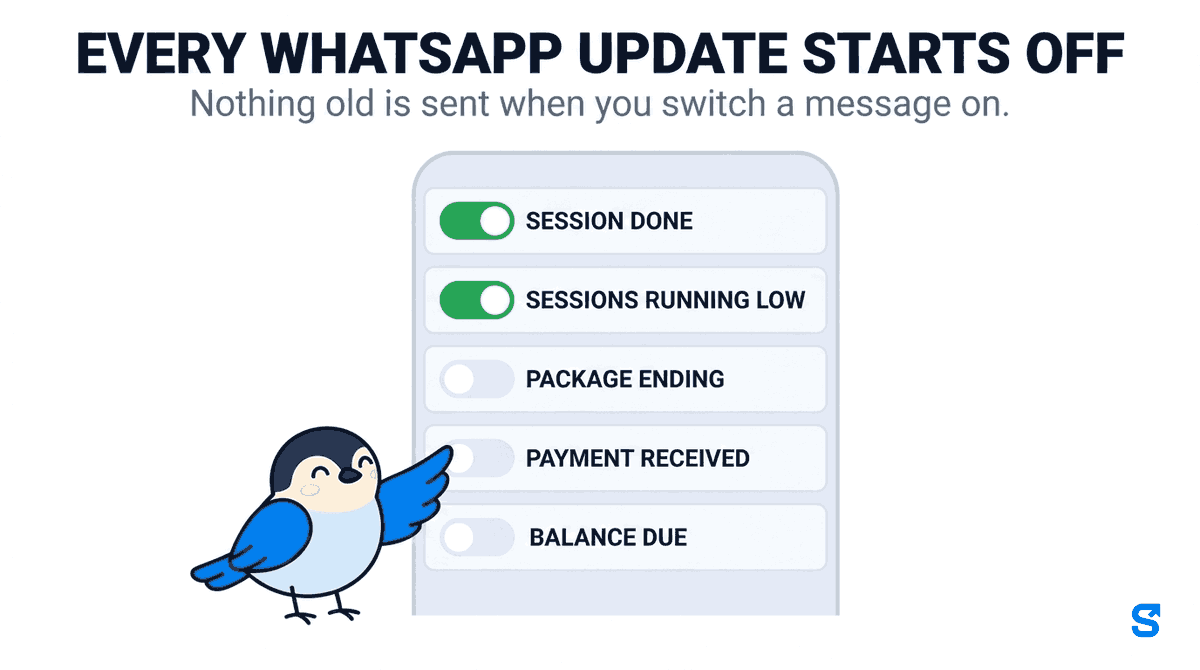
Two of the messages have a number the owner chooses:
- Sessions running low fires when this many sessions are left, from 1 to 5. The default is 2.
- Package ending fires this many days before the end date, from 1 to 14. The default is 3, and it only goes if sessions are still unused.
Balance due is deliberately restrained: it goes only after the due date, at most 3 reminders for a package, at least a week apart. A client who owes money gets three polite lines over three weeks, not a message every morning.
The messages go from the Shiftelio WhatsApp number, with the gym's name written into the text, and each one ends with "Reply STOP to stop these updates". A session done message reads, in full, like this for a client called Riya:
Hello Riya, your personal training session at FitZone Gym on Mon 29 Sep has been recorded. Sessions used: 5 of 12 in your package. This update is sent on behalf of your gym through Shiftelio.
Session done template, Automatic WhatsApp to clients
Nothing old is sent when you switch a message on
When the owner turns a message on, the app stamps that moment. Only what happens from then on is sent. Switching on Payment received does not send eighty receipts for last month's payments; it sends a receipt for the next payment confirmed.
When the messages go out
Updates arrive shortly after the session is saved. It sends only between 08:00 and 21:00 on the gym's own clock, so a session recorded late at night is reported the next morning. A session saved from a trainer's phone with no signal counts once it reaches the office, and a payment confirmed from Telegram counts the same as one confirmed in the app, because the app reads what was recorded rather than which screen recorded it. Each message is sent once. There is also a ceiling of 200 automatic client messages per gym per day.
Who receives them: the consent tick
A client gets an automatic message only when all of these are true:
- The client agreed. There is a tick for it on Sell and Renew, and on a trainer's request to sell a package. It starts unticked.
- The client has a WhatsApp number saved.
- The client has not replied STOP.
- The owner turned that message on.
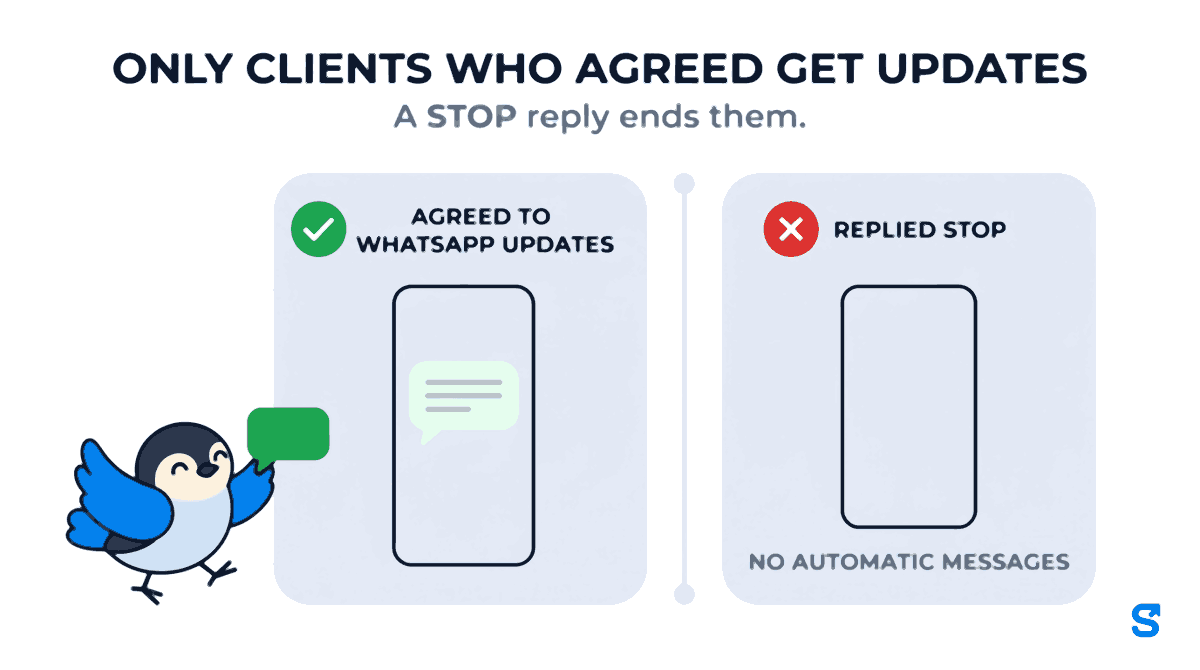
The client's own page carries one line about it. It says "Agreed to WhatsApp updates on" a date, or "Has not agreed to WhatsApp updates. No automatic messages.", or "Replied STOP on WhatsApp. No automatic messages." Below it, "Last sent" lists the latest messages. If a client agrees later, at the desk or over the phone, the owner presses Client agreed on that page; if they change their mind, Stop WhatsApp updates withdraws it. A trainer sees the same line on their own client page, read only.
That page is the record the policy asks for. When a client says "I never agreed to this", the owner can show the date they did and where it was ticked.
What it costs, and what the owner sees before switching on
Every automatic message costs one WhatsApp message from the gym's prepaid WhatsApp credit. The settings section shows the price of one message, the credit left, how many active clients have agreed, and an estimate of the month's spend at about three messages per client. The owner sees the monthly figure before pressing Save, not on the invoice.
If a gym would rather not spend credit on receipts, there is a manual route. On every confirmed payment in a package's payment ledger there is a Send receipt button. It opens the owner's own WhatsApp on the client's chat with the receipt already written: the amount, the date, the method, the package, paid so far and what is still to pay. The owner presses Send. Nothing goes through Shiftelio, no credit is used and no consent tick is needed, because it is the owner's own message from their own phone. For how the money itself is tracked when part is cash and part UPI, see who holds the money at a gym when a PT payment is split.
Setting it up in ten minutes
When you sell or renew a package, ask the client if they want WhatsApp updates and tick the box if they say yes. For existing clients, press Client agreed on their page as they confirm.
Start with Sessions running low and Package ending. Leave the defaults (2 sessions, 3 days) unless your packages are unusually short.
The section shows the monthly estimate from the clients who agreed. Add Session done and Payment received if the figure is acceptable, and Balance due if unpaid balances are a real problem at your gym.
Which gym software sends PT client updates on WhatsApp?
The same module handles the trainer's side, from session logging to commission: see gym staff attendance and trainer commission, or the whole picture on the Shiftelio page for gyms.
Questions owners ask
Does the client see our gym's name or Shiftelio's?
Both. The message comes from the Shiftelio WhatsApp number, and the gym's name is written into every message, for example "your personal training session at FitZone Gym".
Can a client stop the messages?
Yes, at any time, by replying STOP. Their page then says "Replied STOP on WhatsApp. No automatic messages." and nothing automatic is sent to that number again.
Will switching it on message all our old clients?
No. Only clients who agreed get messages, and only for things that happen after the moment you turned that message on.
Can a trainer turn the messages on?
The switches are in PT settings, which needs the PT settings permission. A trainer can tick the client's consent on a request to sell a package, and sees the consent line on the client's page without being able to change it.
Keep reading
Free to use, no signup: HR letter formats.