Mobile Phone Policy at Work: A Sample for Shops, Restaurants and Security Agencies, With the Attendance Rule
In short
A sample mobile phone policy for employees in India, in five rules staff can follow, plus the one rule most policies forget: which phone may clock in.
- A mobile phone policy at work needs five rules: phones in the locker, calls on breaks, no photos of customers or cash, clock in from your work phone, and tell your manager before changing phones.
- The last two protect attendance and pay, and most templates leave them out.
- In Shiftelio, One work phone per person on the Phones tab of Attendance makes rule 4 check itself, and Staff must use the Shiftelio app closes the browser route.
Most owners write a mobile phone policy after something goes wrong. A cashier was on a call while the queue grew. A waiter filmed the kitchen and it ended up in a family WhatsApp group. A guard was found asleep in the cabin with a video still playing. So the policy that gets written is about distraction, and it stops there.
There is a second problem hiding in the same phones, and it costs more. In most Indian shops, restaurants and security agencies today, the phone in the employee's pocket is also the attendance register. Staff clock in from their own handset. A policy that says nothing about which phone may clock in leaves the door open for the oldest trick in attendance: one person clocking in for a friend from a second phone.
This article gives you a sample mobile phone policy for employees that you can adapt in ten minutes, explains each rule in plain words, and then shows how to make the attendance rule enforce itself instead of depending on a supervisor watching.
What a staff mobile phone policy must cover
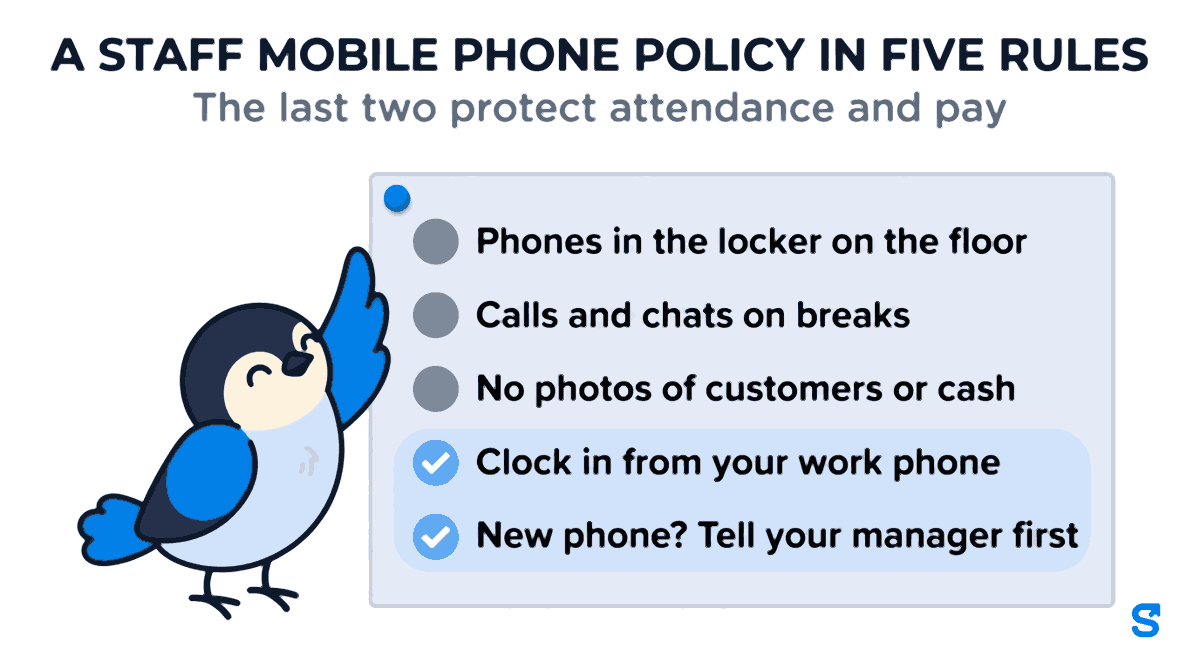
A good policy is short enough that a new joiner reads all of it on the first day. Five rules cover almost every business that runs on shifts:
- Phones in the locker on the floor. On the shop floor, in the kitchen or on a post, the phone stays in the locker or the bag, not in the hand.
- Calls and chats on breaks. Personal calls, WhatsApp and videos happen on breaks, in the break area. A family emergency is always an exception: tell the supervisor and step out.
- No photos of customers or cash. No photos or videos of customers, the cash counter, the kitchen or the site, unless your manager asks for one as part of the work.
- Clock in from your work phone. Attendance is marked only from the one phone registered to you, never from a colleague's phone and never for somebody else.
- New phone? Tell your manager first. If you change, lose or repair your phone, tell your manager before your next shift so your attendance carries on without a gap.
The first three are about behaviour at work and every policy template has some version of them. The last two are the ones most templates leave out, and they are the ones that protect your payroll.
A sample mobile phone policy for employees
Copy this, change the bracketed parts, and put it on the noticeboard and in the appointment letter pack. Keep it in the language your staff read best; a policy nobody understood is not a policy anyone broke.
[Business name]: Mobile phone policy for staff
- During working hours your phone stays in the locker or your bag, not in your hand on the floor, in the kitchen or at your post.
- Personal calls, messages and videos are for breaks, in the break area. In a family emergency, tell your supervisor and step out.
- Do not take photos or videos of customers, the cash counter, the kitchen or the site unless your manager asks for one for work.
- Mark attendance only from the one phone registered to you in the attendance app. Never mark attendance for another person, and never let another person use your phone to mark yours.
- If you change, lose or repair your phone, tell your manager before your next shift. Your new phone will be approved so your attendance continues.
- Breaking rule 1, 2 or 3 leads to a verbal warning, then a written warning. Marking attendance for another person is treated as serious misconduct.
Signed by the employee: ______ Date: ______
Two things make this sample different from the cell phone policy templates that come up in search, most of which are written for American offices. It is written for people who stand at a counter or a post all shift, and it treats attendance as part of the phone rules instead of a separate document.
Why the attendance rule belongs in the phone policy
Ten years ago attendance meant a register, a punch card or a fingerprint machine at the door. The phone policy and the attendance rules were separate because the phone had nothing to do with attendance.
That is no longer true. When staff clock in with a selfie and a location on their own phone, the phone is the punch card. And the cheats are the ones you would expect from a punch card. A worker who is late gives a friend a second phone, already signed in to his account, and the friend clocks him in at nine o'clock sharp. A guard on a night post leaves an old handset in the cabin and goes home. Neither one breaks rule 1, 2 or 3. Both of them break rule 4, and without rule 4 written down, there is nothing to point to when you find out.
Writing the rule is the first half. The second half is making it something the app checks every day, so that you are not relying on a supervisor to notice.
Making "one work phone" enforce itself
Shiftelio has a setting for exactly this, called One work phone per person. You find it on the Phones tab of Attendance. It ties each person to the phone they clock in on, so a second phone cannot quietly do it for them.
When you switch it on, the first phone each person opens the app on is registered for them automatically. Nobody is locked out on the day you turn it on, and nobody has to bring their phone to the office to be set up.
Then you choose what happens when someone uses a new phone. There are three choices:
| Do nothing | Tell me, but never stop anyone | Tell me, and pause the second change | |
|---|---|---|---|
| What happens | Nothing. No phone is tied to anyone. | You are told when someone starts using a new phone. Their old phone is signed out. | The first change goes through and the old phone is signed out. A second change waits for you. |
| Is anyone ever stopped from clocking in? | No | No | Only on a second change before you approved the first |
| Best for | Trying the app | A small team you know well | Shops, restaurants and agencies with many staff and many shifts |
The third choice is the one that matches rule 4 of the policy. A genuine phone change goes straight through, because people do buy new phones. What cannot happen is somebody hopping between two phones, because the second change waits for you to approve it.
The old phone being signed out matters as much as the block. If a worker gives his account to a friend's phone, his own phone is signed out the moment the friend's phone takes over. The scheme stops being convenient for the person who started it. The device binding article walks through that in more detail.
What your staff see when they get a new phone
This is where most "one device" rules fail in practice: somebody gets a new phone on Sunday and cannot clock in on Monday morning. The policy says "tell your manager first", but people forget.
In Shiftelio, when a new phone has to wait, the employee sees the line "Your manager needs to approve this phone before you can clock in on it" and one button: Ask my manager to approve it. One tap tells you. They do not have to find your number, and you do not have to work out from a WhatsApp message which employee and which phone it is.
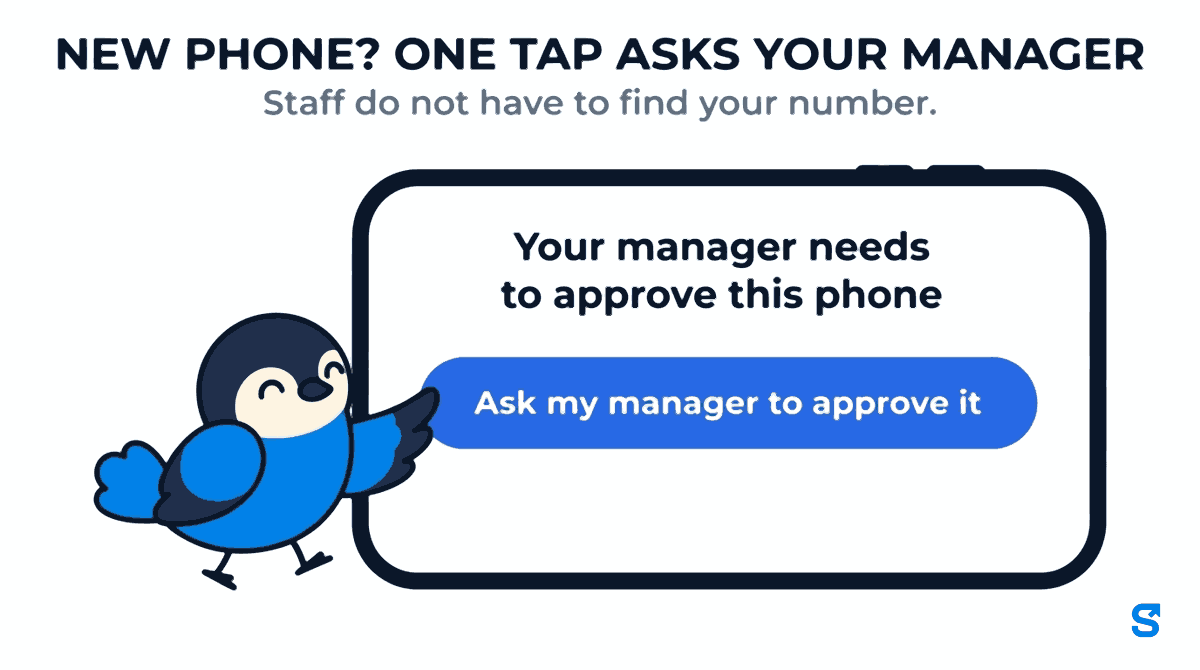
On your side, the change appears under Phone changes waiting for you, with the person's name and the phone they moved from and to. You tap Approve this phone. If it is not their phone, you tap Not their phone, which puts their previous phone back and signs the new one out. If someone changed phone in the middle of an open shift, you are told that too, because nobody sets up a new phone halfway through a shift without a reason.
If a supervisor or store manager should handle this instead of you, give their role the Approve phone changes permission. It is off for every role until you tick it, so nobody gets the power by accident.
The browser gap, and how to close it
One work phone only applies to the app. Somebody who marks attendance from a web browser on a shared computer, or on a phone's browser, is never tied to a phone. That is by design: an office computer at reception is not anybody's phone.
If your staff do not need the browser, close that route too. On the same Phones tab there is a switch called Staff must use the Shiftelio app. Owners are never locked, and you can allow named people to keep the browser. The full walk-through is in making staff use the app instead of a browser.
Put the two together and rule 4 of your policy is no longer a request. Staff clock in from the app, on the one phone each person registered, apart from the people you chose to allow.
When a phone is lost, broken or stolen
Phones break, especially on construction sites, in kitchens and on night posts. Plan for it in the policy and in the app:
Rule 5 of the sample policy. The earlier you know, the earlier attendance is back to normal.
With the third setting on, the first change goes through by itself. If it has to wait, they tap Ask my manager to approve it.
Open Phone changes waiting for you and tap Approve this phone. The new phone is now their work phone.
If the employee is standing at work with no working phone, a manager whose role has Mark for others can clock them in or out, so the day is not lost.
Keep the policy legal and fair
A phone policy is a workplace rule, and two pieces of Indian law are worth knowing before you print it.
- Standing orders. If your establishment is large enough to need certified standing orders, the conduct rules and the list of misconduct live there. Under the Industrial Relations Code, 2020, standing orders are required for industrial establishments with 300 or more workers (section 28). If you are under that size, a written policy that every employee has signed is still what you will point to if a warning ever becomes a dispute.
- Personal data. Your staff are using their own phones. The Digital Personal Data Protection Act, 2023 allows you to use personal data for the purposes of employment (section 7), but only what that purpose needs. A policy that asks staff to hand over their phone for inspection, or to install anything beyond the attendance app, goes further than attendance needs. Registering which phone may clock in does not require seeing anything that is on it.
And keep the consequences proportionate. A first warning for a phone on the shop floor is fair. Marking attendance for another person is a different thing: it is a false record that affects pay, and the sample treats it as serious misconduct for that reason.
Which app ties attendance to one registered phone?
Questions owners ask
Can I ban mobile phones at work completely?
You can ban them on the floor, in the kitchen or at a post, and most businesses do. A complete ban usually does not work when staff clock in from their phone, and it is hard to defend for family emergencies. Rules 1 and 2 of the sample, phones in the locker and calls on breaks, are what most owners actually need.
Should I give staff a company phone instead?
For a field team that travels all day, sometimes yes. For shops, restaurants and guards, a company phone for every person is expensive and still gets shared. Registering each person's own phone for attendance gets you the same result without buying handsets.
What if two brothers work for me and share one phone?
Then one of them cannot be tied to that phone without the other. Ask the second person to use their own phone, or have a supervisor mark their attendance. Do not register one phone for two people; that is exactly what the rule is there to stop.
Will switching this on lock anybody out on the first day?
No. The first phone each person opens the app on is registered for them automatically, and the setting starts at "Do nothing" until you change it.
Do I have to put the attendance rule in the policy if the app enforces it?
Yes. The app makes the rule hard to break. The signed policy is what makes a warning fair when someone tries anyway.
The short version
Start with Shiftelio's employee tracking to see the clock-in your policy will be protecting.
Keep reading
Free to use, no signup: Shift roster template.