Staff Onboarding Checklist for a Shop or Restaurant That Hires Every Month
In short
A staff onboarding checklist for shops, restaurants and salons that hire every month: what to collect from each new joiner, and how to stop chasing it.
- A staff onboarding checklist fails in a high-turnover business because nobody follows up, not because the list is wrong.
- Collect ID, bank details, a photo, an emergency contact, the old UAN, a signed joining letter and, for food handlers, a yearly medical certificate.
- FSSAI Schedule 4, Part II, paragraph 10.1.2 requires a yearly medical examination record for food handlers in a licensed business.
A staff onboarding checklist is the short list of documents and signatures you collect from every new joiner before their first salary: an ID proof, bank details, a photo, an emergency contact, their old UAN if they had one, and a signed joining letter. For a restaurant, a shop or a salon that hires somebody new almost every month, the list itself is easy. Getting every person to actually hand over every item, and finding it again later, is the hard part.
This article gives you the checklist, explains why it falls apart in a business with high staff turnover, and shows how to run it from the phone your staff already carry.
Why onboarding breaks when you hire every month
A company that hires twice a year can afford a file folder and an HR person who chases it. A kitchen that loses a helper in the third week cannot. What usually happens:
- The new cook says the Aadhaar copy will come tomorrow. Tomorrow becomes payday.
- The bank details arrive as a photo in a WhatsApp chat with the manager, who then leaves.
- The joining letter was printed, never signed, and nobody remembers the salary that was promised.
- Three months later a labour inspector, a PF query or a dispute asks for a document you are sure you collected.
None of this is a paperwork problem. It is a follow-up problem. The checklist works only if somebody can see, per person, what is still missing.
The checklist: what to collect from every new joiner
Keep it short. Every item you add is one more thing a new joiner will put off.
- ID proof: Aadhaar card. Ask for the masked copy, which hides most of the number, unless you need the full number for PF.
- PAN card, if the salary is high enough for tax, or if you file TDS for them.
- Bank details: a photo of the passbook front page or a cancelled cheque, so the salary goes to the right account.
- A recent photograph.
- Address proof, if the Aadhaar address is not where they live now.
- Emergency contact: a name and a phone number.
- Previous UAN, if they have worked somewhere that paid PF before.
- Date of joining, written down by both sides.
- Signed joining letter stating the role, the salary and the weekly off.
- Medical fitness certificate, for anybody handling food (see below).
The extra item for a restaurant: the food handler's medical check
If your restaurant, cloud kitchen or sweet shop holds an FSSAI licence, Schedule 4, Part II, paragraph 10.1.2 of the Food Safety and Standards (Licensing and Registration of Food Businesses) Regulations, 2011 says food handlers must be medically examined once a year, and a record signed by a registered medical practitioner must be kept for inspection. For a cook or a helper who joins in March, that certificate is part of joining, not something to arrange "later".
The PF item, if you are covered
If your business is registered with the EPFO, a new joiner who already has a UAN keeps it; you link the new job to that same number instead of creating a second one. Ask for it on the first day. Our guide to UAN generation for a new joiner in 2026 explains what to do when they do not have one yet, and the EPFO member portal is where they can look up an existing number.
Run the checklist from the app, not a drawer
In Shiftelio this is the Onboarding feature, which the app describes as collect documents from new joiners and check them off. On the owner's side the screen is called Employee Docs. It works in three steps.
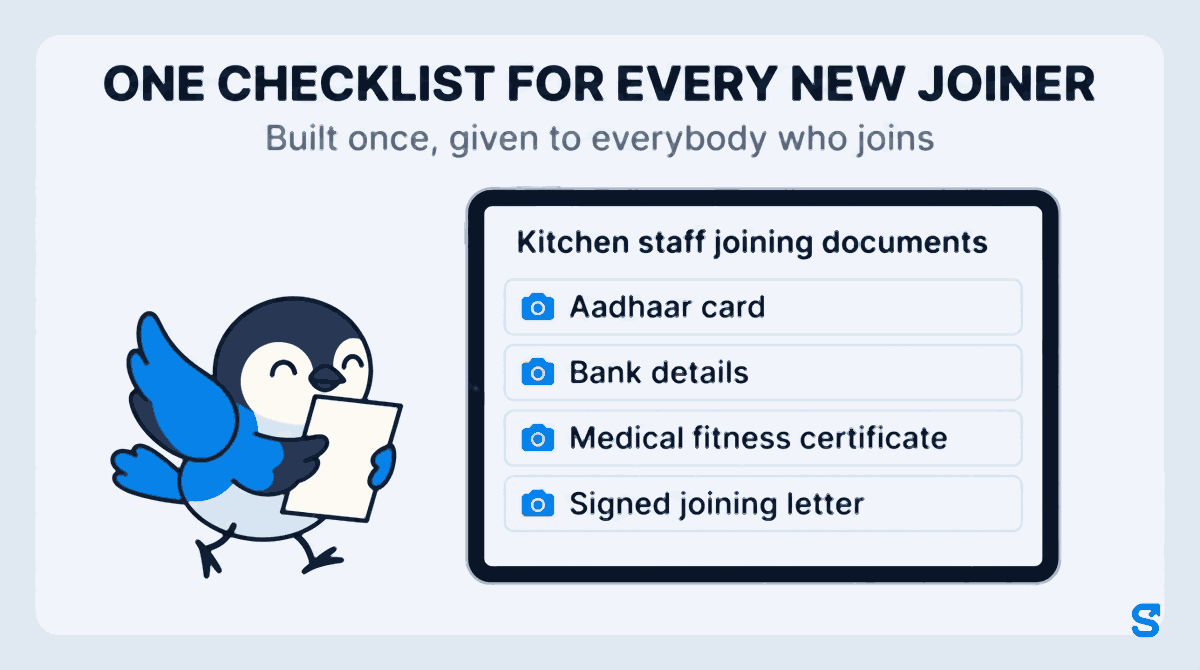
1. Build the checklist once
Tap Create Template and give it a name, such as "Kitchen staff joining documents". Then add one line per item with Add Requirement. Each line has a label, an optional instruction for the employee, a Required field tick, and an input type:
- Image (Camera/Gallery) for the Aadhaar card, the passbook and the photo
- File Upload for a PDF, such as a medical certificate from a clinic
- Text Input, Number Input or Date Picker for the emergency contact, the old UAN or the date of joining
- Joining Letter / Signature for the joining letter itself
You can keep different templates for different roles: one for kitchen staff with the medical certificate, a shorter one for a part-time cashier.
2. Give it to the new joiner
From the template, tap Assign and pick the people who just joined. You can pick several at once, which helps when you hire three people for the festive season in the same week. The new joiner gets a notification on their phone that onboarding documents are waiting.
When the checklist includes a joining letter, the app asks you for the details that change per person, such as the salary, at the moment you assign it. The employee's name is filled in for you.
3. The new joiner fills it in on their phone
When the new joiner opens the app, they see Onboarding Required and the list. For a photo item they tap Take Photo or Choose from Gallery. Nobody has to find a photocopy shop. For the joining letter, they read it and sign on the screen with a finger.
A banner shows how many days they have left to submit. That window is a grace period you set in Settings; it is five days unless you change it. Once it runs out, the app shows an Access Blocked notice until the documents are submitted and approved. That deadline is what turns "tomorrow" into today.
Checking each document, and sending back the bad ones
Every time a new joiner submits something, you get a notification. Open their name and each item is laid out on one page: the photo, the file, the typed answer, the signed letter.
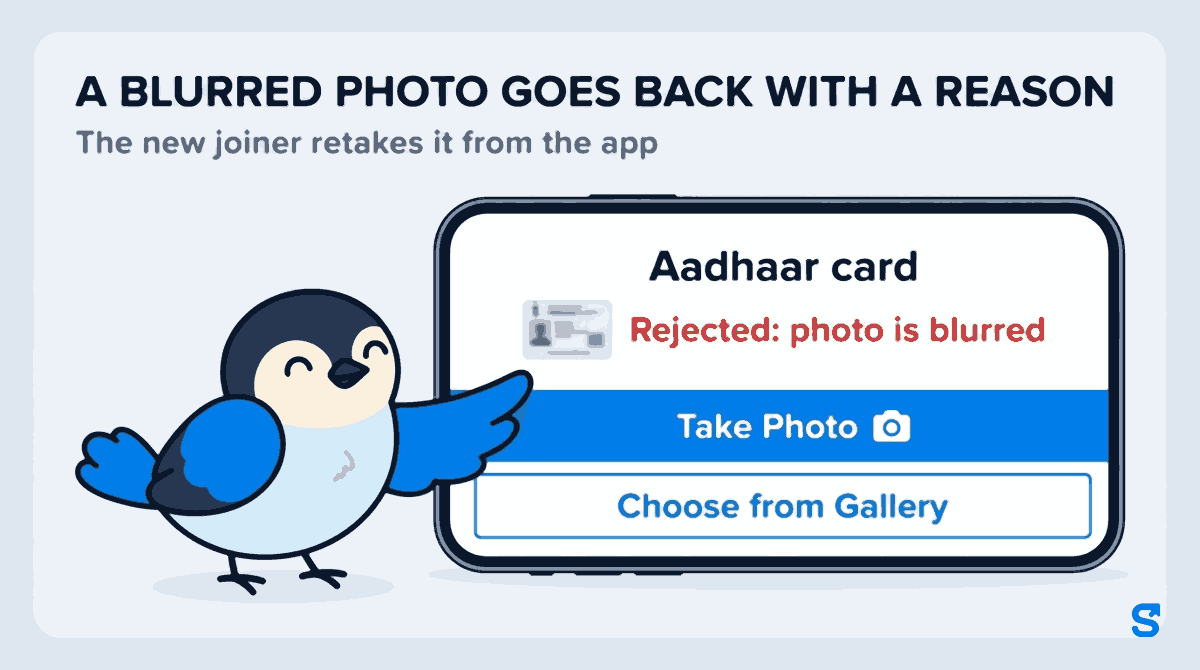
Each item has its own Approve and Reject button. Rejecting asks you to tell the employee what needs fixing, so a blurred Aadhaar photo goes back with "photo is blurred" instead of a phone call. The new joiner sees the item marked Rejected: photo is blurred, retakes the photo and submits again. When everything is approved, they get a message that onboarding is complete.
A manager can do this for you. Under Roles, the Onboarding permission has separate ticks to see onboarding progress, create or edit a checklist, and assign one, so a restaurant manager can check the kitchen's new joiners without seeing anything else you have not given them.
When somebody leaves after three weeks
This is the case the paper file handles worst. With the checklist in the app, what a person submitted is kept under their own name in your business's account, not in a manager's WhatsApp chat or a drawer at one branch. When a PF query arrives about a short stint, you look them up rather than search a cupboard.
If you hire in batches, add everybody in one go first: our article on bulk uploading employees and seeing who actually received the invite covers that step, and the checklist comes after it.
Which app collects joining documents from staff phones?
See everything else the app does for a shop or restaurant on the features page.
Frequently asked questions
What documents are required from a new employee in a small business?
An ID proof such as Aadhaar, bank details for the salary, a recent photograph, an emergency contact, the previous UAN if they had PF before, and a signed joining letter. Add PAN if you deduct tax, and a medical fitness certificate for food handlers in a licensed food business.
Should I keep a copy of my employee's Aadhaar card?
Ask for the masked Aadhaar, which shows only the last four digits, unless you need the full number for a specific purpose such as PF. Keep fewer copies of personal documents, not more.
How long should a new joiner get to submit documents?
Long enough to fetch a document from home, short enough that it happens before the first salary. Most shops find three to five days works. In Shiftelio the grace period is five days by default and you can change it in Settings.
Can a manager collect onboarding documents instead of the owner?
Yes. Give the manager's role the Onboarding permission with the ticks they need: view progress, create or edit checklists, or assign them.
Does the employee need a computer to fill in the checklist?
No. Everything is on their phone: photos from the camera or gallery, files, typed answers, and the joining letter signed with a finger.
Keep reading
Free to use, no signup: Shift roster template.