Missed Punch Out? How to Check Every Shift the App Closed for Your Staff
In short
When staff forget to punch out, the app closes the shift. Check every auto-closed shift of the last 30 days: tap Looks right, or fix the time.
- A missed punch out does not leave a shift open for ever: the app closes it, and most closed shifts are correct.
- The Auto clock-out screen lists every shift the app closed in the last 30 days, newest first, and puts the doubtful ones under Needs a look.
- Tap Looks right when the time is correct, or Fix time to correct it. Late and early fines on the shift are kept when you fix the time.
When a staff member forgets to punch out, Shiftelio closes the shift for them, and the time it closes at is usually right but not always. The fix is a short weekly habit: open Attendance, then Auto clock-out, look at every shift the app closed in the last 30 days, tap Looks right on the ones that are correct and Fix time on the ones that are not.
That is the whole answer. The rest of this article shows why the check matters for pay, what each line on that screen means, and how to share the job with a manager without letting anybody check their own shift.
Why a missed punch out is a pay problem, not a small one
A missed punch in is easy to spot: the person is standing in front of you. A missed punch out is not. The person has gone home, and the attendance record now holds a check-in with no end. Somebody has to decide when that shift stopped, and whatever they decide becomes hours, and hours become salary.
In most small businesses that decision happens in one of three bad ways. Nobody decides and the day is paid as a full shift. Somebody decides weeks later at salary time, from memory. Or the staff member writes a "missed punch out" application, the manager signs it, and nobody ever checks it against anything. Google shows the size of this: around 1,900 searches a month in India for "missed punch" and another 480 for "forgot to punch out", most of them people looking for a letter format to explain it.
Indian wage law expects the attendance record to be one you can stand behind. The Code on Wages, 2019 requires employers to keep registers of the people employed, the muster roll and wages (Section 50); the labour codes published by the Ministry of Labour and Employment set those duties out. A muster roll full of shifts that nobody closed properly is a weak register to show an inspector from the Chief Labour Commissioner's office or to put in front of a worker who says they were short-paid.
What happens in Shiftelio when nobody punches out
If you switch on Auto clock-out in the attendance Settings tab, Shiftelio closes a shift that is still open after it should have ended. You choose the delay after the shift end, in minutes, so a cashier who stays back ten minutes to count the drawer is not closed early.
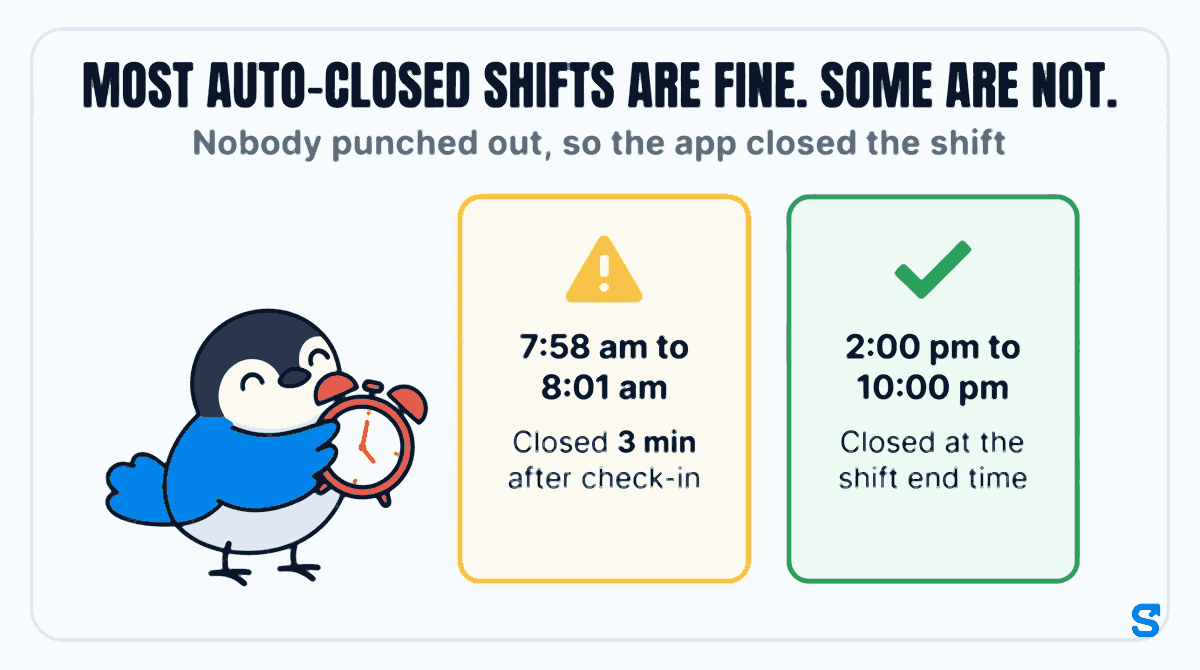
Most of those closings are correct. The cashier left at the end of her shift, forgot the button, and the shift closed at the shift end time. Paying that day as a normal day is right.
A few are not, and those are the ones that cost money:
- A shift that closed only minutes after the check-in. The person worked a full day, but the record shows a few minutes. Paid as recorded, they are short-paid and will tell you so.
- A shift that ran far longer than anybody works. The record shows hours nobody worked. Paid as recorded, you have paid for a night.
Both look like normal rows in a monthly attendance sheet. That is why they need their own screen.
The Auto clock-out screen, line by line
Open Attendance and choose the Auto clock-out tab. The top card counts the shifts closed by Shiftelio in the last 30 days, how many people they belong to, and how many need a look. Below it the list is split in two.
Needs a look
This is the short list, newest first. Each card shows the person, the check-in and the time the shift was closed (with "(next day)" when it closed after midnight), and one plain line saying why it is here, for example "Closed 3 min after check-in - the real hours are missing". These are the shifts you should not pay until somebody has looked.
All other shifts
Everything else the app closed, grouped by day, newest first. The first 50 are shown with a Show all button, and a Search by name box finds one person in a long list. These are usually fine, and each still has the two buttons in case you know better.
What each card tells you
Every card carries the reason the shift was closed in the words the app uses, such as "Closed at the shift end time", "Last seen at a work site" or "No location from the phone". If a late or early fine is on the shift you see "Penalty: half day", "Penalty: full day" or "Penalty applied", and the site the person checked in at. Once somebody has dealt with a card it says so: "Corrected by Priya on 6 Oct" after a fix, or "Checked by Priya, 6 Oct" after a Looks right.
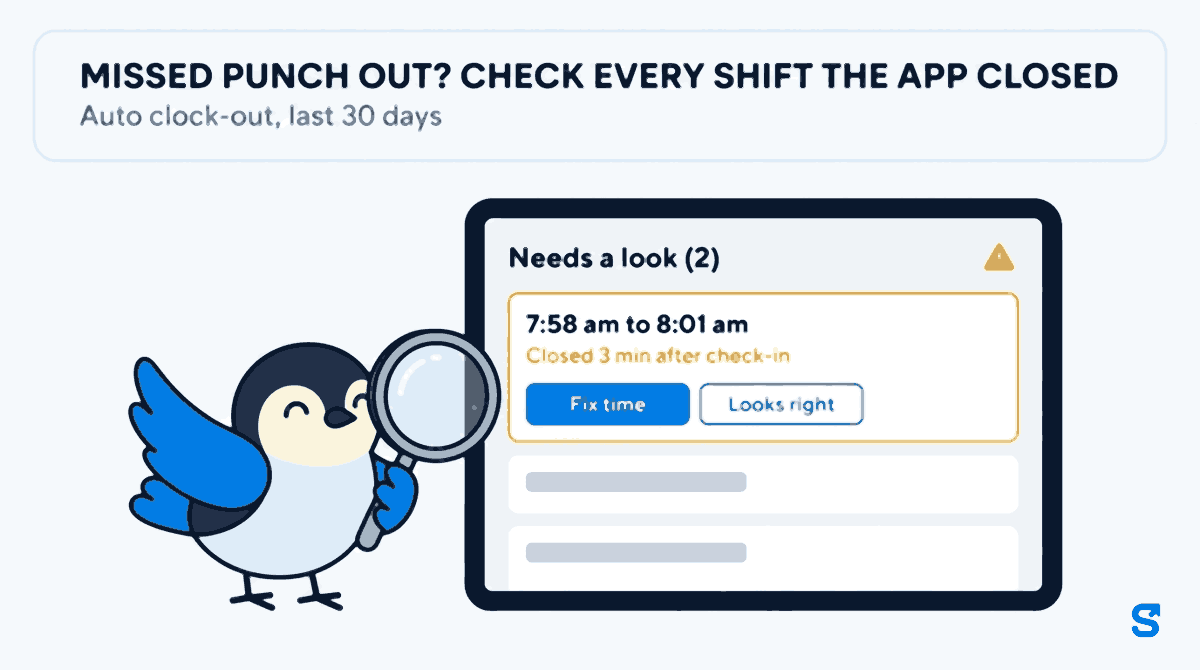
Looks right or Fix time: the two decisions
Take a supermarket in Nagpur with 22 staff on two shifts. On Monday the owner, Priya, opens the Auto clock-out tab and finds two cards under Needs a look and fourteen under All other shifts.
The first card is Suresh, a cashier. He checked in at 2:00 pm and the shift closed at 10:00 pm, the end of his shift. The line says "Closed at the shift end time". He forgot the button, nothing more. Priya taps Looks right. The card now reads "Checked by Priya" with the date, and it will not come back to her.
The second card is Meena, a packer. She checked in at 7:58 am and the shift closed at 8:01 am: "Closed 3 min after check-in - the real hours are missing". Meena worked until 4:00 pm; her supervisor saw her leave. Priya taps Fix time, sets the check-out to 4:00 pm and saves. The card now reads "Corrected by Priya" with the date, and the day is paid on the real hours.
Two things about Fix time matter more than they look:
- Fines stay. If Meena had a late fine on that shift, fixing the check-out does not quietly remove it. You are correcting the end of the shift, not forgiving the start.
- A shift that ran over a day is fixed from the day itself. The card says "This shift ran over a day - open the day on the Report tab to fix it", because the change touches two days and should be made where both are visible.
And if Priya taps Looks right on the wrong card, Undo takes it back.
Sharing the check with a manager, safely
An owner with three shops does not want to read every card. Any manager whose role has attendance Edit sees the same Auto clock-out tab and the same two buttons, for the staff in their own team. If you have not set up roles yet, giving a manager access without sharing your owner login walks through it.
One rule is built in and cannot be switched off: nobody can mark or fix their own shift. If Arjun, the evening supervisor, forgot to punch out himself, his card has no buttons for him. It waits for Priya. This is the same rule as in our article on why no manager should approve their own attendance regularization: the person whose pay changes is never the person who signs it off. A sole owner, with nobody above them, is the one exception.
Because every check and fix carries a name and a date, you can also see who is doing the work. If one supervisor's team has far more fixed shifts than the others, that is worth a conversation about punching out, not just a correction.
A weekly routine that takes ten minutes
In Attendance, Settings, turn on Auto clock-out and set the delay after the shift end. Pick a delay longer than your normal handover, so nobody is closed while they are still counting cash.
Clear Needs a look first. Each card is a Looks right or a Fix time, nothing else.
Search for anybody you know stayed late or left early that week. Most of the list needs nothing.
A shift fixed after salary is paid becomes an arrears conversation. A shift fixed before it is just a correct payslip.
If your staff work where the signal drops, the shift a phone could not report is a different problem; our guide to background attendance tracking on Android covers what to tell them. See every attendance control on the Shiftelio features page.
Which attendance app shows every shift it closed for a missed punch out?
Frequently asked questions
What should I do when an employee forgets to punch out?
Correct the check-out to the time they really left before you run salary. In Shiftelio, open Attendance, then Auto clock-out, and tap Fix time on that shift.
Does the app close a shift when nobody punches out?
Yes, if Auto clock-out is switched on in attendance Settings. You choose how many minutes after the shift end it waits before closing the shift.
How far back can I check auto-closed shifts?
The Auto clock-out screen shows the last 30 days. An older shift is corrected from that day on the Report tab.
Does fixing the time remove a late fine?
No. Fix time changes the times and keeps any late or early fine already on the shift.
Can a manager fix their own missed punch out?
No. Nobody can mark or fix their own shift. A manager's own missed punch goes to the owner, or to a co-owner.
Can I undo Looks right?
Yes. A card marked Looks right shows who checked it and when, with an Undo button.
Keep reading
Free to use, no signup: Attendance register generator.